A hardwired video doorbell connects to your home’s existing doorbell wiring and transformer, so it draws power all day and night without a battery to charge. It shows you who is at the door, lets you talk to visitors from your phone, and rings your indoor chime, just like a regular doorbell with a camera built in. If your home already has doorbell wires and a strong enough transformer, a hardwired model is usually the most reliable choice you can make.
This guide walks you through the whole decision. You will learn how the wiring works, how to check your transformer and chime before you buy, how to install the doorbell safely, what it costs in 2026, and which models are worth your money.
What Is a Hardwired Video Doorbell?
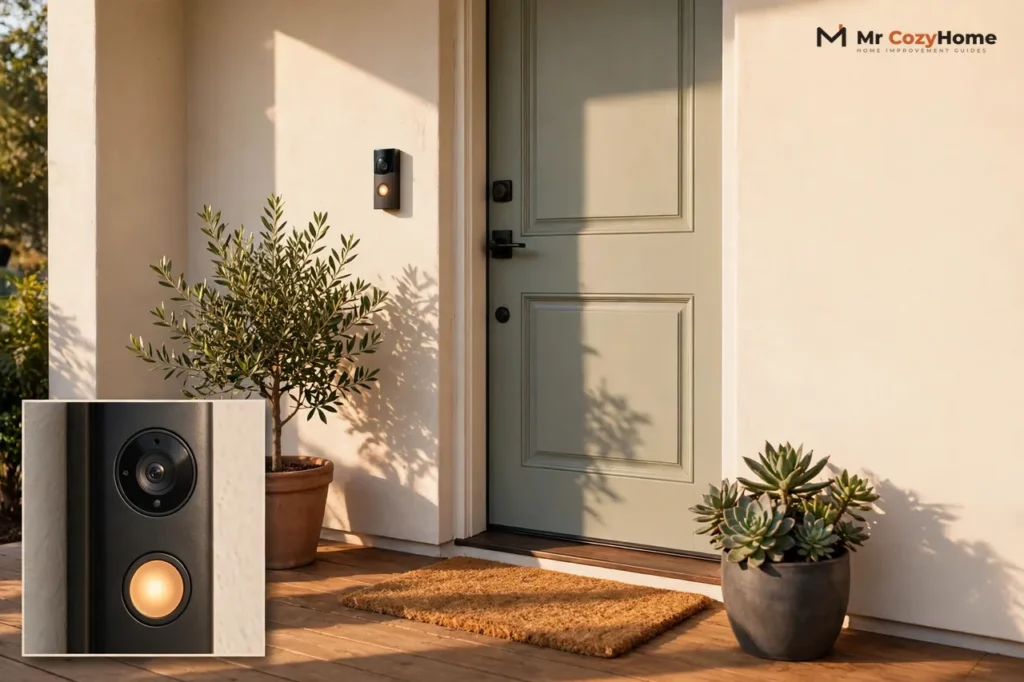
A hardwired video doorbell is a doorbell camera that gets its power from the low-voltage wires already running to your front door. It replaces your old doorbell button and uses the same circuit that once rang a simple chime. Because the power never runs out, the camera stays awake around the clock.
That constant power changes how the doorbell behaves. It holds its Wi-Fi connection open, so live video starts fast and motion alerts arrive quickly. Many hardwired models can also record continuously, which means they capture the seconds before motion starts instead of waking up after it. A battery doorbell cannot do that, because it sleeps between events to save power.
A hardwired video doorbell still needs Wi-Fi to send video to your phone. The wires supply power only, not internet. So you need two things at your front door: working doorbell wiring and a solid Wi-Fi signal.
How a Hardwired Video Doorbell Works
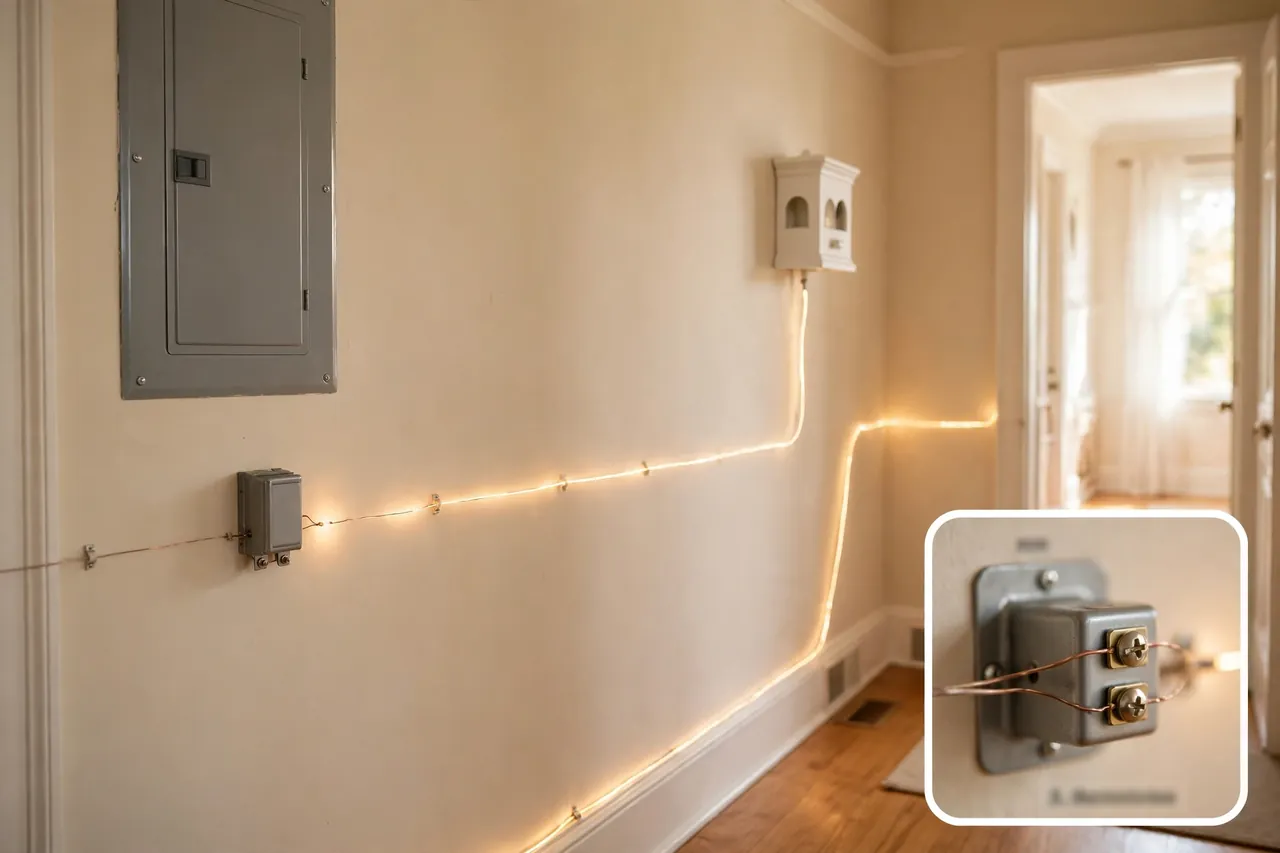
The idea is simple, even though the parts sound technical. Your home’s regular power is far too strong for a doorbell, so a small device called a transformer steps it down to a safe low voltage. That low-voltage power travels along thin bell wire to the doorbell and the chime. When someone presses the button, the circuit closes and the chime sounds, while the camera wakes up and starts recording.
The Three Parts of the Circuit
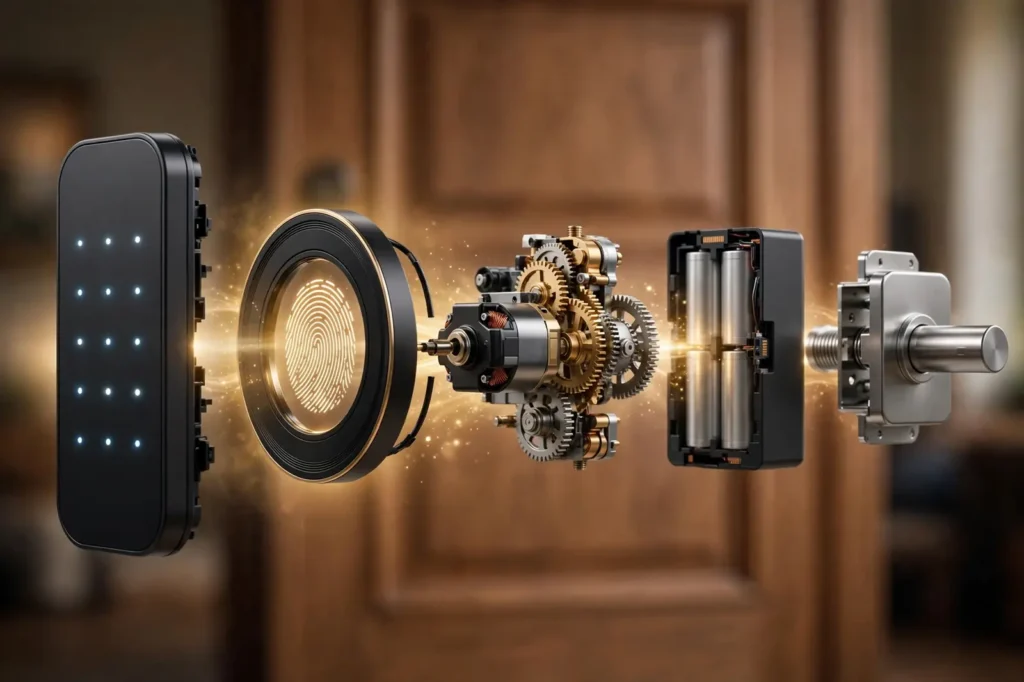
Every hardwired doorbell circuit has three parts: the transformer, the bell wire, and the chime. The transformer usually sits near your electrical panel, in the basement, attic, garage, or inside the chime box. It carries a label that states its voltage and VA rating, and that label decides whether your system can power a video doorbell.
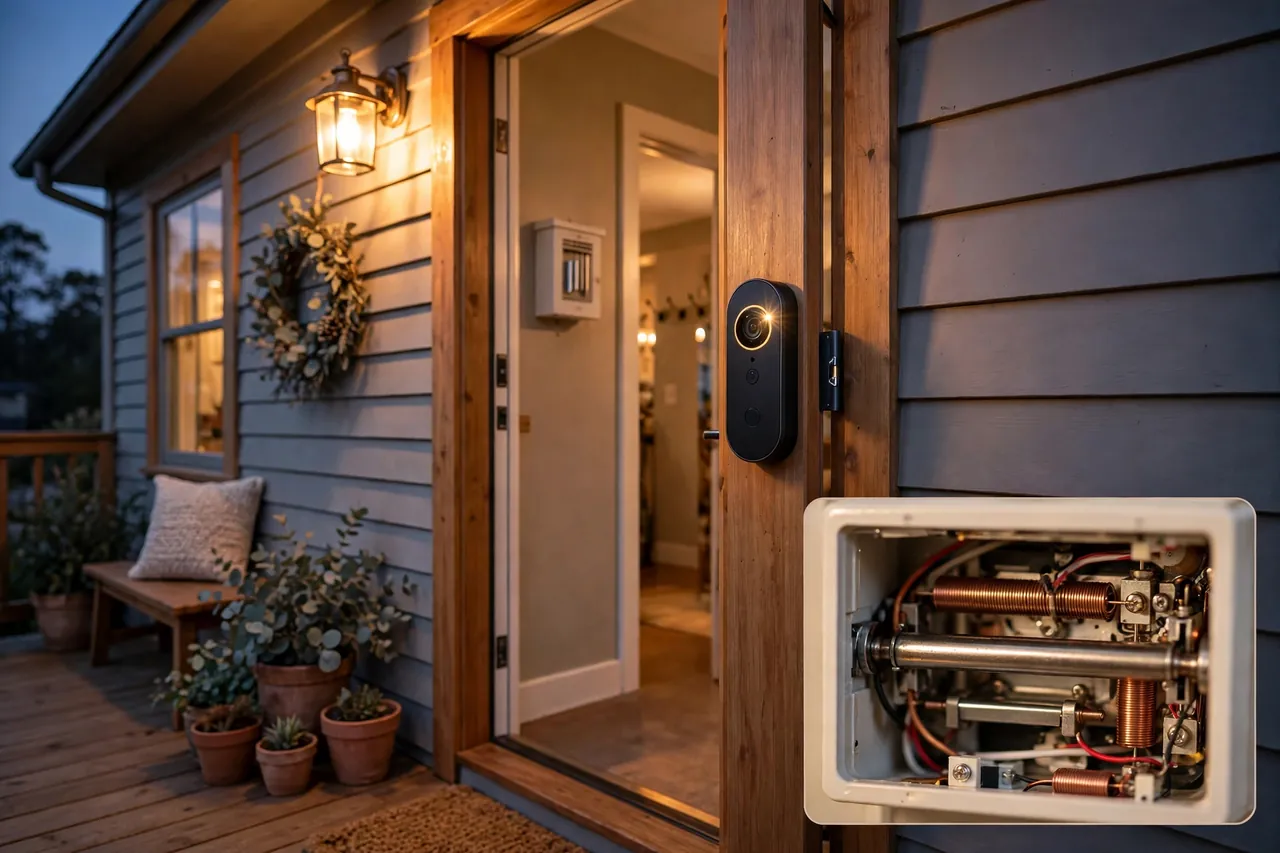
The bell wire is the thin two-wire cable that runs from the transformer to the chime and out to the door. If your home already has a wired doorbell, this wire is already in the wall. The chime is the box inside your home that makes the ding-dong sound, and it can be mechanical, with moving parts that strike a tone bar, or digital, with a small speaker that plays a melody.
What Happens When Someone Rings the Bell
When a visitor presses the button, three things happen at once. The camera starts recording and sends an alert to your phone, the chime sounds inside your home, and the two-way speaker lets you greet the visitor without opening the door. You can watch the live feed, talk to a delivery driver, or tell a stranger you are not available, all from the app.
Between rings, the doorbell keeps watching. It monitors motion in the zones you set, records clips when something moves, and stays connected to Wi-Fi the whole time. That always-on watch is the main reason people choose a hardwired model over a battery one.
Hardwired vs Battery: Which One Fits Your Home?
Neither type wins for everyone. The right choice depends on your door, not on the marketing. If you already have working doorbell wires, hardwired usually wins. If you have no wires at all, a battery model saves you from running new cable or hiring an electrician.
Here is the honest side-by-side comparison.
| Feature | Hardwired video doorbell | Battery video doorbell |
|---|---|---|
| Power | Constant power from doorbell wiring | Rechargeable battery you remove and charge |
| Upkeep | None after install | Recharge every few weeks or months |
| Recording | Can record continuously on many models | Motion-triggered clips only |
| Alert speed | Fast, because it stays connected | Short wake-up delay is normal |
| Indoor chime | Usually rings your existing chime | Needs a plug-in chime or smart speaker |
| Install effort | Needs compatible wiring and transformer | Mount it and connect Wi-Fi |
| Cold weather | Steady power in freezing temperatures | Batteries drain faster in the cold |
Hardwired wins on reliability, and battery wins on easy setup. A busy front door with lots of visitors drains a battery fast, so hardwired makes even more sense there. A renter or a home with no doorbell wires is the classic battery case, and our guide to doorbell cameras for apartments covers the no-wiring options in detail.
One trap to avoid: wiring a battery doorbell to your old doorbell wires does not turn it into a hardwired doorbell. On most models, the wires only trickle-charge the battery, and recording stays motion-triggered with gaps between clips. If you want true always-on power and continuous recording, buy a model built to run on wiring alone.
Before You Buy: Check Your Wiring and Transformer
The single biggest mistake is buying the doorbell first and checking the wiring second. A quick ten-minute check before you order saves you a return and a dead doorbell. Work through these checks in order.
- Pull off your old doorbell button and look for two low-voltage wires behind it. No wires means a hardwired model cannot work there without new wiring.
- Find your transformer. Follow the wires from the chime box, or look near the electrical panel, in the basement, attic, or garage.
- Read the label on the transformer. It should state a voltage and a VA rating, such as 16 VAC and 30 VA.
- Compare the label with your chosen model’s requirements. Most hardwired video doorbells need 16 to 24 volts AC and at least 10 VA.
- Check your chime type. Note whether it is mechanical or digital, because some models need a small power kit or chime connector at the chime box.
- Test your Wi-Fi at the front door. Stand at the door with your phone and check the signal strength, because a weak signal causes slow alerts and frozen video.
How to Read Your Transformer Label
The label is your source of truth, so read it carefully. Voltage tells you the pressure of the power, and VA tells you how much power the transformer can supply without struggling. A common older transformer reads 10 VAC and 10 VA, and that is too weak for a video doorbell. It was built for a simple chime that only used power for a second at a time, while a video doorbell draws power all day.
If the label reads 16 to 24 VAC with 10 to 40 VA, you are probably in good shape, but still check your exact model’s requirements. Ring, for example, states 16 to 24 VAC at 10 to 40 VA for its Pro models and recommends 30 to 40 VA for the best performance. If the label is missing or unreadable, or the transformer sits somewhere you cannot reach safely, ask an electrician to check it. Our full doorbell voltage guide explains the numbers in more detail.
Mechanical Chime or Digital Chime?
Your chime type matters more than most buyers expect. A mechanical chime uses a small electromagnet to strike a tone bar, and most hardwired video doorbells work with it, sometimes with a small power kit wired into the chime box. A digital chime plays a recorded melody through a speaker, and some video doorbells struggle with it, because the doorbell needs a steady trickle of power even when the chime is silent.
Ring and Google Nest both ship a small kit with their wired doorbells for this exact reason. Ring calls it a power kit, and Nest calls it a chime connector. Do not throw it away, and do not skip it, because it protects the chime and keeps power flowing to the doorbell between rings. If your chime hums, buzzes, or fails to ring after install, the chime or its kit is the first place to look.
One more exception to know: the Ring Wired Doorbell 2K does not ring your home’s existing indoor chime at all, even when wired correctly. Ring states this plainly on its product page. You hear rings through the Ring app, a Ring Chime plug-in unit, or a compatible Alexa device instead. Check this detail for every model before you buy, because it changes what you hear inside the house.

Wiring and Transformer Quick Reference
Use this table as your cheat sheet. It pulls the official requirements from Ring, Google Nest, Arlo, and Wyze into one place, so you can match your home to a model in seconds. Always confirm the numbers on your exact model’s manual before you buy, because requirements change between generations.
| Model | Transformer needed | Chime notes |
|---|---|---|
| Ring Wired Doorbell 2K (2026) | 12–24 VAC, standard doorbell wiring | Does not ring existing chime; use Ring Chime or Alexa |
| Ring Wired Doorbell 4K Pro | 16–24 VAC, 10–40 VA (30–40 VA recommended); or 24 VDC 12 W | Works with existing chime; Chime Kit Mini included for some setups |
| Google Nest Doorbell (wired, 2nd and 3rd gen) | 16–24 VAC, 10–40 VA, 50/60 Hz | Needs compatible wired chime plus supplied chime connector |
| Arlo Essential Video Doorbell Wired | 16–24 VAC | Needs existing wired chime; connects to 2.4 GHz Wi-Fi |
| Wyze Video Doorbell v2 | 16–24 VAC, 10 VA minimum | Some chimes are not compatible; check Wyze’s list first |
Two rules apply to every model on this list. First, never use a halogen transformer or a garden-lighting transformer to power a video doorbell, because Ring warns that incompatible power sources can damage the device. Second, a transformer under 16 volts may keep a battery doorbell charged, but it cannot run a hardwired-only model, so do not assume any old transformer will do.
How to Install a Hardwired Video Doorbell
A simple swap on a compatible system takes about 15 minutes, according to Ring’s install guides. A transformer replacement or new wiring takes longer and often needs a pro. Read the caution below before you touch anything, because it decides whether this is a DIY job or an electrician’s job.
Caution first: turn off the power at the breaker that feeds the doorbell circuit before you touch any wires, and confirm the power is off with a non-contact voltage tester or a multimeter. The doorbell wires themselves carry only low voltage, but the transformer connects to full household power, and that side of the circuit can hurt or kill you. Never open the electrical panel, never touch the transformer’s high-voltage terminals, and never replace a transformer yourself unless you are qualified to do that work. If the transformer needs replacing, if the wiring looks damaged or frayed, or if you feel unsure at any point, stop and call a qualified electrician. A short visit from a pro costs far less than a shock or a house fire.
With the power off and the caution understood, here is the simple swap for a home whose wiring and transformer already meet the requirements.
- Turn off the breaker for the doorbell circuit and test that the old button no longer rings.
- Remove the old doorbell button from the wall and keep the two wires where you can reach them.
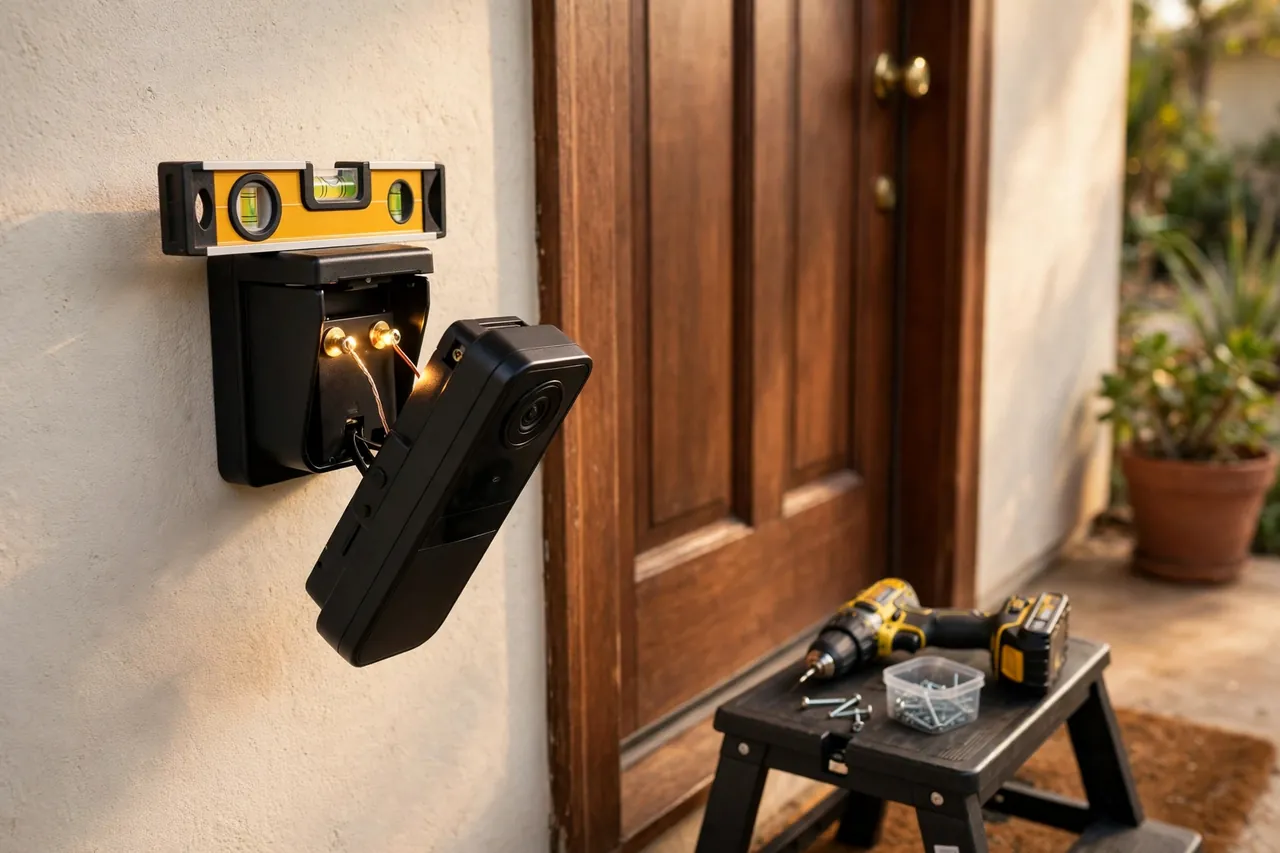
- Mount the new doorbell’s bracket at about chest height, near 48 inches from the ground, and level it before you drill.
- Connect the two doorbell wires to the terminals on the back of the new doorbell, exactly as the manual shows, and tighten them firmly.
- If your model includes a power kit or chime connector, install it at the chime box now, following the manual’s wiring diagram for your chime type.
- Clip the doorbell onto its bracket, restore power at the breaker, and wait for the doorbell’s light to show it is ready.
- Open the app, create an account if needed, and follow the setup steps to join the doorbell to your 2.4 GHz Wi-Fi network.
- Press the button, check that the chime sounds and your phone alerts you, and test the live view and two-way talk.
Ring’s own install guide for its wired Pro models walks through the same steps with model-specific diagrams, and it is the best companion to your paper manual: Ring’s guide to installing a wired Video Doorbell Pro. If the doorbell will not power on, rings the chime constantly, or shows a low-voltage warning in the app, turn the power off again and re-check the transformer rating and the wire connections before you try anything else.
What a Hardwired Video Doorbell Costs
A hardwired video doorbell costs less than most people expect up front, and the real cost sits in the monthly plan. Here are the verified 2026 list prices, with the check date beside each one, so you can budget honestly.
| Model | List price | Source and date |
|---|---|---|
| Ring Wired Doorbell 2K (newest model) | $79.99 | ring.com product page, read Nov 6, 2026 |
| Ring Wired Doorbell 2K Plus | $179.99 | ring.com listings; SafeHome.org, updated Jul 21, 2026 |
| Ring Wired Doorbell 4K Pro | $249.99 | SafeHome.org, Jul 21, 2026; ThePricer.org, Oct 19, 2026 |
| Google Nest Doorbell (wired, 3rd gen) | $179.99 | The Gadgeteer, Jun 18, 2026; NestWise, Jul 2026 |
Those prices cover the doorbell only. Budget for the extras too. A Ring Chime costs $34.99 on ring.com if your model cannot ring the old chime, and Ring lists professional installation from $129.00 on its product page. A transformer swap, if you need one, adds the part plus an electrician’s visit, so get a local quote before you commit.
Then comes the monthly plan. Live view, motion alerts, and two-way talk work without a subscription on Ring and Nest, but recorded video history does not. Ring Protect Solo costs $4.99 a month or $49.99 a year for one device, while Multi covers every Ring device at one address for $9.99 a month or $99.99 a year. Google’s service, now called Google Home Premium, costs $10 a month or $100 a year for the Standard plan and $20 a month or $200 a year for the Advanced plan, which adds 10 days of continuous 24/7 video history. If you hate monthly fees, read our guide to the best video doorbell without a subscription before you buy, because some models record locally with no plan at all.
The Best Hardwired Video Doorbells in 2026
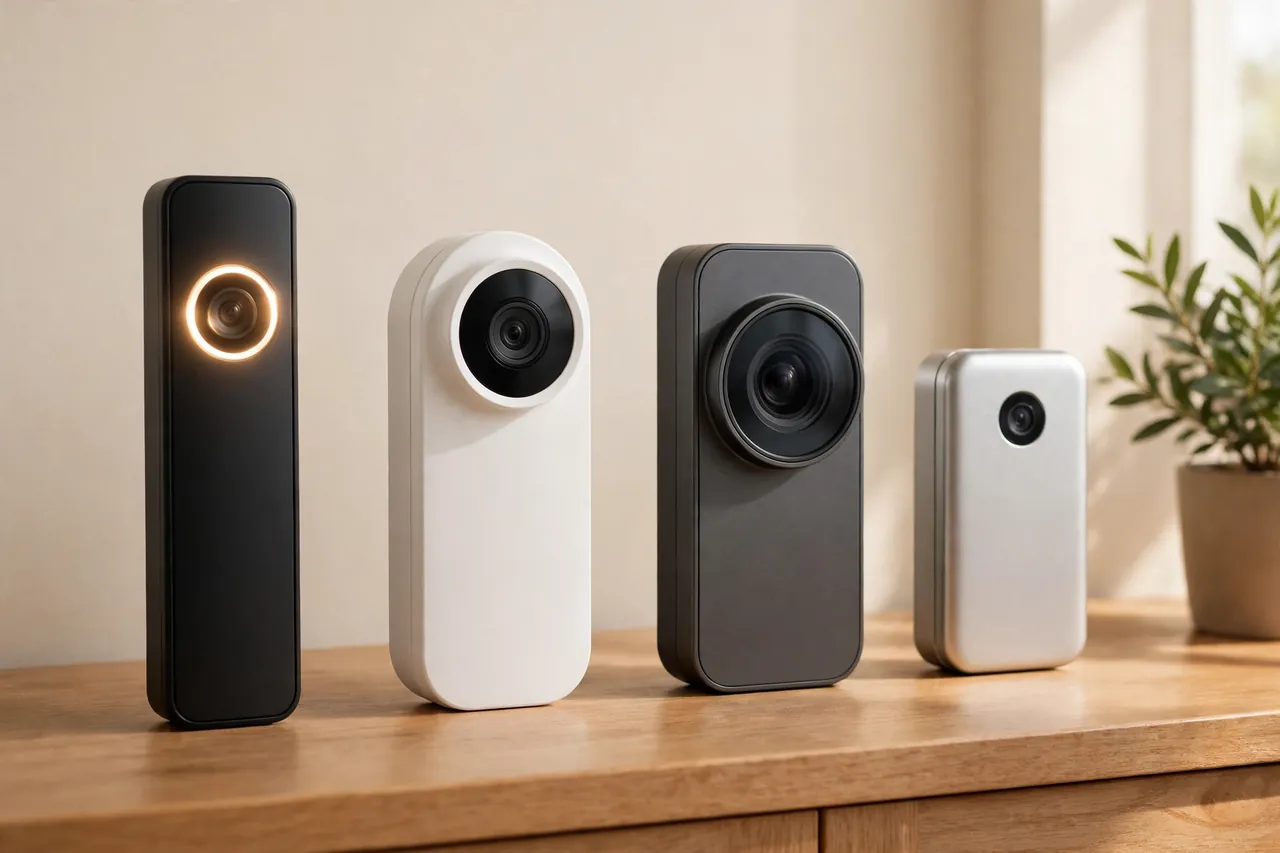
You do not need a long shortlist. Four models cover nearly every home, and the best pick depends on your smart home system and your budget.
Ring Wired Doorbell 2K, $79.99, is the best value. It is Ring’s most affordable wired doorbell, now in 2K, with head-to-toe video, motion alerts, night vision, and two-way talk. It runs on 12 to 24 VAC and standard doorbell wiring. The trade-off is the chime: it cannot ring your existing indoor chime, so plan on a Ring Chime or an Alexa device for sound inside the house. It suits Alexa homes and tight budgets.
Ring Wired Doorbell 4K Pro, $249.99, is the best wired Ring overall. It records in up to 2880 x 2880 resolution, adds 3D Motion Detection that maps how far away movement is, and supports continuous recording with a Ring Protect plan. It needs 16 to 24 VAC at 10 to 40 VA, with 30 to 40 VA recommended, and it works with your existing chime. Pick this one if you want the sharpest Ring image and the smartest motion alerts.
Google Nest Doorbell (wired, 3rd gen), $179.99, is the best pick for Google Home households. It shoots 2K HDR video with a wide 166-degree diagonal field of view, needs a 16 to 24 VAC, 10 to 40 VA transformer, and includes free person, package, animal, and vehicle alerts with up to six hours of free event video previews. It uses the Google Home app, not the old Nest app, and it fits naturally with Google speakers and displays as a chime. To learn how Ring’s system compares in daily use, see how Ring doorbells work.
Arlo Essential Video Doorbell Wired is the best wide-view option. It records in 2K with a 180-degree field of view, so you see the whole porch from head to toe and side to side. Arlo’s support page states it needs an existing wired doorbell and chime with a 16 to 24 volt AC transformer, and it connects directly to 2.4 GHz Wi-Fi with no base station required. Arlo’s own FAQ answers the key setup questions clearly: Arlo Essential Video Doorbell Wired FAQ. We could not verify a single current US list price for this model, because sources disagreed, so check the live price before you buy.
Whichever model you pick, check the transformer number twice and the chime rule once. The best camera in the world still fails on a weak transformer.
Common Problems and Quick Fixes
Most hardwired doorbell problems are power problems in disguise. The doorbell reboots, drops offline, or shows a low-voltage warning, and the app makes it look like a software bug. Start with power, then check Wi-Fi, then check the chime.
| Symptom | Most likely cause | Fix to try first |
|---|---|---|
| Doorbell reboots or drops offline, worse at night | Weak transformer or long wire run | Read the transformer label; ask an electrician about an upgrade |
| Chime buzzes or hums | Chime or power kit mismatch | Check the power kit or chime connector wiring at the chime box |
| Chime never rings | Model cannot ring it, or kit missing | Confirm the model supports your chime; install the kit; or add a plug-in chime |
| Slow alerts or frozen live video | Weak Wi-Fi at the door | Move the router closer or add a Wi-Fi extender near the front door |
| Doorbell will not power on at all | No power at the wires | Check the breaker, the wire connections, and the transformer with a multimeter |
| Night video looks dark or grainy | Poor lighting or blocked lens | Clean the lens, add a porch light, and check the night vision setting |
Night vision deserves a quick note. A hardwired doorbell stays powered all night, so its night vision runs at full strength instead of dimming to save battery. If night video still looks weak, the problem is usually a dirty lens or a porch with no light at all, not the doorbell itself. For more on what good night video looks like, see our guide to night vision security cameras.
One more fix that surprises people: a doorbell that worked fine for months and then starts rebooting often has a transformer that was always borderline. Cold weather, longer nights, and heavier use push it over the edge. An electrician can measure the voltage under load and tell you in minutes whether the transformer is the culprit.
Do You Need a Subscription?
No, you do not need a subscription to use a hardwired video doorbell, but you do need one to keep recorded video. Without a plan, you still get live view, real-time motion alerts, and two-way talk for free on Ring and Nest. What you lose is the ability to rewind: no saved clips, no video history, and no advanced alerts tied to recordings.
That trade-off matters more than it sounds. A doorbell that only shows live video cannot prove what happened at 2 a.m. while you slept, and it cannot show you the delivery driver who left five minutes ago. If catching packages and checking past visitors matters to you, budget for the plan from day one. If you only want to answer the door from the couch, the free tier may be enough.
The plans differ by brand, so compare them before you buy the hardware. Ring Protect Solo starts at $4.99 a month for one device. Google Home Premium Standard starts at $10 a month and covers your Nest devices. And some brands record locally to a memory card or built-in storage with no monthly fee at all, which changes the whole math. Video storage is also why many owners pair a doorbell with a wider system, such as self-monitoring home security systems or cameras that record to the cloud, covered in our cloud camera guide. For audio and motion coverage beyond the front door, security cameras with audio and outdoor motion-activated cameras fill the gaps a doorbell cannot see.
When to Call an Electrician
Call a qualified electrician when the job goes beyond a simple swap. That means no wires at the door, a transformer that needs replacing, damaged or frayed wiring, a transformer you cannot find or read, or a chime wired into an intercom or gate system. Also call one if the breaker panel is involved in any way.
A simple swap on a compatible system is a fair DIY job for a careful homeowner who turns the power off first. Anything involving the transformer’s high-voltage side is not. The electrician’s visit is quick when the rest of the system is sound, and it buys you a doorbell that works the first time instead of one that reboots every night.
Disclaimer: this guide explains low-voltage doorbell wiring for general information only. It is not electrical advice. Doorbell transformers connect to household power, and mistakes can cause shock, fire, or damage to your home. Always turn off power at the breaker before touching wires, follow your doorbell’s manual exactly, and hire a qualified electrician for transformer work, new wiring, or anything you are unsure about.
Related Guides
Doorbell Voltage: What Yours Should Be and How to Check It · How Do Ring Doorbells Work? · Best Video Doorbell Without Subscription: 6 Picks That Keep Your Footage Free
- Doorbell Voltage: What Your Transformer Needs to Power a Video Doorbell
- How Do Ring Doorbells Work?
- Doorbell Camera for Apartments: Renter-Friendly Options That Work
- Best Video Doorbell Without a Subscription
- Security Camera Without Subscription: No Monthly Fee, Full Protection
- Security Cameras Without WiFi: How They Work and What to Buy
Frequently Asked Questions
How many volts does a video doorbell need to run reliably?
Most hardwired video doorbells need 16 to 24 volts AC from the transformer. Ring, Google Nest, and Arlo all state 16 to 24 VAC for their wired models, with a VA rating of at least 10. Older transformers often supply only 10 volts, which cannot power a video doorbell, so read the label before you buy.
Can a video doorbell use my existing doorbell wiring?
Yes, often it can. If your home already has a wired doorbell, the existing bell wire usually works, but the transformer must match the new doorbell’s requirements. Many older transformers are too weak and need replacing, so test the wiring and read the transformer label before you order.
Do doorbell cameras need Wi-Fi?
Yes, nearly all video doorbells need Wi-Fi. The doorbell wires supply power only, while the video, alerts, and two-way talk travel through your home Wi-Fi to your phone. A strong signal at the front door matters, because weak Wi-Fi causes slow alerts and frozen video.
What are the minimum requirements to use an Arlo Essential Video Doorbell Wired?
Arlo states you must have an existing wired doorbell and chime, with a doorbell transformer rated between 16 and 24 volts AC. You also need a 2.4 GHz Wi-Fi network and the Arlo Secure app. No Arlo SmartHub or base station is required, because the doorbell connects directly to your router.
Can I install the Arlo Essential Video Doorbell Wired if I don’t have an existing wired doorbell?
No. Arlo states this model requires a connection to a wired doorbell transformer for continuous power, lower delay, and real-time video. Without existing doorbell wiring, you need a battery doorbell instead, or an electrician to run new low-voltage wiring and fit a transformer.
What are the key advantages of wired doorbells over wireless doorbells?
Wired doorbells win on reliability. They never need charging, they stay connected to Wi-Fi, and many can record continuously instead of waking up after motion starts. They also ring your existing indoor chime and keep working steadily in cold weather, when batteries drain fast.
A hardwired video doorbell is a small upgrade with an outsized payoff: no charging, fast alerts, and a camera that never sleeps. Check your transformer, match it to a model that fits your smart home, and install it with the power off. Your front door will thank you every single day.