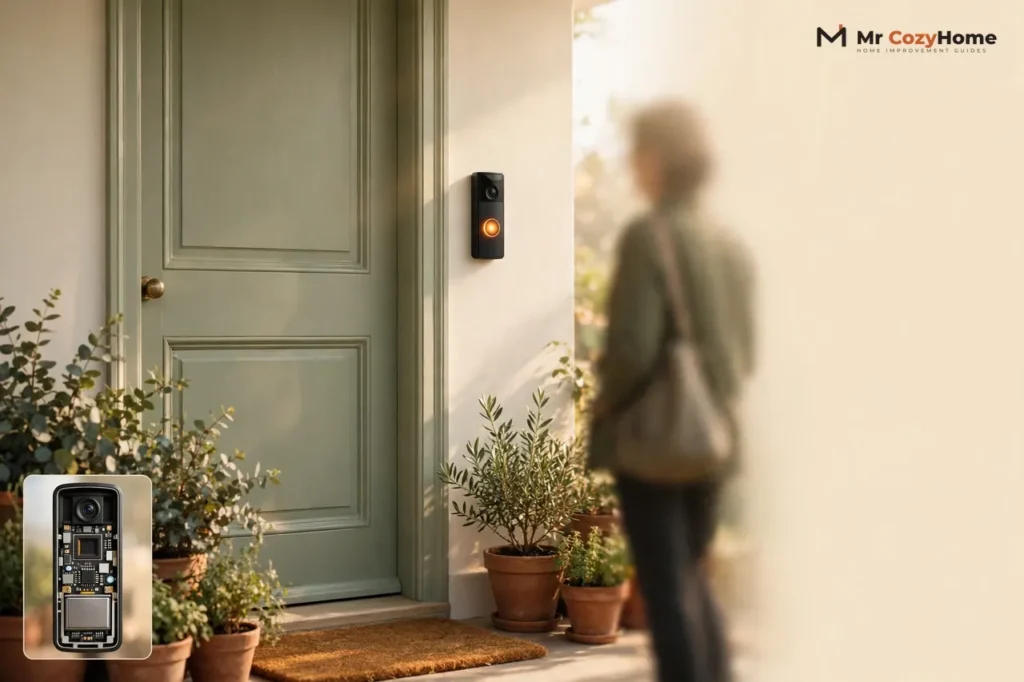
A Ring doorbell works like a regular doorbell with a camera, a motion sensor, and a Wi-Fi connection built in. When someone presses the button or walks up to your door, the doorbell wakes up, records a short video clip, and sends an alert to your phone through the Ring app. You can then see who is there, hear them, and talk back to them, even if you are miles from home. It runs on a rechargeable battery, your existing doorbell wiring, or both, and it needs your home Wi-Fi to send you those alerts.
That short version covers the whole idea. The rest of this guide walks through each piece, step by step, so you know exactly what happens between the press of a button and the buzz in your pocket. Ring itself describes it the same way in its own FAQ: the doorbell connects to your home Wi-Fi, sends real-time notifications to your phone or tablet, and lets you see a live video stream and speak to visitors with two-way audio.
How Do Ring Doorbells Work? The Short Version
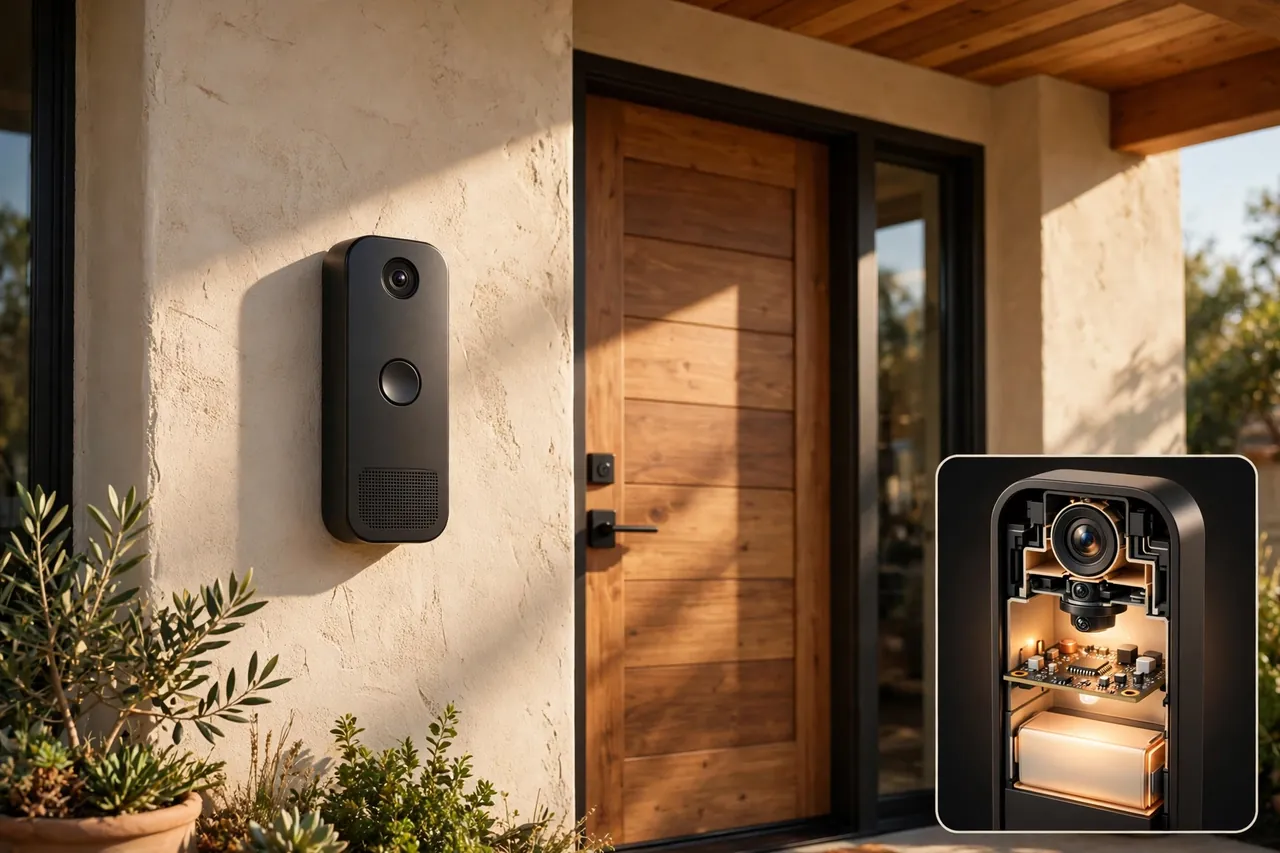
Think of a Ring doorbell as four devices packed into one small box by your front door: a doorbell button, a video camera, a motion sensor, and a tiny two-way intercom. All four share one Wi-Fi connection to your home network, and the Ring app on your phone ties them together.
Here is the whole chain in order:
- Something happens at your door. A visitor presses the button, or the motion sensor spots movement.
- The doorbell wakes up and starts recording a short video clip.
- It sends the video and an alert over your home Wi-Fi to Ring’s servers.
- Ring pushes a notification to your phone, tablet, or other paired device.
- You tap the alert, watch the live video, and talk to the visitor through the app if you want to.
- The clip is saved for later only if you have a Ring subscription. Without one, you still get the live view and the talk-back, but nothing is stored to rewatch.
That is the full loop. Every feature below is just one step of this chain working in more detail.
The Parts Inside a Ring Doorbell
A Ring doorbell looks simple from the street, but five parts do all the work. Knowing what each one does makes every setting in the app make sense.
The Camera
The camera is the eye of the doorbell. It records high-definition video of whoever stands at your door, and it keeps watching in low light too. Ring fits its doorbells with infrared LEDs, so you can see what is going on any time of day or night. Some newer models add color night vision, which keeps the picture in color after dark instead of switching to black and white.
The Motion Sensor
The motion sensor is the watchman. It guards the area in front of your door and wakes the camera the moment something moves, even if nobody presses the button. Most battery-powered models use passive infrared sensors, which sense changes in heat. A person walking up gives off far more heat than a cool porch, and that change trips the sensor. Some wired models watch for changes in the video picture itself instead, and the Ring Video Doorbell Pro 2 adds radar, which measures how far away a moving object is.
The Button
The round button on the front is the part your visitors actually touch. Pressing it does two jobs at once. It starts a video call to your phone, and it also rings the chime inside your house if your doorbell is wired to one. The visitor hears a tone from the doorbell’s own speaker too, so they know their press went through.
The Microphone and Speaker
The microphone and speaker give you two-way talk. The microphone picks up the visitor’s voice, and the speaker plays your voice back to them. That is how you can tell a delivery driver to leave a package by the door, or let a friend know you are on your way down, without opening the door at all.
The Wi-Fi Radio
The Wi-Fi radio is the doorbell’s connection to the rest of the system. It links the doorbell to your home network so video and alerts can reach your phone. Ring says its devices work on 2.4 GHz Wi-Fi networks, and some models can also use 5 GHz. The doorbell does not use Bluetooth to talk to your phone, and it will not work with a mobile phone hotspot. For smooth live video, Ring lists a minimum upload speed of 2 Mbps for its Battery Doorbell.
What Happens When Someone Presses the Button
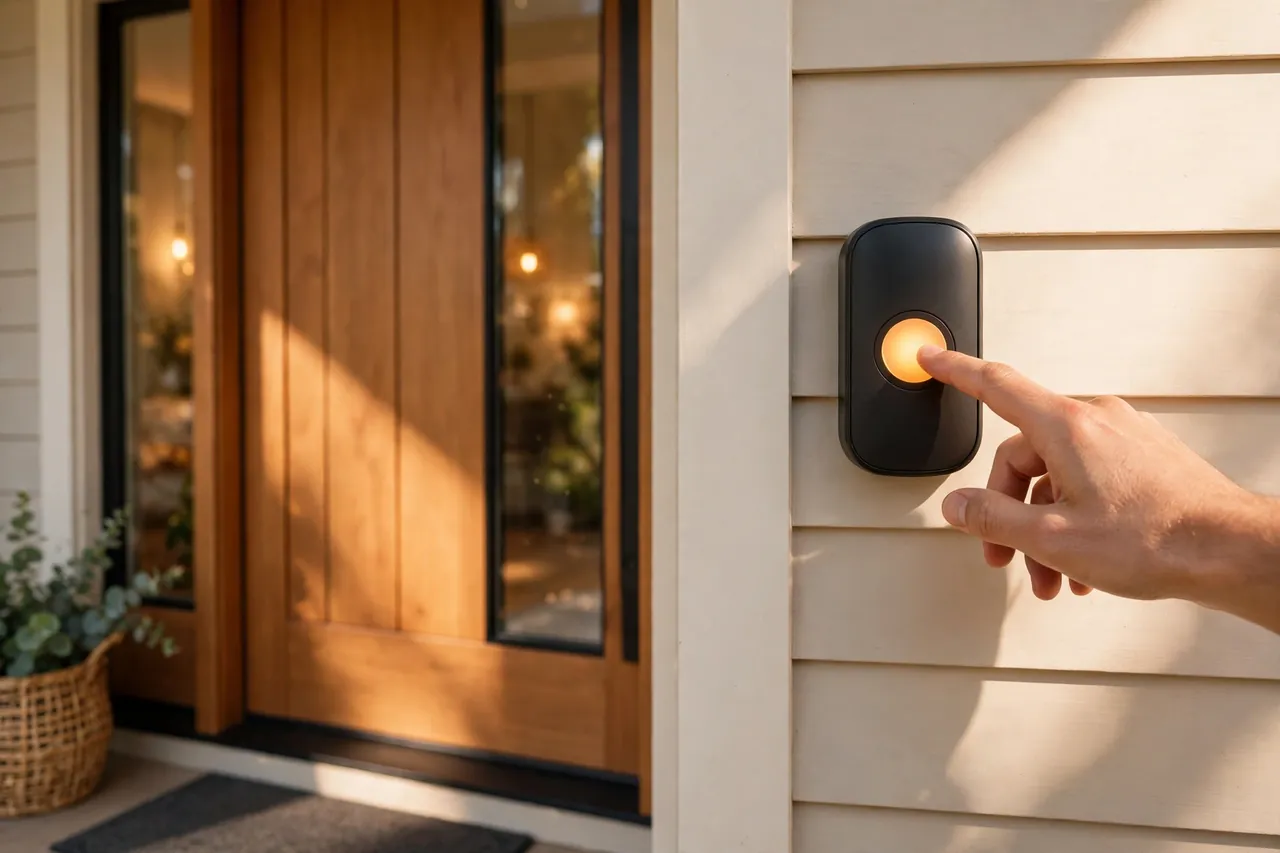
A button press is the simplest event your Ring doorbell handles, and it is the one visitors trigger most. Here is exactly what happens, second by second:
- Your visitor presses the button on the front of the doorbell.
- The doorbell wakes up at once and starts recording video.
- It sends a signal over your Wi-Fi to Ring’s servers, which push a notification to every phone and tablet paired with your Ring account.
- If your doorbell is wired to an existing chime, that chime rings inside your house at the same time. If you have a Ring Chime plugged in, it plays its tone too.
- You tap the notification on your phone. The Ring app opens a live video feed of your porch.
- You can watch, listen, and speak to the visitor through two-way audio. You can also end the call, or ignore it, and the visitor simply sees the doorbell go quiet.
None of this needs you to be home. The alert travels over the internet, so you can answer your front door from work, from the store, or from vacation. And you do not need the Ring app open to get the alert. Ring says that as long as you are signed in to the app, your phone will receive the notification.
How Motion Detection Works
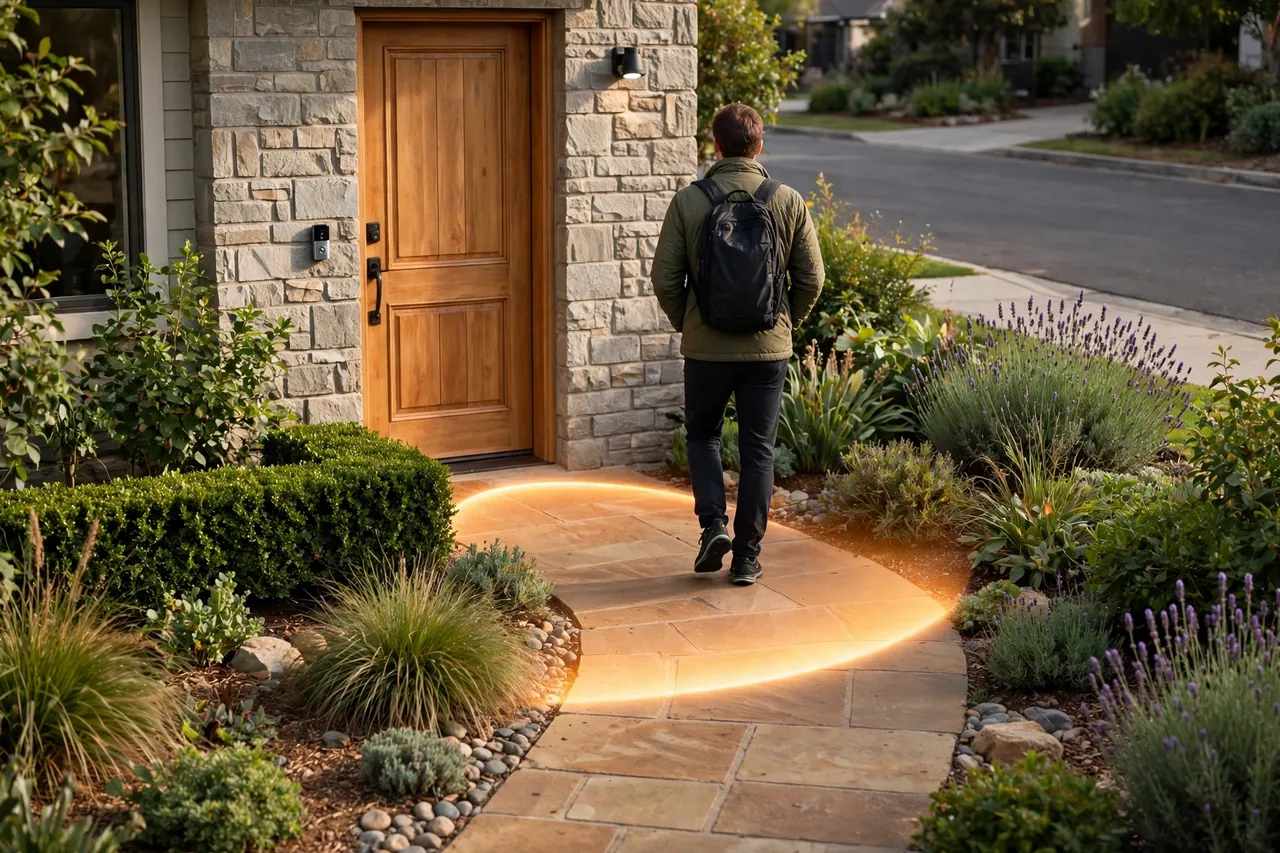
Motion detection is the feature that makes a Ring doorbell more than a fancy doorbell. It alerts you about people who never press the button: someone walking up the path, a delivery driver dropping a package, or a stranger checking your porch.
When the sensor spots movement, the doorbell does the same thing it does for a button press. It wakes the camera, records a short clip, and sends a motion alert to your phone. The alert tells you motion was detected, and you can tap it to watch the live feed.
Heat Sensors, Video Checks, and Radar
Ring doorbells detect motion in three different ways, depending on the model. Most battery-powered models use passive infrared sensors, which are heat sensors. They watch for a sudden change in heat in front of the door, such as a warm person moving across a cool porch. Because they sense heat, they work well day and night, but bright sun, car headlights, and wind-blown warm air can sometimes fool them.
Some wired models use a different method. They compare one video frame with the next, pixel by pixel, and treat a big change as movement. And the Ring Video Doorbell Pro 2 uses radar for what Ring calls 3D Motion Detection. The radar measures the distance of a moving object, so the doorbell can tell exactly when someone crosses a set distance from your door. That radar reading also powers Bird’s Eye View, an overhead map in the app that shows where a motion event started on your property.
Motion Zones and Sensitivity
You control all of this in the Ring app, and that control is what keeps the alerts useful instead of annoying. Motion zones let you draw the exact areas you care about, such as your walkway and porch, and ignore the rest, such as the sidewalk or the street. Motion sensitivity sets how much movement it takes to trigger an alert. Turn it down if passing cars keep setting it off. Turn it up if it misses people walking up quietly.
If you still get too many alerts, check your zones first before you blame the doorbell. A zone that covers the street will alert you every time a car drives past. A tight zone around your porch will only alert you about people who actually come to your door. You can also set motion schedules, so the doorbell only watches for motion during the hours you choose.
How the Ring App Works
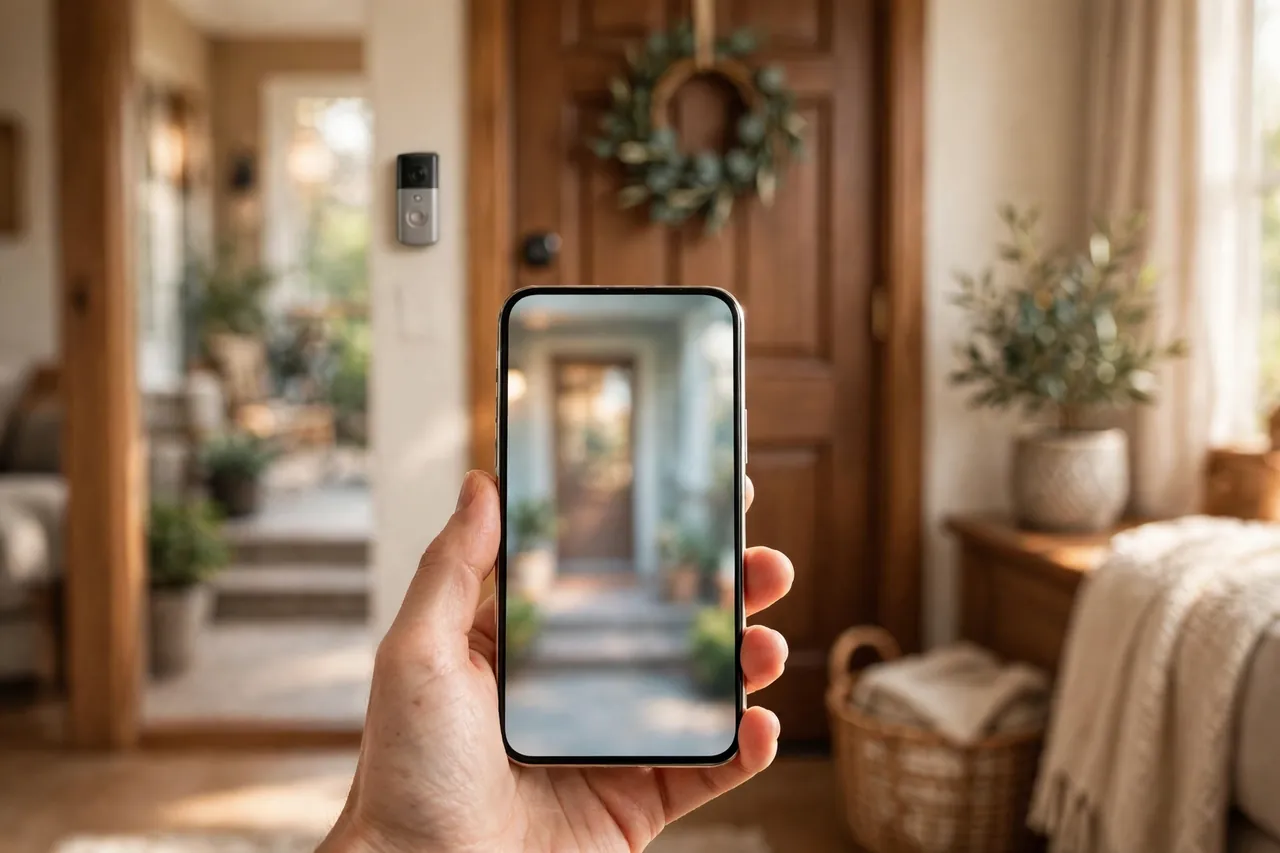
The Ring app is the remote control for the whole system. It is free, it works on Apple and Android phones and tablets, and it is where every alert lands. Ring says you can pair as many Wi-Fi-enabled phones and tablets as you like to one doorbell, so the whole household can get alerts.
From the app you can:
- Watch a live video feed of your door any time you like, even when nobody rang or moved.
- Answer a doorbell press or a motion alert and talk to the visitor with two-way audio.
- Change motion zones, sensitivity, and alert settings.
- Check battery level and device health, including Wi-Fi signal strength.
- Add shared users, so family members or roommates get alerts too, with permission levels you choose.
- Review saved video clips, if you have a Ring subscription.
Live View is the feature people use most after alerts. Open the app, tap your doorbell, and you see your porch right now. That works without a subscription. What a subscription adds is memory: the ability to save, rewatch, and share the clips the doorbell records. Without one, you can still see, hear, and speak to visitors in real time, but once the moment passes, there is nothing to replay. Our guide to cloud camera storage explains how that kind of saved video works in general.
The app also works with Alexa devices and the Ring Alarm system. An Echo speaker can announce a doorbell press, and an Echo Show can display the live feed when someone rings. That is handy when your phone is in another room.
How Ring Doorbells Get Power: Battery vs Wired
Power is the first choice you make with a Ring doorbell, and it decides how much work the setup takes. Ring sells both kinds, and some models can do both.
Battery Power
Battery-powered Ring doorbells run on a built-in rechargeable battery. You mount the doorbell, connect it to Wi-Fi, and you are done. No wires, no transformer, no electrician. Ring says the battery lasts several months with normal use before it needs a recharge, and how long it really lasts depends on how often motion wakes it up. A quiet door stretches the battery. A busy street-facing door drains it faster.
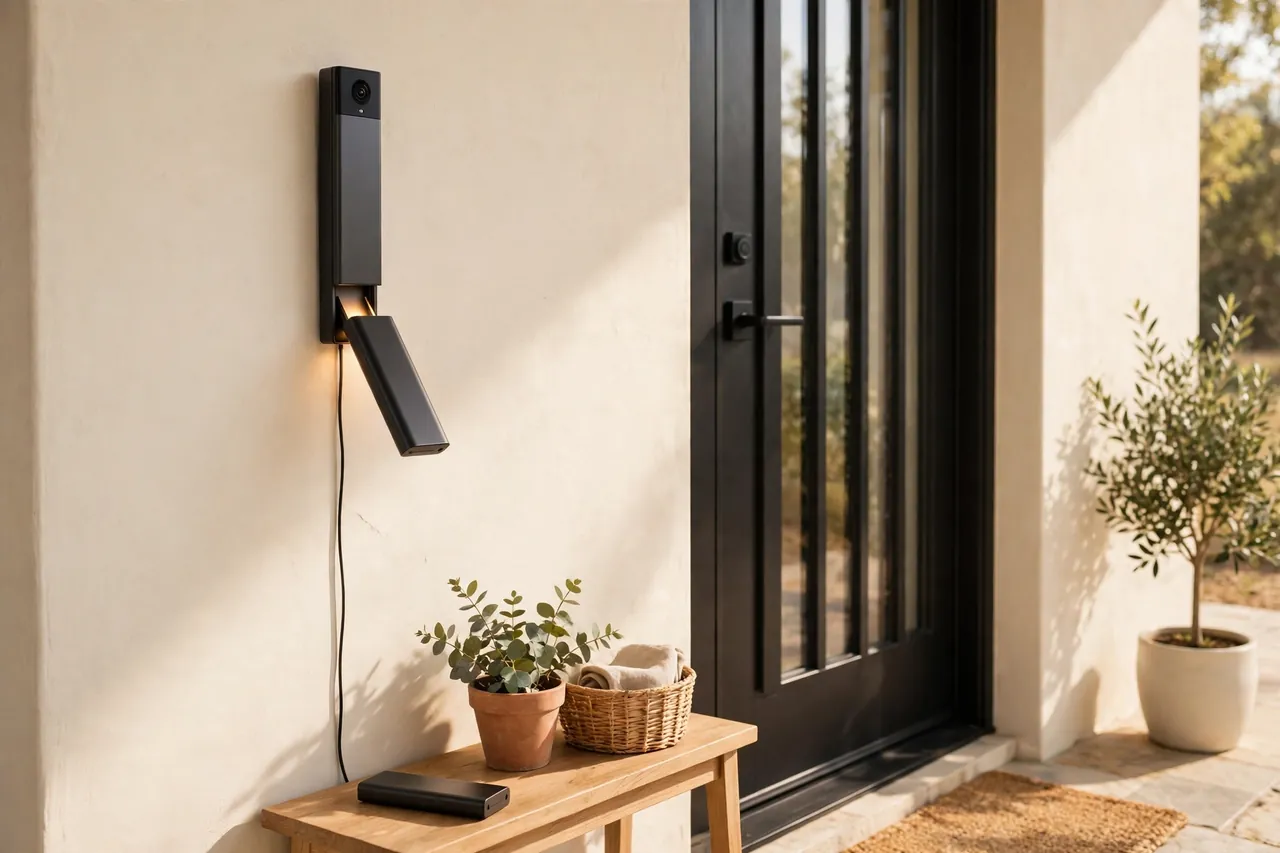
When the battery runs low, the Ring app warns you, and Ring also sends email reminders. You can check the battery level in the app any time. Recharging takes around 5 to 10 hours, depending on whether you plug the USB cable into a wall outlet or a computer USB port. Some models have a quick-release battery pack you can pop out and charge indoors, so the doorbell comes off the wall only for a moment.
Wired Power
Hardwired Ring doorbells connect to your existing doorbell wiring instead. They draw steady power from your doorbell transformer, so you never take them down to charge. Ring’s Battery Doorbell can also be hardwired to an existing doorbell system or transformer for continuous charging, using a transformer rated 8 to 24 VAC with a 40VA maximum. Ring warns against halogen or garden-lighting transformers and any DC power supply not made by or certified by Ring.
Here is the detail most people miss: on battery models, the wires only trickle-charge the battery. Ring’s own FAQ says battery-powered doorbells wired to an existing system “only receive a trickle-charge from the wiring and are primarily powered by the battery.” That means heavy use can still drain the battery faster than the wires refill it, and the battery does the real work. Truly hardwired-only models are different: they need the wiring to run at all. If you are unsure what your home has, read our guide to doorbell voltage before you buy, and our hardwired video doorbell guide if you plan to wire one in.
A Quick Caution Before You Touch Any Wires
Turn off the power at your circuit breaker before you touch doorbell wiring. Ring’s own safety guidance says to disconnect power to the installation area at the breaker or fuse box before you begin, and warns of electrical shock hazard. Doorbell wiring is low voltage, but the transformer connects to household power, and a wrong move can hurt you or the doorbell. If you are not sure which breaker feeds your doorbell, or your wiring looks old or damaged, call an electrician instead of guessing.
Solar Charging
Some battery models can pair with a Ring Solar Charger, a small solar panel that mounts nearby and trickle-charges the battery from sunlight. Ring says a few hours of direct sunlight a day extends battery life. It works best on a sunny, south-facing door. On a shaded porch, it helps a little but will not keep the battery full on its own.
How the Chime Works
The chime is the sound you hear inside the house. A Ring doorbell has three ways to make it, and which ones work depends on how your doorbell gets power.
First, an existing wired chime. If your Ring doorbell is hardwired to your old doorbell circuit, pressing the button can ring your existing mechanical or digital chime, just like your old doorbell did. This only works when the doorbell is wired in. A battery-only doorbell cannot ring an old wired chime.
Second, the Ring Chime. This is a small plug-in speaker you put in any wall outlet inside your home. It connects to your Wi-Fi and to your Ring account through the app, then plays a tone whenever someone presses the doorbell or triggers motion. It needs no wires at all, and it works with battery-powered doorbells. That makes it the fix for homes with no existing chime, or with a wireless chime that Ring cannot use. Ring says its doorbells are not compatible with a wireless doorbell chime, and the Ring Chime is the companion speaker made for that gap.
Third, the Ring Chime Pro. It does everything the regular Chime does, and it also repeats your Wi-Fi signal to stretch coverage toward the doorbell. Ring describes it as a stand-alone unit that extends the range of your Wi-Fi by repeating the signal over a greater distance. If your doorbell sits far from the router and the video keeps freezing, a Chime Pro placed between the router and the door can steady the connection. You can also use an Echo speaker as an announcer through Alexa.
One honest limit: the plug-in Ring Chime needs Wi-Fi to work. If your internet goes down, it stays silent, even though a wired mechanical chime would still ring.
How Ring Doorbells Connect: Wi-Fi
Wi-Fi is the one thing a Ring doorbell cannot work without. Ring’s support FAQ is blunt about it: its products require an existing home Wi-Fi network for setup and use, plus a smart device and the Ring app. Without Wi-Fi, there are no phone alerts, no live video, and no saved clips. The doorbell becomes a button on the wall.
A few connection facts worth knowing:
- All Ring devices work on 2.4 GHz Wi-Fi. Some models can also use 5 GHz, but 2.4 GHz is the safe bet, because it reaches farther through walls.
- The doorbell does not use Bluetooth to connect, and it will not work with a mobile phone hotspot.
- Ring lists a minimum upload speed of 2 Mbps for smooth live video on its Battery Doorbell. A slow upload is the most common cause of choppy video.
- The doorbell reconnects to your Wi-Fi on its own when the network comes back. If it does not, check the signal strength in the app under Device Health.
- A weak signal at the front door is a common problem, and it is usually fixed by moving the router closer, or by adding a Chime Pro as a Wi-Fi extender.
If your door faces a long driveway or a thick brick wall, test the Wi-Fi signal at the door before you mount anything. Hold your phone at the spot where the doorbell will sit and check the signal bars. If your phone struggles there, the doorbell will too.
What Happens to the Video: Live View vs Recorded Clips
Understanding what your Ring doorbell saves, and what it does not, avoids the most common surprise new owners get.
Live View is always free. Open the app any time and you can watch your porch live and talk to whoever is there. Alerts are free too. Every press and every motion event sends a notification to your phone at no cost.
Recorded clips are the paid part. When motion or a press triggers the doorbell, it records a short clip of the event. To save that clip, review it later, or share it, you need a compatible Ring subscription. Without one, you can still watch events as they happen, but you cannot go back and rewatch them. Ring also offers a free trial with a new device, which starts automatically when you set the doorbell up in the app.
Ring doorbells do not record continuously. They record short clips only when motion or a button press wakes them. If you want a camera that records around the clock, a video doorbell is the wrong tool, and a wired camera system fits better. Our NVR security system guide explains how always-recording setups work.
Two features depend on a subscription as well: smart alerts that tell people from packages apart, and photo-preview notifications. Without a plan, you get plain motion alerts. With one, you can filter alerts to person or package detection only, which cuts the noise sharply.
How Ring Doorbells Work at Night and in Bad Weather
Your front door does not close at sunset, so neither does a Ring doorbell. Infrared LEDs let the camera see in the dark, and Ring says you can see what is going on any time of day or night thanks to them. The picture turns black and white in the dark on most models, while newer models with color night vision keep some color. If your porch light is on, the picture gets clearer still, because the camera has real light to work with.
Weather is part of the job too. Ring doorbells are built to sit outside in rain and snow, and they are rated to keep working in freezing cold. Ring rates its Battery Doorbell for operating temperatures from -4°F to 122°F. That does not mean you can soak it or bury it in a snowdrift, but normal rain and a cold snap will not stop it. Extreme heat can slow it down, though, especially if the door sits in harsh direct sun all afternoon. A shaded mount or a small overhang helps on hot doors.
Night vision pairs naturally with motion detection after dark. The heat sensor does not need light, so it still spots a person on a dark porch, and the infrared camera then shows you who it is. For more on how cameras see after dark, see our guide to night vision security cameras.
What Happens When the Wi-Fi or Power Goes Out
Every smart doorbell has a weak spot, and for Ring it is the connection. When the Wi-Fi drops, the doorbell loses almost everything that makes it smart. It cannot send alerts, it cannot stream live video, and it cannot save clips. Once the Wi-Fi comes back, it reconnects on its own.
Two things still work during an outage, and they are worth knowing:
- A hardwired doorbell can still ring your existing indoor chime when someone presses the button, as long as the house power is on. The chime runs on the doorbell circuit, not on Wi-Fi.
- A battery-powered doorbell keeps its own power, so the button and the camera still have energy. They just cannot send anything to your phone until the network returns.
If the house power goes out, a battery model keeps running on its battery, but your Wi-Fi router is down too, so alerts still cannot reach you. A hardwired-only model stops with the power. That is the trade-off between the two power types in one line: batteries survive a power cut, but no doorbell survives a Wi-Fi cut and still talks to your phone. A self-monitoring home security system faces the same limit, which is why a strong, reliable home network matters as much as the doorbell itself.
How It All Works Together: Quick Reference
This table sums up the whole system in one place. If you remember nothing else, remember this: the sensor or button starts it, Wi-Fi carries it, the app shows it, and a subscription saves it.
Table: How a Ring doorbell works, step by step
| Step | What happens | What you need |
|---|---|---|
| Trigger | Button press or motion sensor wakes the doorbell | Button, motion sensor |
| Record | Camera records a short clip, day or night | Camera, infrared LEDs |
| Send | Video and alert travel over home Wi-Fi | 2.4 GHz Wi-Fi, 2 Mbps upload |
| Notify | Phone gets a push alert through the Ring app | Ring app, signed-in phone |
| Answer | You watch live video and talk back with two-way audio | Microphone and speaker |
| Ring inside | Existing chime or plug-in Ring Chime sounds | Wiring, or Ring Chime |
| Save | Clip is saved to review and share later | Ring subscription |
Common Problems and Quick Fixes
Most Ring doorbell problems come from three causes: weak Wi-Fi, drained batteries, or motion settings that are too eager. Here are the fixes that solve most of them.
- Too many motion alerts: narrow your motion zones to the porch and walkway, and lower the sensitivity in the app. Check that a zone does not cover the street.
- Choppy or frozen live video: check the Wi-Fi signal in Device Health. Move the router closer, or add a Chime Pro between the router and the door.
- Battery drains fast: heavy motion traffic is the usual cause. Tighten the motion zones, lower sensitivity, and set a motion schedule for busy hours.
- No sound inside the house: a battery-only doorbell cannot ring an old wired chime. Add a plug-in Ring Chime, or wire the doorbell to the existing circuit.
- Doorbell goes offline: check whether your Wi-Fi is down first. Then check the battery level. The doorbell reconnects on its own once the network is back.
- Missed visitors: raise the motion sensitivity a notch, widen the zone slightly, and check that motion alerts are turned on in the app.
If a fix does not work, the Device Health page in the app is your best next step. It shows battery level, Wi-Fi signal strength, and firmware at a glance, and it points to the real cause faster than guessing.
A Quick Safety Note
A Ring doorbell is a low-voltage device, but its transformer connects to household power. Always turn off the power at your circuit breaker before working with doorbell wires, and follow the safety instructions in your Ring device manual. If your wiring looks old or damaged, or local rules require it, have a qualified electrician do the wiring. Battery-powered setup needs no wiring at all, which is one more reason many first-time owners start there.
Related Guides
Best Video Doorbell Without Subscription: 6 Picks That Keep Your Footage Free · Doorbell Voltage: What Yours Should Be and How to Check It · Hardwired Video Doorbell: The Complete Guide for Your Front Door
- Hardwired Video Doorbell — how a wired doorbell works and when wiring wins over battery.
- Doorbell Voltage — how to check your transformer before you wire a Ring in.
- Doorbell Camera for Apartments — how renters use a video doorbell without rewiring anything.
- Best Video Doorbell Without Subscription — the best options if you want no monthly fee.
- Security Cameras Without WiFi — what your cameras can and cannot do when the network drops.
Frequently Asked Questions
How does the Ring doorbell work?
A Ring doorbell connects to your home Wi-Fi and watches your front door with a camera and a motion sensor. When someone presses the button or triggers motion, it records a short clip and sends an alert to your phone through the Ring app. You can then watch live video and talk to the visitor with two-way audio, from home or away.
Does the Ring doorbell actually ring inside the house?
Yes, if it is wired to your existing doorbell chime, pressing the button rings that chime like a normal doorbell. A battery-only doorbell cannot ring an old wired chime, but a plug-in Ring Chime plays the tone over Wi-Fi instead. Without either chime, you still get phone alerts, and the visitor hears a tone from the doorbell itself.
Are Ring’s doorbells and cameras wireless?
Yes, they connect to the internet over Wi-Fi, not with cables to your phone. Battery models need no wires at all, while wired models connect to your existing doorbell wiring for power. The connection to your phone is always wireless through your home Wi-Fi network and the Ring app.
Is there a monthly fee for the Ring doorbell?
No, there is no monthly fee for the basics. You can view live video, get push alerts, and talk to visitors through the Ring app for free. You only pay if you want to record, save, and share video clips, or use extra features like person and package detection. Those need a Ring subscription.
Does the Ring doorbell record all the time?
No, Ring doorbells do not record continuously. They record short video clips only when motion or a button press triggers them. If you miss an alert and have no subscription, there is no recording to rewatch. For round-the-clock recording, you need a wired camera system instead of a video doorbell.
Do I need a wifi connection to set up and use my Ring device?
Yes. Ring says its products require an existing home Wi-Fi network for setup and use, plus a smart device and the Ring app. Without Wi-Fi, you get no alerts, no live video, and no saved clips. A hardwired doorbell can still ring your indoor chime during an outage, but nothing reaches your phone.
Now you know the whole chain: a button or a motion sensor starts it, the camera records it, Wi-Fi carries it, and the Ring app puts your front door in your pocket. If you are choosing between power types, start with your wiring. If you already have a working doorbell transformer, a wired model gives you steady power and a real indoor chime. If you do not, a battery model plus a plug-in Ring Chime gives you the same alerts with a ten-minute setup. Either way, test the Wi-Fi signal at your door before you mount anything, because a strong signal is what makes the whole system feel instant instead of sluggish.