When a garage door starts down, stops, and reverses — or refuses to close while the opener lights flash — the safety sensors are almost always the reason. To fix a garage door sensor, you do not start by replacing parts. You start by reading the two small lights on the sensor eyes, because their pattern tells you which cause you are dealing with: a blocked beam, a dirty lens, a knocked bracket, sunlight, or a wiring fault.
Work through the fixes below in order — safest and cheapest first. Most doors are closing again within half an hour, and most of these fixes cost nothing. Two limits before you begin: never bypass, tape over, or wire around the sensors, and never touch the door’s springs, lift cables, or bottom brackets. Those parts sit under extreme tension and belong to a professional.
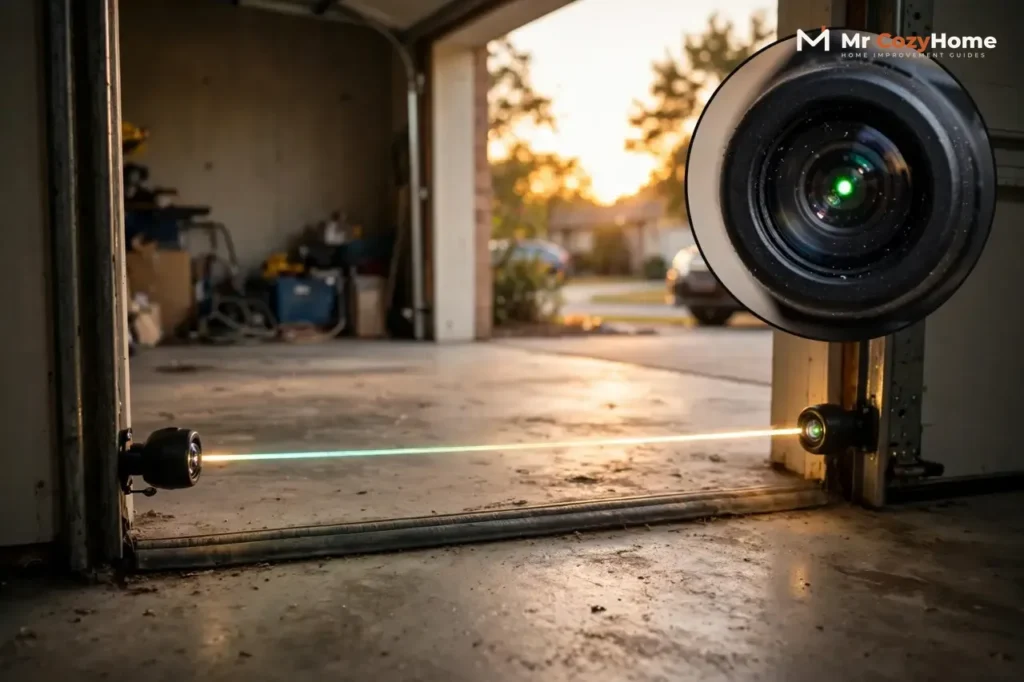
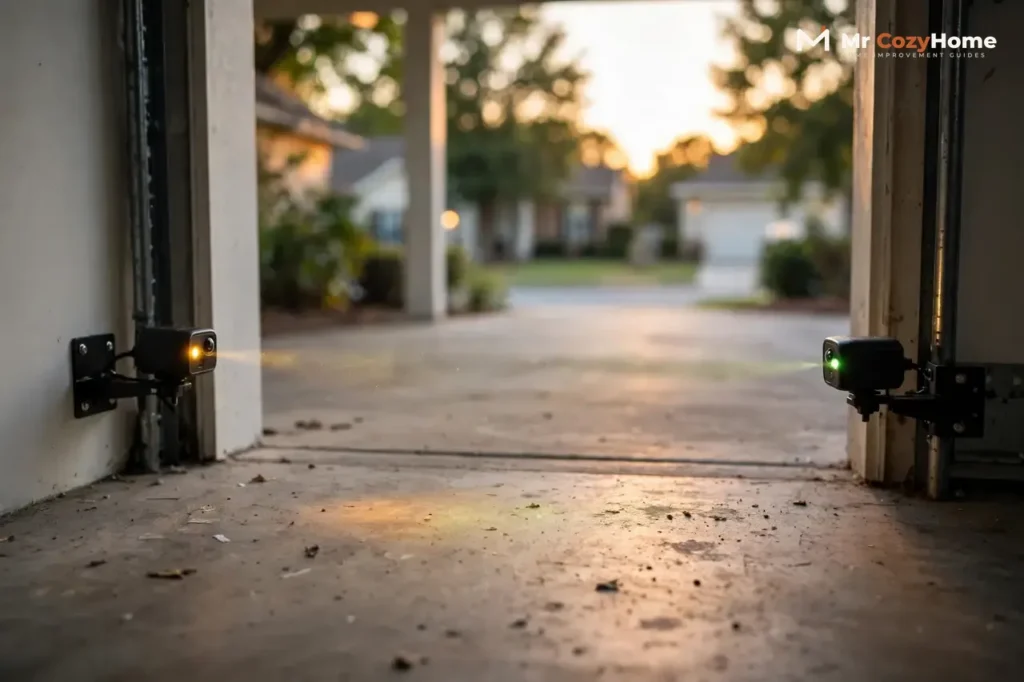
The two eyes sit on either side of the opening, no more than 6 inches above the floor. One sends an invisible infrared beam across the doorway; the other receives it. If anything interrupts that beam while the door closes, the opener stops the door and sends it back up. Your job is to find out what is interrupting it — or what is making the opener think something is.
First, Read the Two Sensor Lights
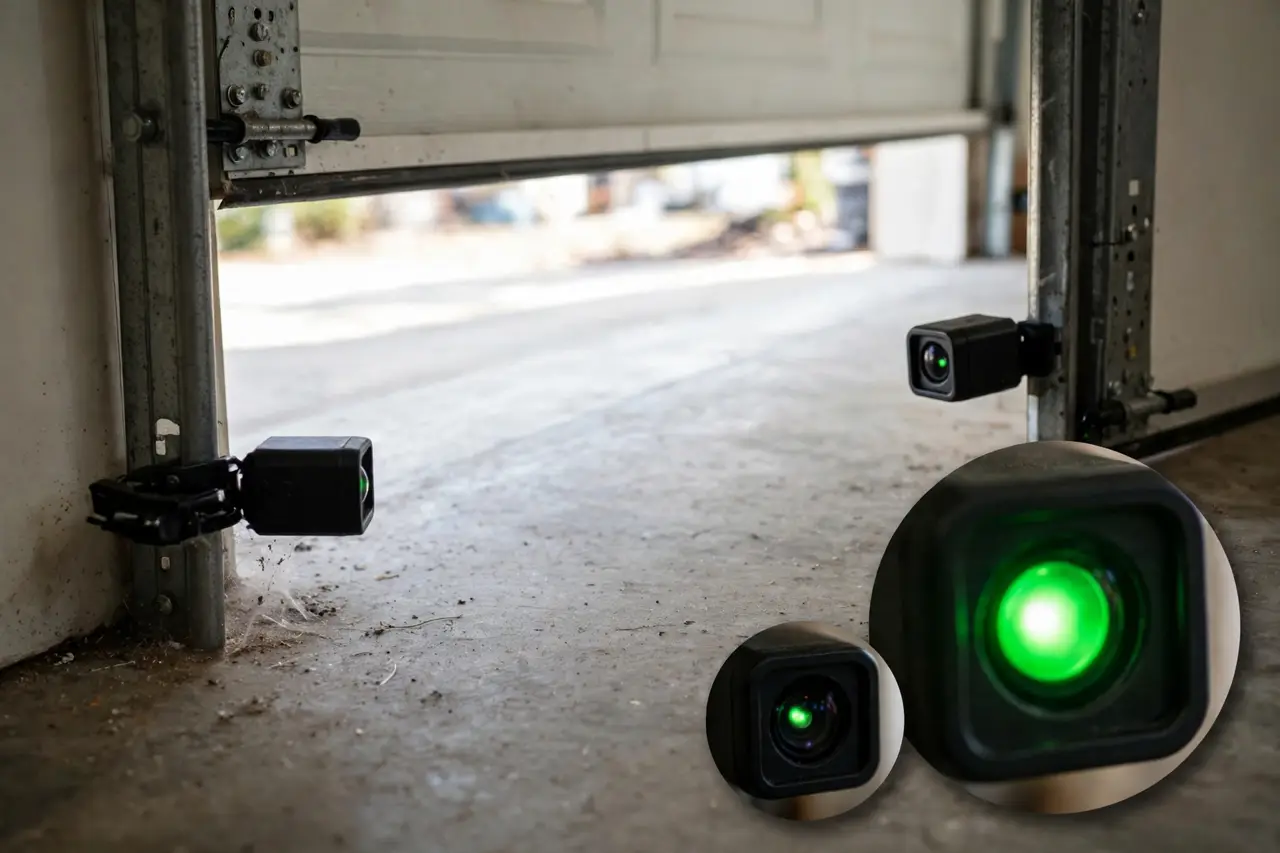
Before you touch a bracket or a wire, note exactly what each light is doing: which color, and whether it is solid, blinking, dim, or dark. That pattern is the diagnosis. Everything after this section follows where the lights point.
Chamberlain, LiftMaster and Craftsman: Amber Sends, Green Receives
On these openers, the sending eye has an amber (yellow) light and the receiving eye has a green light. Chamberlain’s installation manual is clear on the point most people get wrong: the amber light glows steadily whenever the sending eye has power, regardless of alignment or obstruction. A solid amber light is normal — it does not mean something is broken.
The green receiving light is the one that reports trouble. Solid green means the receiver sees the beam and the path is clear. If the green light is off, dim, or flickering while nothing blocks the doorway, the receiver is not getting a clean beam, and the cause is one of the fixes below.
Chamberlain, LiftMaster and Craftsman sensor lights at a glance:
| What you see | What it means | Where to look first |
|---|---|---|
| Amber solid, green solid | The beam is received; the sensors are working | The fault is probably not the sensors |
| Amber solid, green off, dim or flickering | The receiver is not seeing a clean beam | Fixes 1 to 4: blockage, dirt, aim, sunlight |
| Amber off, or both eyes dark | No power is reaching the eyes | Fix 5: wiring and opener connections |
| Opener lights flash 10 times on a close attempt | The opener is reporting a broken beam | The same fixes, in the same order |
The opener head gives a second opinion. Chamberlain’s diagnostic chart reads its flashing LED like this: 4 flashes means the sensors are slightly misaligned, with the receiving light dim or flashing; 1 flash means a sensor wire is open — broken or disconnected; 2 flashes means a wire is shorted or the black and white wires are reversed. If your opener flashes a code, it is already telling you which fix to try first.
Genie Safe-T-Beam: One Red, One Green, and Blink Codes That Name the Fault
Genie pairs one eye that shows a red LED with one that shows a green LED. Its answer to the most common question is simple: working correctly, one light is solid red and the other is solid green. The colors are not supposed to match; what matters is that both are steady.
Genie calls its system self-diagnostic, because the red LED reports faults by blinking in counted patterns. Genie publishes the full chart with its Safe-T-Beam sensor guide; the patterns you are most likely to meet are these.
Genie Safe-T-Beam blink codes, from Genie’s diagnostic chart:
| Red LED pattern | Genie’s stated cause | First response |
|---|---|---|
| Both lights solid | Normal operation | Nothing — the sensors are fine |
| 2 blinks, pause, repeat | Beam not aligned, beam obstructed, or a sensor defective | Fixes 1 to 3: clear, clean, check aim |
| 3 blinks, pause, repeat | The sensor is receiving interference | Fix 4: the sunlight check |
| 4 blinks, pause, repeat | The source eye is not sending pulses, or is defective | Fix 6: replacement |
| Both lights off | The opener head is not powered, or the wiring from it is bad | Check power, then Fix 5 |
One more pattern: if the green LED is out while the red LED blinks twice, Genie’s chart points at the wire running to that sensor rather than at the beam. Remember it at the wiring checks.
💡 Practical Home Tip: Take two phone photos before you change anything — one close-up of each sensor’s wire connections, and one showing both LEDs as they are now. If a fix makes things worse, the photos put you back to exactly where you started in a minute.
Fix 1: Clear Anything Breaking the Beam
The beam runs in a straight line at ankle height, which is exactly where garage clutter lives. Before anything else, walk the line between the two eyes and clear it completely:
- Boxes, bins, bikes, brooms and trash cans stored inside the beam line
- A cobweb strung across a lens or hanging in the beam path — a single web is enough
- Leaves, grass clippings and dirt piled up along the threshold
- Anything dangling from the door or track into the opening as the door moves
Then run one confirming test. If the door closes only while you hold the wall button down the whole way, the opener is telling you the fault sits in the sensor circuit — Genie states this constant-pressure behavior points to a safety beam issue. That is good news: you are in the right guide, and the motor is fine. If the doorway is clear and the lights still complain, move to the lenses.
Fix 2: Clean Both Lenses (the Two-Minute Fix)
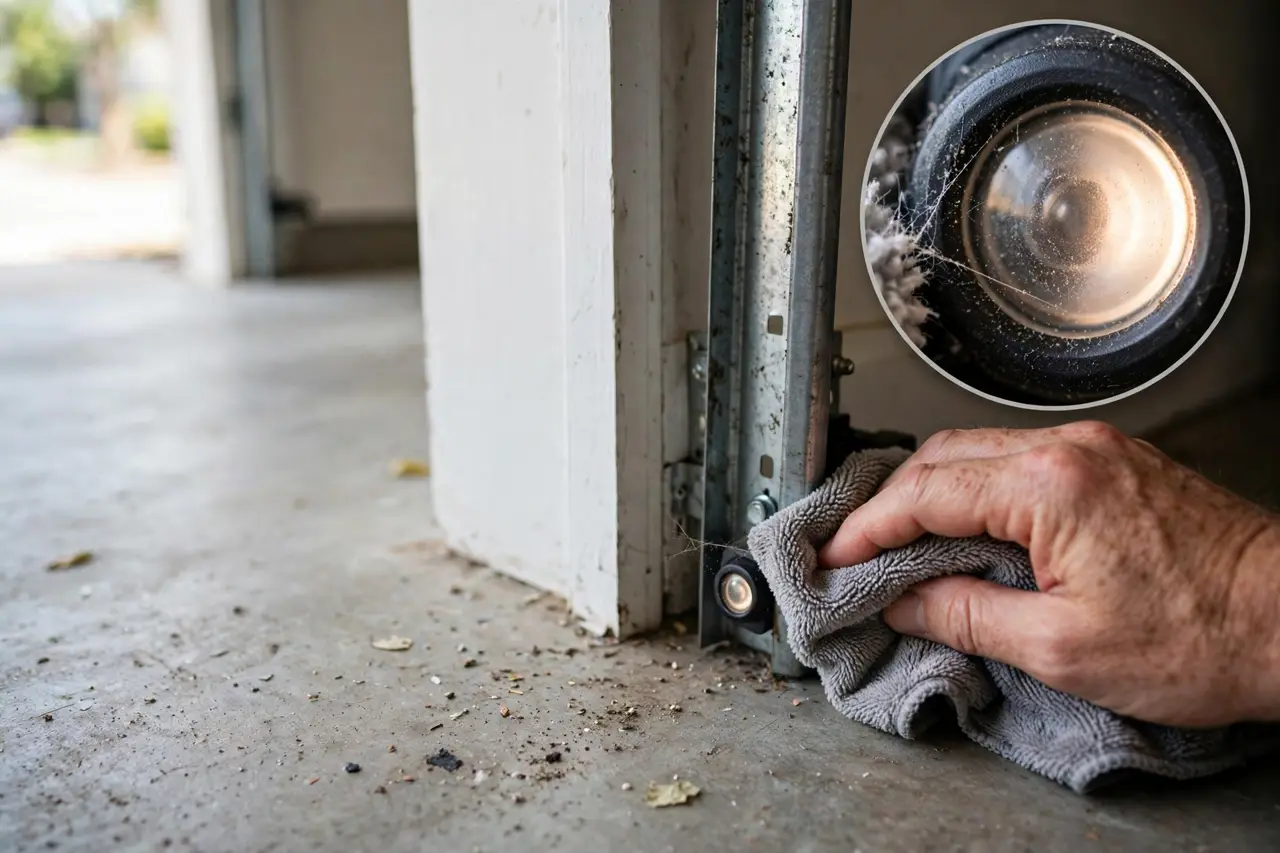
Dust, cobwebs and dried water spots scatter the infrared beam. The receiver then sees a weak, broken signal even though the eyes are perfectly aimed — which is why a dirty lens produces the same flickering green light as a misaligned one. Cleaning is free, so it always comes before adjusting anything.
- Wipe each lens gently with a soft, dry cloth or microfiber cloth. You are cleaning a small plastic lens, not scrubbing a floor.
- If a lens is filmed or grimy, use a cloth lightly dampened with water, or a little mild soap. Never use harsh chemicals or an abrasive pad — they cloud the plastic and make the problem permanent.
- Let both lenses dry fully, then look closely. A lens that stays cloudy or yellowed even when clean is failing; remember it at Fix 6.
- Test the door. Success looks like this: the receiving light turns solid, and the door closes in one smooth run.
Fix 3: Do a Quick Alignment Check (Not the Full Procedure)
Sensor brackets get knocked by car bumpers, trash cans and lawn equipment, and a bracket only has to move a few millimeters for the beam to miss. This is a quick check, not the full alignment procedure — you are confirming the eyes are level, facing each other, and firmly held.
- Both eyes sit at the same height, no more than 6 inches above the floor, with their lenses facing each other squarely across the opening.
- Each bracket feels firm. If an eye wiggles when you touch it, its wing nut or bracket screw has worked loose — that looseness is your prime suspect.
- Watch the receiving light while you nudge the unhappy eye in small movements. Dim means the beam is landing on the edge of the lens; keep adjusting until the light is at its brightest and fully solid, then snug the wing nut down.
If the eye will not hold its aim, the bracket is bent, or the track itself moves when you touch it, stop here and work through the full step-by-step procedure in our guide on how to align garage door sensors. It covers the string-line check and bracket straightening in order — the companion to this guide: this one finds the cause, that one teaches the precise aim.
Fix 4: Rule Out Sunlight Blinding the Receiving Eye
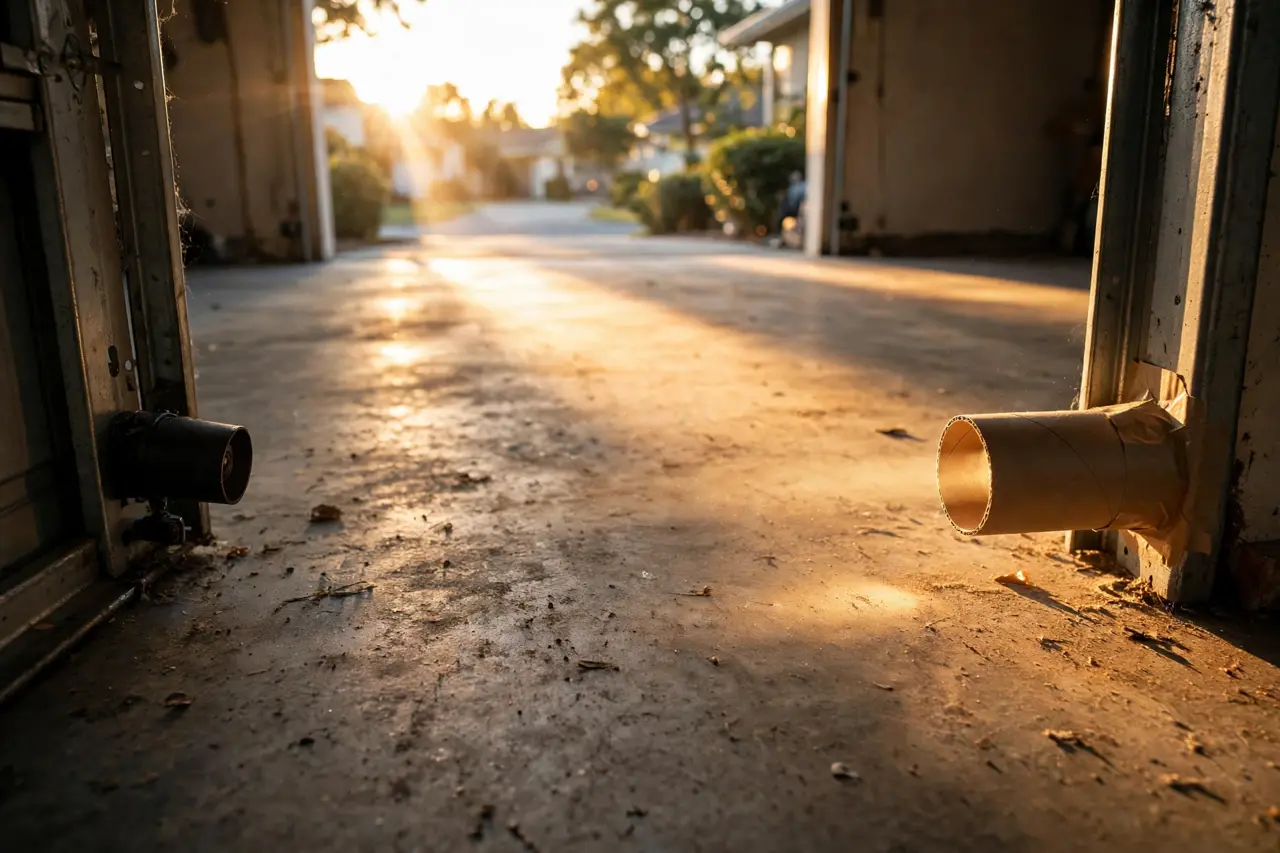
Sunlight is the cause people refuse to believe — until they notice the pattern. The door fails at the same sunny time of day, then works fine in the morning, the evening, and on cloudy days. Sunlight carries infrared, the same light the sensors use; when a low sun shines straight into the receiving lens, it overwhelms the beam and the receiver goes blind. Chamberlain’s manual warns about exactly this: the eyes must sit so the sun never shines directly into the receiving eye lens. On a Genie, this fault usually shows as the 3-blink interference code.
The 30-Second Shade Test
- Wait until the fault is actually happening, in full sun.
- Stand so your body shadows the receiving eye, or hold cardboard beside the eye to shade the lens without blocking the beam path across the door.
- Press the remote. If the door now closes normally, sunlight is confirmed, and no part is broken.
Fixes That Last
- Shade the receiving eye with a short tube or shield — a length of cardboard tube, a piece of PVC, or a purpose-made sensor sun shield slipped over the eye. It must shade the lens without covering it or changing the aim.
- Swap the two eyes side to side, so the receiving eye lives on the shaded side and the sending eye takes the sunny side. Genie’s own interference solutions start with the same idea: move the green-LED sensor to the shady side of the garage.
- Set the eyes a little deeper inside the garage, further back from the opening, keeping them aligned and no more than 6 inches above the floor.
- Clean the lenses again (Fix 2). Dust and water spots scatter glare across the lens and make a borderline sun problem worse.
Two things never to do here: do not raise the sensors higher to escape the sun, because the low beam height is what catches a child or a pet lying in the doorway; and do not remove or bypass the eyes, for the same reason.
Fix 5: Inspect the Wiring From the Eyes to the Opener
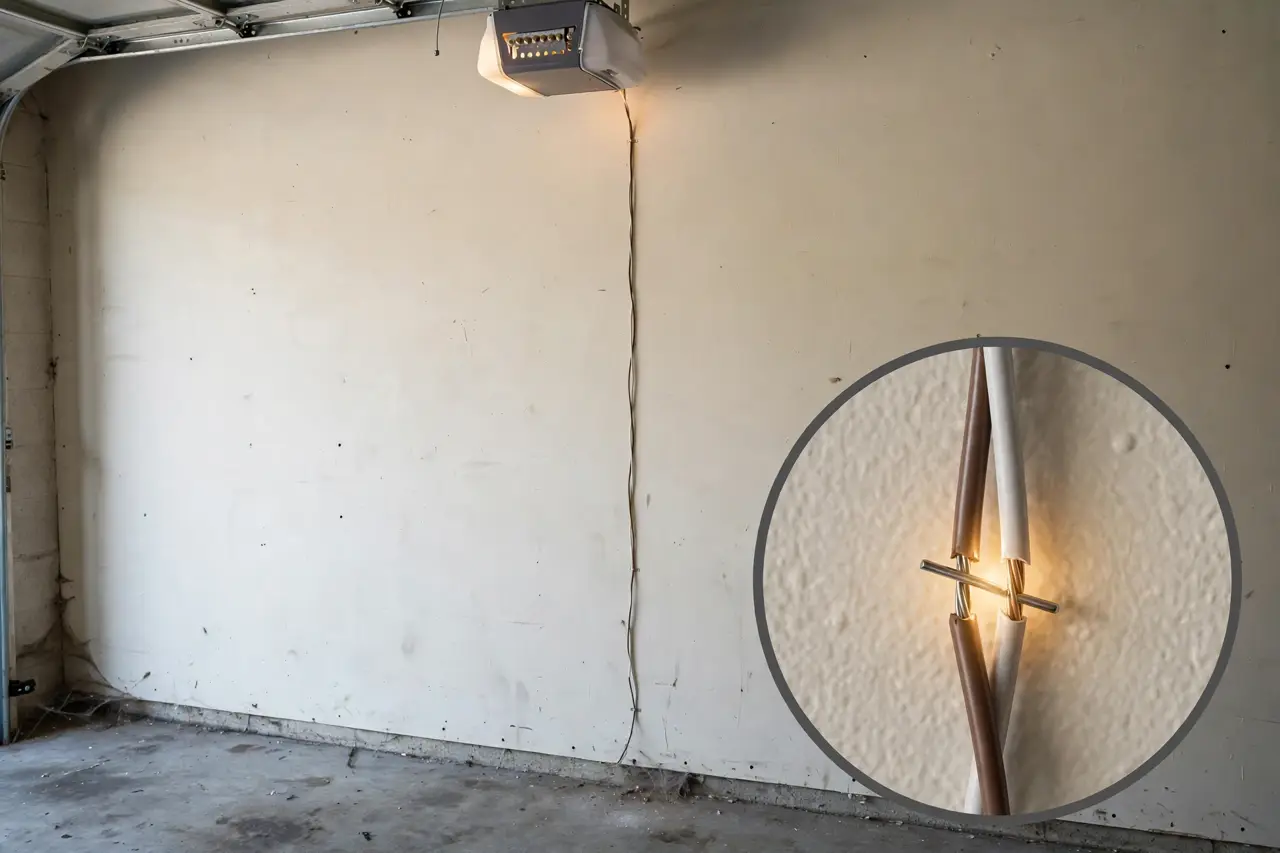
Caution: unplug the opener before you touch any wiring, and leave it unplugged until every connection is remade. The sensor wires carry only low voltage, but the rule costs nothing and protects you from a door that starts moving while your hands are in the track.
Each eye connects to the opener with a thin two-conductor wire run along the wall and ceiling. Wiring faults are the main cause of completely dark sensor lights, and they hide in predictable places.
Where Sensor Wires Actually Fail
- At the staples. The wire is held up with insulated staples, and Chamberlain’s manual names the staple as the classic fault: a short in the white or white/black wires can occur at staples, or at the opener connections. Look for any staple driven through the wire instead of over it.
- Along the run. Nicks, cuts and crushed sections anywhere the wire passes the track or a shelf edge.
- At the opener terminals. On Chamberlain, LiftMaster and Craftsman openers the sensor wires land on quick-connect terminals — white wires to the white terminal, white/black to the grey one. A wire that pulls out with a light tug was never seated.
- At the splices behind each eye. Loose wire nuts and corroded copper both break the circuit.
- Under intact-looking insulation. Genie warns that a break can occur under the wire’s sheathing where you cannot see it. Flex each section gently while a helper watches the LEDs; a light that flickers as the wire moves has found your break.
To repair a damaged section: cut back to clean wire, strip about 7/16 inch (11 mm) of insulation, twist like-colored wires together, and remake the connection firmly. Re-secure the run with insulated staples and a little slack — snug enough to stay put, never pinched.
The Test That Separates a Bad Wire From a Bad Sensor
If you cannot find the fault by eye, Chamberlain’s manual gives the deciding test. Take both eyes off their brackets, shorten their wires to 1 to 2 feet, and reconnect the sending eye directly at the opener. If it glows steadily on the short wire, connect the receiving eye the same way and align the two on the floor. If both lights now glow, the sensors are good and the long wire run is the fault — replace the run. If an eye stays dark on a short wire with a known-good connection, that sensor has failed, and you have earned Fix 6.
Fix 6: Replace the Sensor Pair When Repair Is Done
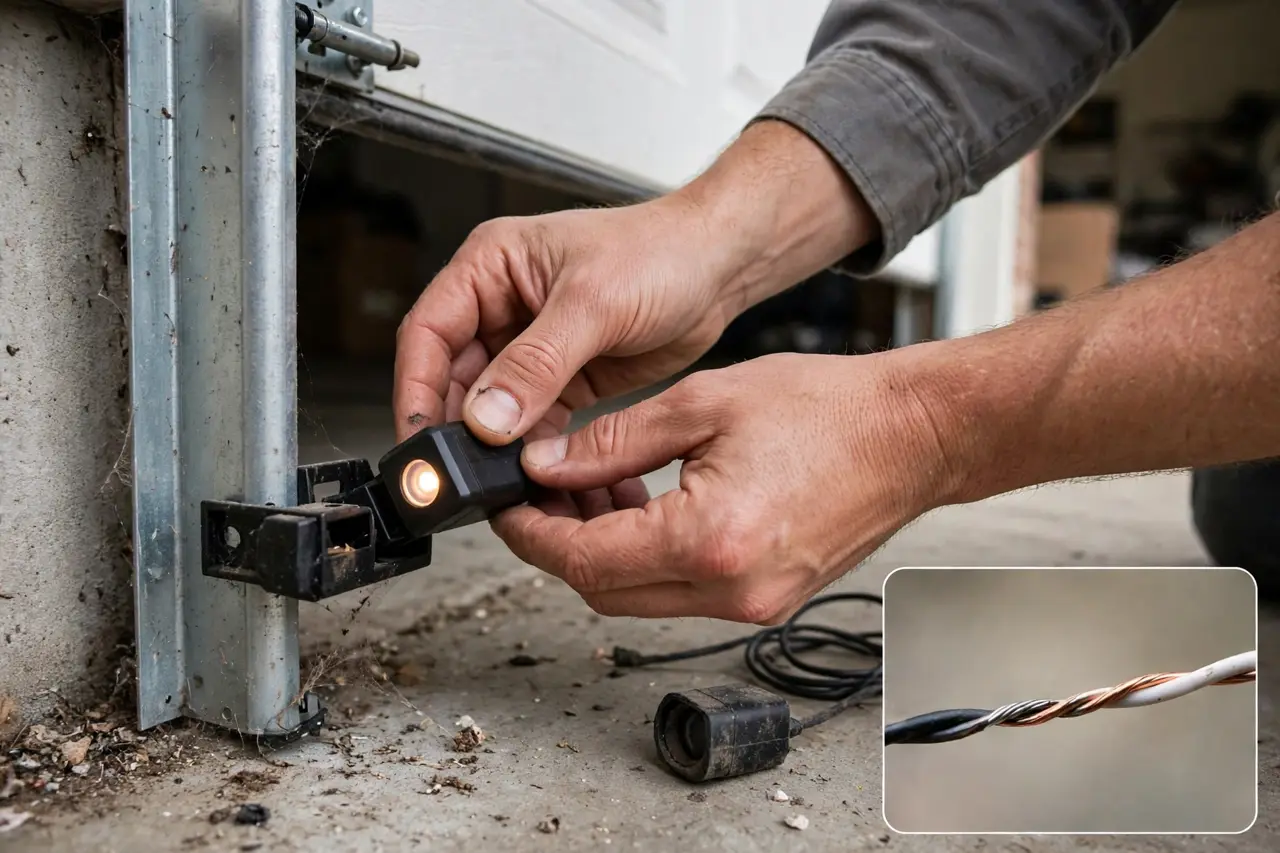
Replacement is the last step, not the first — but sometimes it is the honest one. Replace the pair when any of these is true:
- An eye stays dark on the short-wire test above, with power and connections confirmed good
- A Genie red LED blinks 4 times — Genie’s chart reads that as the source eye not sending its pulses, a defective source
- A lens is cracked, melted, or stays cloudy after careful cleaning
- The same fault keeps returning after the wiring has been replaced and the brackets hold their aim
- Water has got inside a housing, or the terminals are corroded through
Replace the eyes as a matched pair, matched to the opener, not the door. Sensor signals differ by brand: Genie states plainly that its Safe-T-Beam sensors are not compatible with LiftMaster products, and the reverse is equally true, while Chamberlain, LiftMaster and Craftsman openers share one sensor family. Universal replacement pairs are also sold — they wire to the same two opener terminals and come with their own brackets — but because each brand’s signal differs, the manufacturer’s matched pair is the reliable choice. For a price reference, Genie’s Safe-T-Beam replacement pair sells for $45.89 in Genie’s online store (checked October 21, 2026).
- Unplug the opener, then photograph or note which wire lands on which terminal before removing anything.
- Unbolt the old eyes and fit the new pair on their brackets, at the same height — no more than 6 inches above the floor.
- Reconnect the wires. On the Chamberlain family that means white to the white terminal and white/black to the grey terminal, with about 7/16 inch stripped.
- Plug the opener back in and aim the eyes until both LEDs glow solid and bright.
- Run the safety checks from your owner’s manual: pass a long-handled object through the beam while the door closes — the door must stop and reverse — and lay a 2×4 flat on the floor in the door’s path for the contact test. Both must work before you call the job done.
Need the Door Closed Tonight? Use the Wall Button, Never a Bypass
If the repair has to wait until tomorrow, you can still secure the house tonight. Stand at the wall control and hold the button with constant pressure until the door is fully closed and stopped. Let go early and the door reverses. Remotes and keypads cannot do this — the override only works at the wired wall button, while you stand there watching the doorway, which is exactly why it is safe.
What you must not do is defeat the system: never wire the two sensors together, relocate them to face each other on the ceiling, or tape over a lens. Chamberlain’s manual calls the sensor a required safety device that must not be disabled, and sensors have been mandated on US openers since 1993 to keep a closing door off a child or a pet. If you pull the emergency release to close the door by hand instead, only do it when the door moves smoothly and evenly. A door that feels dead-heavy or hangs crooked is reporting a spring or cable problem — stop, and call a technician.
When the Sensors Are Not the Problem
Sometimes the lights acquit the sensors completely: both LEDs solid and bright, the beam test reverses the door, yet the door still will not close properly, reverses at the floor, or stops partway. The cause then lives elsewhere — travel and force settings, a binding track, a worn gear — and chasing the sensors further wastes your afternoon. Work through the non-sensor causes in order in our garage door won’t close guide.
Some findings end the DIY day on the spot: a broken or slack spring, a frayed or slipped lift cable, a damaged bottom bracket, a badly bent track, or an opener that grinds or smells of hot electrics. Do not adjust any of these yourself. Secure the door as it is and call a qualified garage door technician.
Disclaimer: Garage door systems vary by brand and age, and this guide covers the low-voltage sensor circuit only. Door springs, cables and bottom brackets are under high tension — never adjust, loosen or remove them. If you are unsure at any step, or the damage goes beyond the sensor wires, stop and call a qualified garage door technician.
Frequently Asked Questions
Why is my garage door sensor light yellow?
Because it is supposed to be. On Chamberlain, LiftMaster and Craftsman openers, the sending eye’s light is amber-yellow, glowing steadily whenever the eye has power and is transmitting. Chamberlain’s manual confirms it glows regardless of alignment or obstruction. Judge the system by the green receiving light instead: solid is good, flickering or dark is the fault.
Should both of my garage door sensors be green?
No. The two lights are not meant to match. Chamberlain-family openers pair an amber sending light with a green receiving light, and Genie’s own answer is that a correctly working pair shows one solid red light and one solid green light. On every brand, what matters is that both lights are on and steady.
Why is my green garage door sensor flickering or off?
The green light belongs to the receiving eye, so a flicker means the beam is arriving weakly or not at all. Work the causes in order: something in the beam path, a dirty lens, a bumped bracket, sunlight on the lens, or a damaged wire. With the path clear, Chamberlain’s manual reads an off, dim or flickering green light as alignment required.
Can sunlight affect garage door sensors?
Yes. Sunlight contains infrared, the same light the sensors use, and a low sun shining straight into the receiving eye can blind it — Genie even has a blink code for it: 3 blinks means the sensor is receiving interference. The giveaway is timing: the door fails at the same sunny hour and works the rest of the day. Shade the eye, or swap the pair side to side.
Why does my garage door only close when I hold the wall button?
Holding the wall button is a built-in constant-pressure override. The opener allows it so you can secure the garage in an emergency, but it only engages because the sensor circuit is reporting a fault — Genie confirms that needing constant pressure indicates a safety beam issue. Treat it as a symptom, not a fix, and use this guide’s checks to find the cause.
Can I bypass the garage door sensors?
No. Bypassing removes the safety reverse entirely, so the door can close on a child, a pet or a car with nothing to stop it. Chamberlain’s manual states the sensor is a required safety device that must not be disabled, and sensors have been required on US openers since 1993. If the door must close tonight, hold the wall button instead.
Are garage door sensors universal?
Not really. Sensors are matched to the opener’s brand, because each brand signals differently — Genie’s Safe-T-Beam set will not run a LiftMaster opener, and a Chamberlain-family set will not run a Genie. Universal pairs exist and wire in the same way, but the manufacturer’s matched pair is the dependable choice. Replace both eyes together rather than mixing old and new.
The Fix, in One Pass
Read the lights first and let them name the suspect. Clear the beam, clean the lenses, check the aim, rule out the sun, and inspect the wire — in that order. Replace the pair only when the short-wire test or a blink code tells you a sensor has truly died. Do that, and a door that would not close becomes a door you understand — and the next time it blinks at you, you will know exactly where to start.