To align garage door sensors, wipe both lenses clean, loosen the wing nut on the receiving sensor, and pivot it slowly until its LED glows solid instead of blinking, flickering, or staying dark. Then tighten the wing nut without letting the sensor shift, and check that both sensors sit at the same height.
That is the whole fix, and on most doors it takes about 10 minutes with no special tools. This guide walks through it in order: how the sensors work, what their lights are telling you, the alignment steps, and the two safety tests that prove the repair.
What You Will Need
Everything on this list is basic household gear. Gather it first so you are not hunting for a cloth mid-job.
- A soft, dry cloth, such as a microfiber cloth
- A piece of string long enough to span the door opening, plus a few extra inches
- A small level, or a tape measure if you do not have one
- A step stool, if your opener’s power outlet is out of reach
- A cardboard box tall enough to block the sensor beam, for the obstruction test
- A 2×4 board or a similar block of wood, for the auto-reverse test
How Garage Door Sensors Work
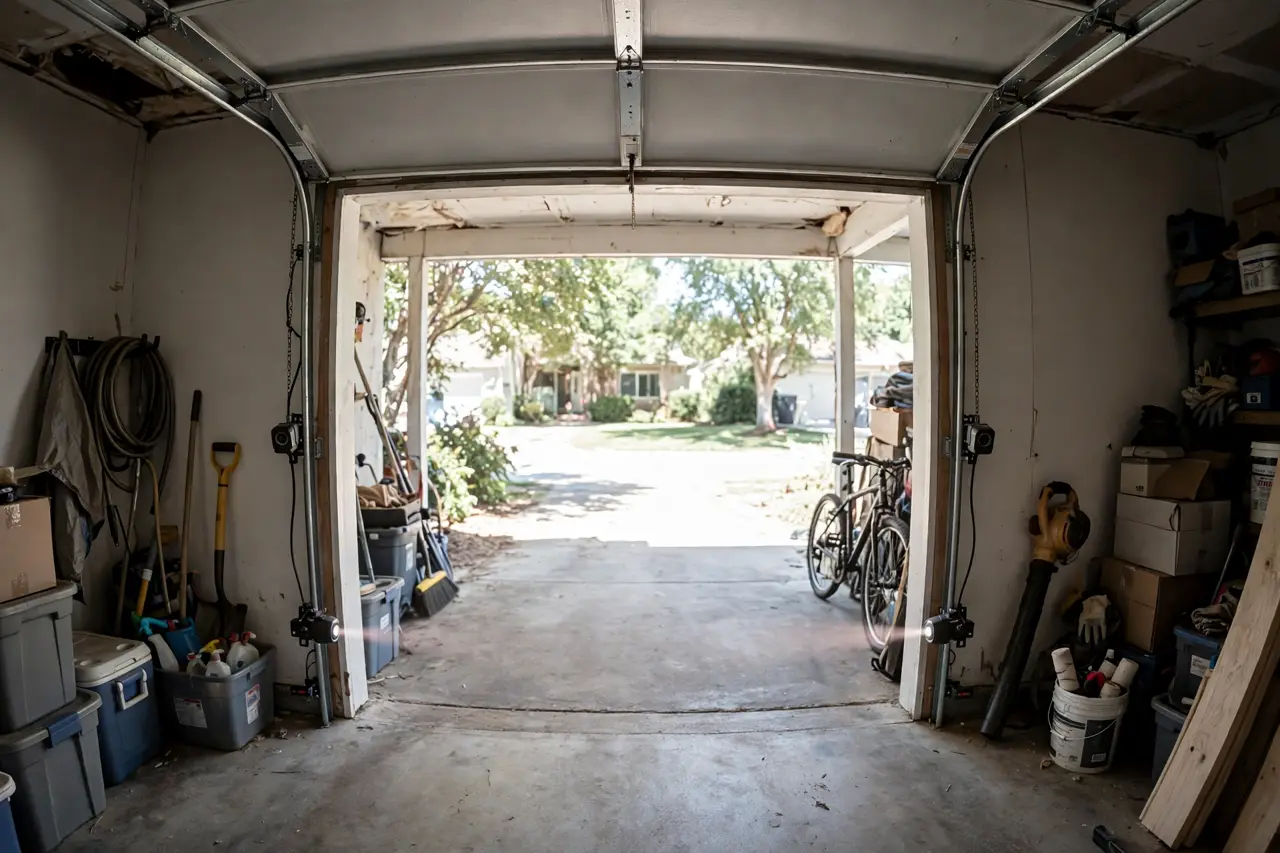
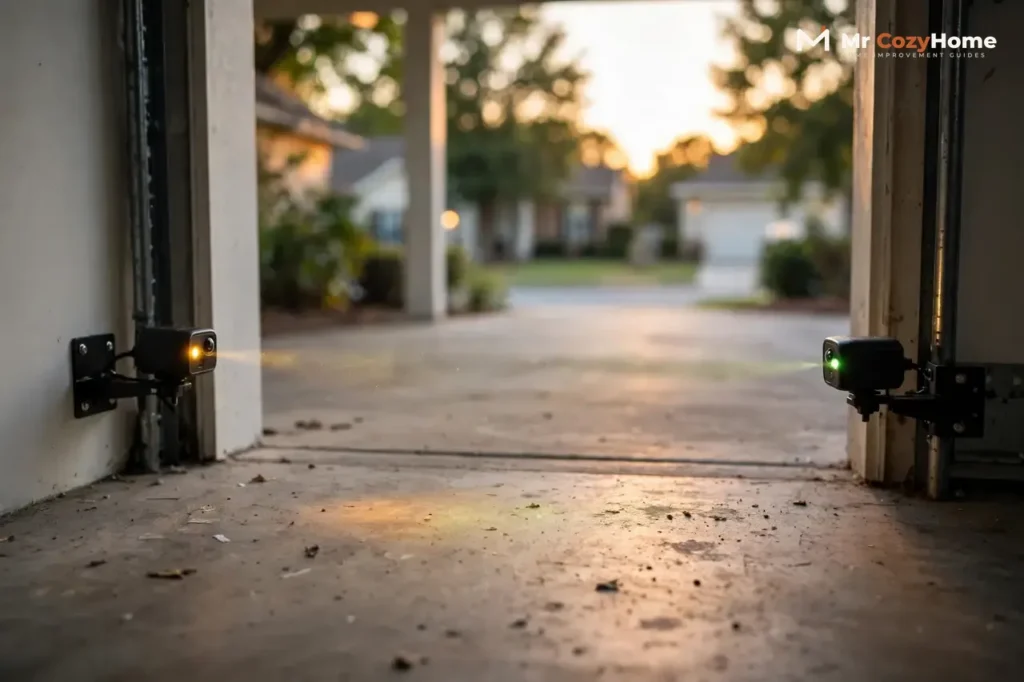
Your opener has two small units, one on each side of the door opening, mounted on the door tracks a few inches above the floor. These are the safety reversing sensors, also called photo eyes.
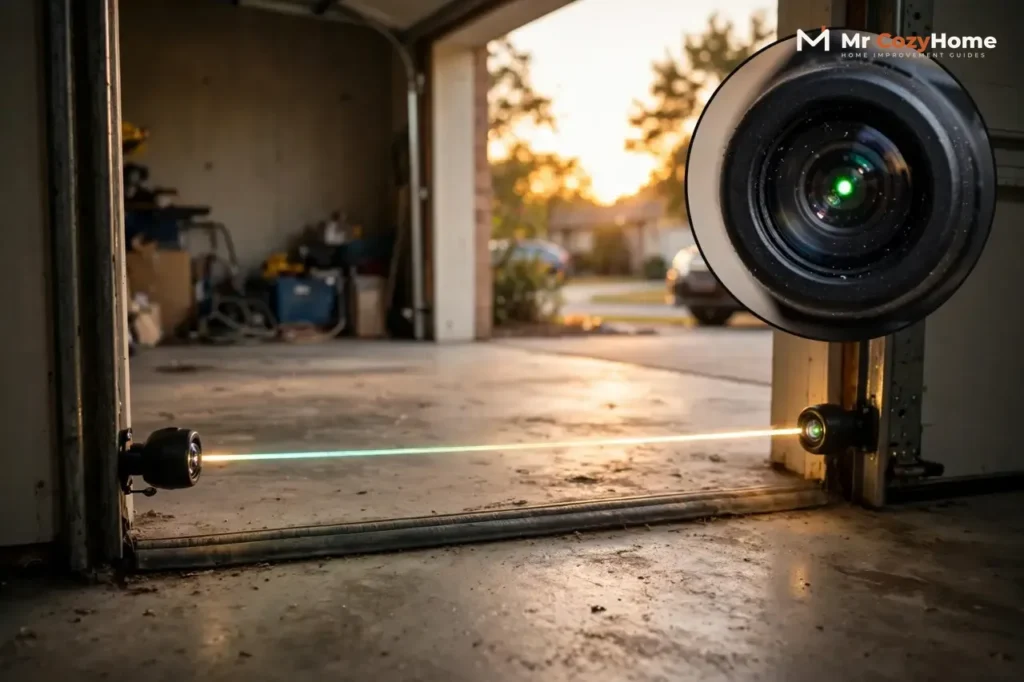
The sending eye projects an invisible infrared beam across the opening. The receiving eye catches that beam. As long as the beam arrives unbroken, the opener knows the doorway is clear and lets the door close.
If anything breaks the beam while the door is closing — a child, a pet, a bike, a storage bin — the door stops and reverses to the fully open position. If the beam is broken before you even start, the opener refuses to close the door at all, and on many models the opener light flashes 10 times to report the fault.
This is not an optional extra. Since January 1, 1993, federal safety rules have required every residential garage door opener sold in the United States to include entrapment protection that meets the UL 325 standard, and photo eyes are how nearly all openers provide it. The beam must sit no higher than 6 inches above the garage floor, low enough to detect a person lying on the ground under the door, as DASMA’s photoelectric sensor guidance (TDS-364) explains.
Misaligned sensors are the most common reason a healthy door refuses to close, but they are not the only one. If your door has other symptoms as well, our hub guide on why a garage door won’t close covers the full list before you start replacing parts.
What the Sensor Lights Mean
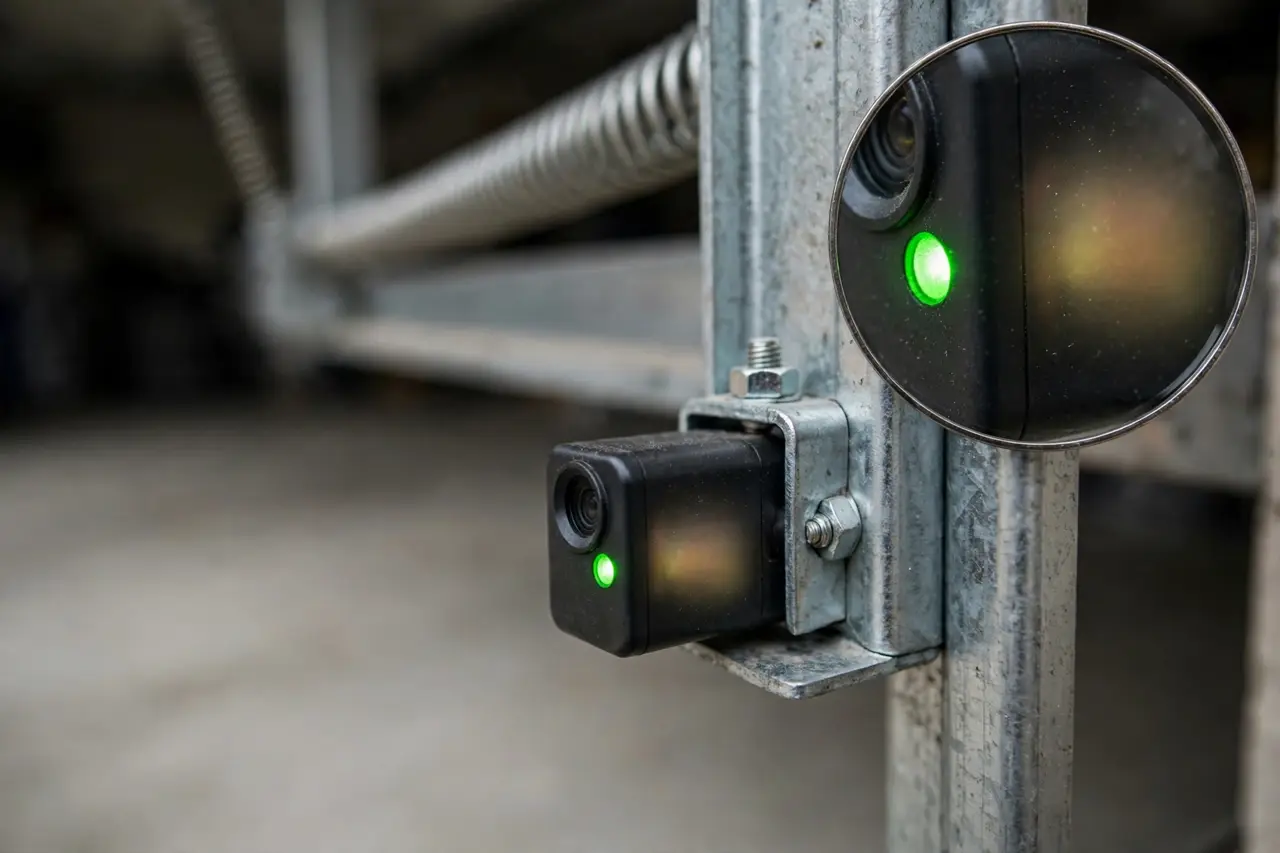
Each sensor has a small LED, and those two lights are your diagnostic tool. Read them before you touch anything, because they tell you whether the problem is alignment, power, or something else.
On Chamberlain and LiftMaster openers, the sending eye has an amber LED that glows steadily whenever it has power, regardless of alignment. The receiving eye has a green LED: solid means the beam is landing correctly, while off, dim, or flickering means the beam is not arriving and alignment is required, per LiftMaster’s owner’s manual.
Genie openers use a red LED on the source unit and a green LED on the receiver. On a Genie, the red source light blinks when the beam is misaligned or blocked, and stays on continuously once the sensors are aligned. The colors differ by brand, but the rule is the same everywhere: a solid light means aligned, a blinking light means the beam is not landing.
Sensor light reference
| Sensor light | What you see | What it means |
|---|---|---|
| Sending eye (amber on Chamberlain/LiftMaster) | Solid | Normal. The sender has power and glows this way whether aligned or not. |
| Receiving eye (green) | Solid | Aligned. The beam is landing on the receiver. |
| Receiving eye (green) | Off, dim, or flickering | Misaligned, blocked, or dirty. Clean and realign it. |
| Genie source (red) | Blinking | Misaligned or obstructed. It stays solid once aligned. |
| Both sensors | Dark, no light at all | No power, or a wiring fault. Alignment is not the problem. |
Two quick checks flow from that table. If the receiving light is blinking, flickering, or dim, this guide is your fix. If both lights are completely dark, skip ahead to the section on what to do when alignment does not fix it, because the sensors are not getting power.
Before You Start: Safety and Prep
The sensors themselves run on low voltage and are safe to touch, adjust, and clean. You do not need to cut power for the alignment itself — in fact, the opener must be plugged in so you can watch the LEDs while you work.
The rest of the door system is a different story. The torsion springs, lift cables, and bottom brackets hold extreme tension and can cause serious injury, so never touch, loosen, or adjust them. If a spring or cable is part of the problem, that is a job for a qualified garage door technician.
If any step ever involves the sensor wiring — reseating a wire at the opener terminals, for example — unplug the opener first and plug it back in only when the wires are secure. Alignment alone never requires touching wires.
Prepare the area before you start adjusting:
- Move boxes, tools, bikes, and anything else out of the beam path at floor level.
- Check that both sensor brackets are snug on the tracks. A loose or bent bracket will drift again within days.
- Keep children and pets out of the garage until the tests at the end are done.
- Work with the door fully open, and never stand in the doorway while the door is moving.
How to Align Garage Door Sensors, Step by Step
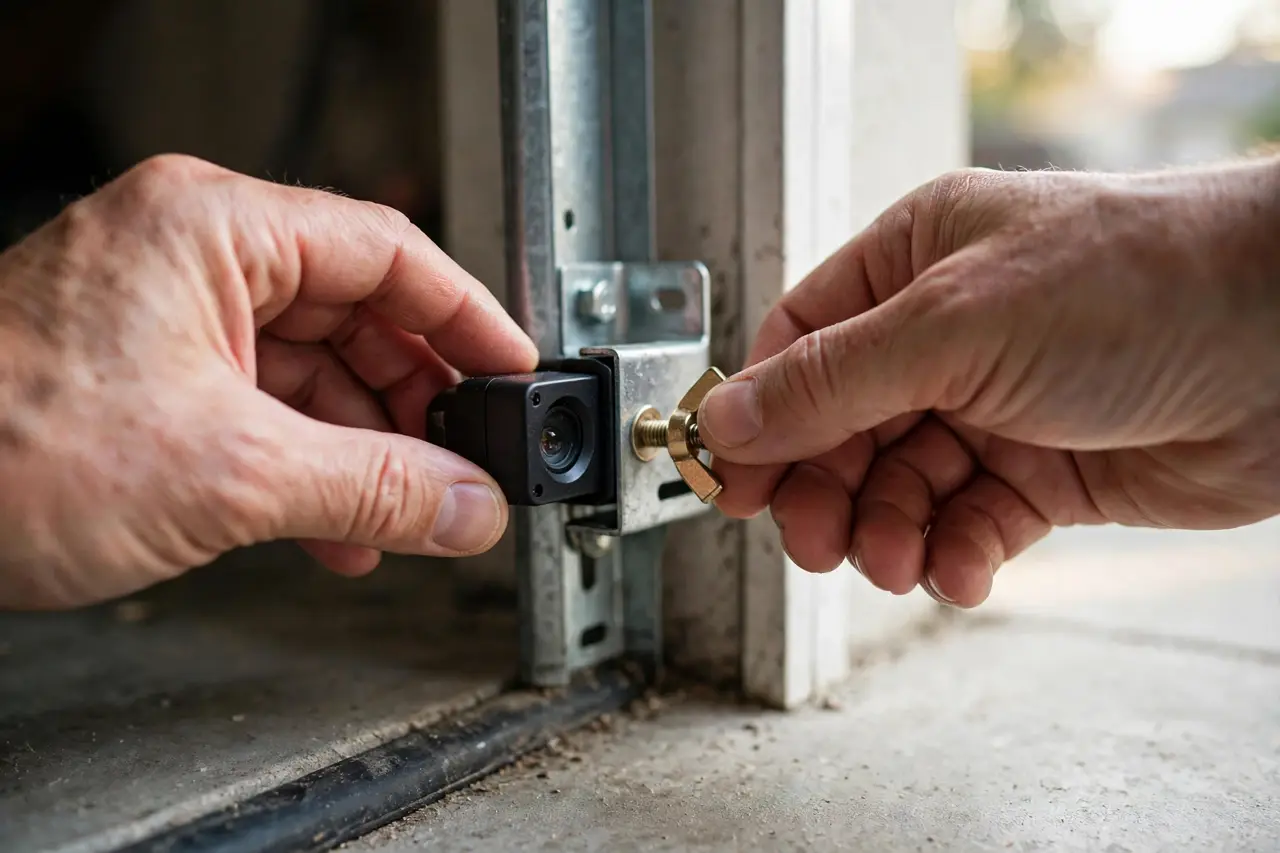
Work through these steps in order. Each one ends with what you should see, so you know whether to move on or stop and recheck.
- Read the lights first. Crouch down and look at both LEDs without touching anything. Note which light is blinking, dim, or dark. This tells you which side to adjust and confirms both sensors have power.
- Clean both lenses. Wipe the face of each sensor with your soft, dry cloth. Dust, pollen, and cobwebs scatter the beam and can fake a misalignment, so clean lenses sometimes bring a steady light back with no adjusting at all. If both lights now glow solid, skip to the proof tests.
- Loosen the receiving sensor’s wing nut. The receiving sensor — the green LED on Chamberlain and LiftMaster, the green receiver on Genie — sits in a bracket held by a wing nut. Loosen it just enough that the sensor can pivot, not so much that it flops or slides down.
- Pivot slowly until the LED holds solid. Move the sensor in small amounts — up, down, left, right — while you watch its LED. The moment the light changes from blinking or flickering to a steady glow, stop. Small movements matter here: the beam is narrow, and sweeping past the sweet spot is easy.
- Tighten the wing nut without shifting the sensor. This is where most first attempts fail. Hold the sensor body in place with one hand and snug the wing nut with the other, then check the LED again. If tightening shifted the sensor and the light is flickering again, loosen slightly and repeat steps 4 and 5.
- Repeat on the sending side if needed. If the receiving light still will not hold solid, loosen the sending sensor’s wing nut and aim it directly at the receiving eye, then lock it down. Go back to the receiving side for one final fine adjustment if the light is dim rather than fully solid.
Match Both Heights With the String Method
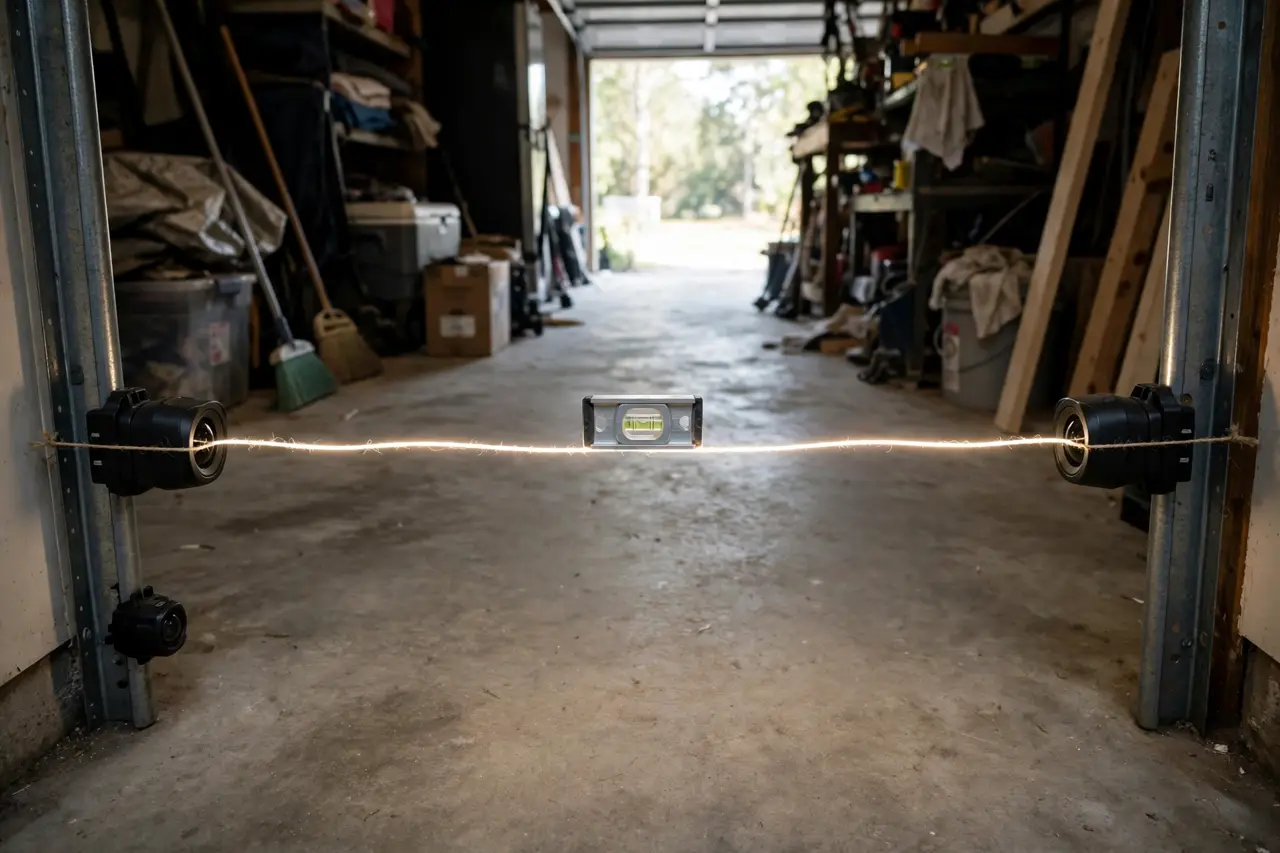
A beam can land while both sensors sit at slightly different heights, but a matched pair holds its alignment far better and survives door vibration longer. Tie the string across the front of both lenses so it runs taut through the center of each one. Then hold your level along the string and read the bubble.
If the bubble sits off-center, slide the lower sensor’s bracket up a fraction at a time until the string runs level. Watch the receiving LED as you finish: it should still glow solid. If it starts flickering, nudge that sensor’s aim a touch until the light steadies again, then re-check the string.
No level? Use the tape measure instead. Measure from the floor to the center of each lens. Both readings should match, and neither lens should be higher than 6 inches above the floor, the maximum the safety standard allows.
💡 Practical Home Tip: Once both lights are solid, draw a thin pencil line across each bracket and sensor body where they meet. If a sensor gets bumped again, the broken line shows you exactly where it used to sit, so realigning takes seconds instead of guesswork.
Proof Tests: Confirm Your Sensors Work
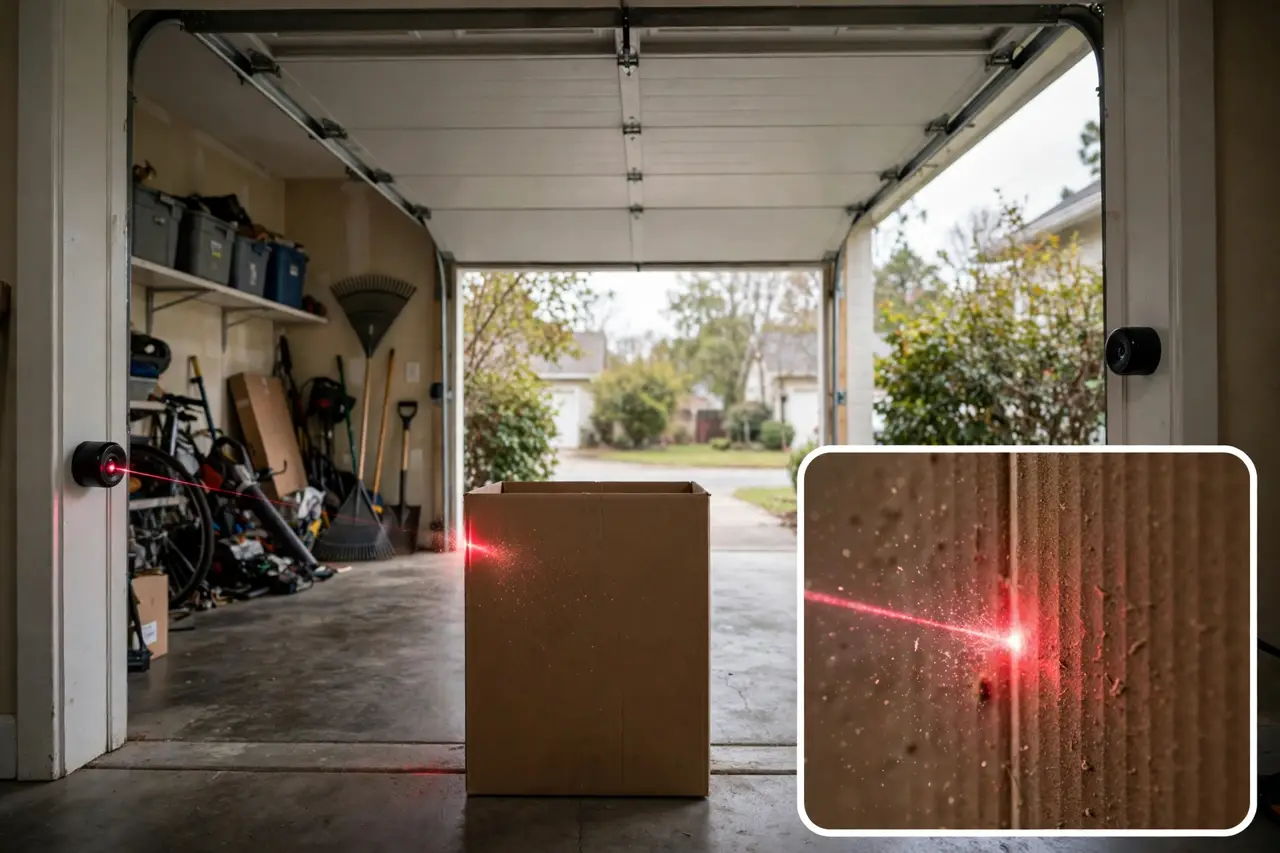
A solid LED is a good sign, but it is not proof. Run all three tests below before you call the job done, because these tests check the actual safety behavior the sensors exist for.
Test 1: The full close test
Stand outside the door’s path and press the wall control or remote. The door should travel all the way down and stay closed, with no reversing and no flashing opener light. If it reverses partway, a sensor is still drifting or something is breaking the beam — return to step 4.
Test 2: The photo-eye obstruction test
Set your cardboard box in the doorway so it blocks the beam, then start the door closing. The door should stop and reverse to the fully open position as soon as the beam breaks. You can repeat the same check with a long-handled broom passed through the beam while the door is moving, which keeps your hands well clear of the door.
Test 3: The auto-reverse test
This test checks the opener’s second safety system, the contact reverse. Caution first: stand to the side of the doorway, never under the door, and keep the remote in your hand so you can stop the door yourself if needed.
Lay the 2×4 flat on the floor in the center of the doorway, wide side down, and close the door onto it. Under the UL 325 standard the opener must follow, the door has to reverse within 2 seconds of touching the board. If it presses down and keeps pushing instead of reversing, do not use the opener until a technician has adjusted or repaired it — the door is not safe.
Pass all three tests and the alignment is genuinely fixed. Manufacturers recommend repeating the obstruction and auto-reverse tests about once a month; each round takes under two minutes.
If Alignment Doesn’t Fix It
Alignment fixes a blinking or flickering receiving light. It does not fix everything, and knowing the boundary saves you an hour of pointless adjusting.
If both sensor lights are completely dark, the problem is power or wiring, not aim. If the lights hold solid but the door still refuses to close, suspect direct sunlight flooding the receiving eye — Chamberlain warns against letting sun hit that sensor — or a fault inside the opener. And if a sensor housing is cracked or a lens is clouded and scratched, the sensor itself needs replacing.
For all of those cases, work through our companion guide on how to fix a garage door sensor, which covers the wiring checks, sunlight fix, and replacement decision in order. Never defeat the sensors to get the door closed — holding the wall button down to force the door past a sensor fault disables the safety system your family relies on.
Disclaimer: This guide covers photo-eye sensor alignment only, a low-voltage adjustment. Garage door springs, cables, and bottom brackets are under extreme tension and can cause serious injury — never loosen or adjust them yourself. For spring, cable, track, or opener wiring work, hire a qualified garage door technician.
Frequently Asked Questions
Why won’t my garage door close and the opener light keeps blinking?
The blinking light is the opener reporting that the safety sensors cannot see each other. One eye sends an infrared beam across the doorway and the other catches it. When the beam is blocked, dirty, or pointed past its target, the opener refuses to close the door. Cleaning the lenses and realigning the receiving sensor fixes it most of the time.
How do garage door sensors work?
Garage door sensors work as a pair of photo eyes. The sending eye projects an invisible infrared beam across the door opening, and the receiving eye detects it. If anything breaks the beam while the door is closing, the sensors signal the opener to stop the door and reverse it to the fully open position, so nothing gets trapped underneath.
Where should garage door sensors be located?
Sensors mount inside the garage, one on each side of the door opening, usually clipped to the door tracks. The beam between them must sit no higher than 6 inches above the floor — low enough to catch a child or pet lying in the doorway. Both sensors should sit at the same height and face each other directly.
What do the colors on my garage door sensor mean?
On Chamberlain and LiftMaster openers, the sending eye glows amber whenever it has power, and the receiving eye glows green when the beam is landing — solid means aligned, flickering means it is not. Genie pairs a red source light with a green receiver, and the red light blinks when misaligned. Brands vary, so check your manual for your model.
How do you know when garage door sensors are aligned?
The lights tell you first: both sensor LEDs glow solid, with no blinking, flickering, or dimming. The proof is in the tests — the door closes fully on its own, reverses when you block the beam with a box, and reverses within 2 seconds of touching a 2×4 laid flat in its path. Passing all three means the sensors are aligned and working.
Do I have to have sensors on my garage door?
Yes, if your opener was made after January 1, 1993. Federal safety rules have required entrapment protection meeting the UL 325 standard on residential openers since that date, and photo-eye sensors are the standard way openers comply. Never disconnect or bypass them — without the beam, the door cannot detect anything in its path.
Done correctly, alignment is a small job with a big payoff: a door that closes when you ask, and a safety system you have personally proven works. Put the two proof tests on your calendar once a month, and the next time a sensor gets bumped, the pencil marks and the lights will walk you straight back to this fix.