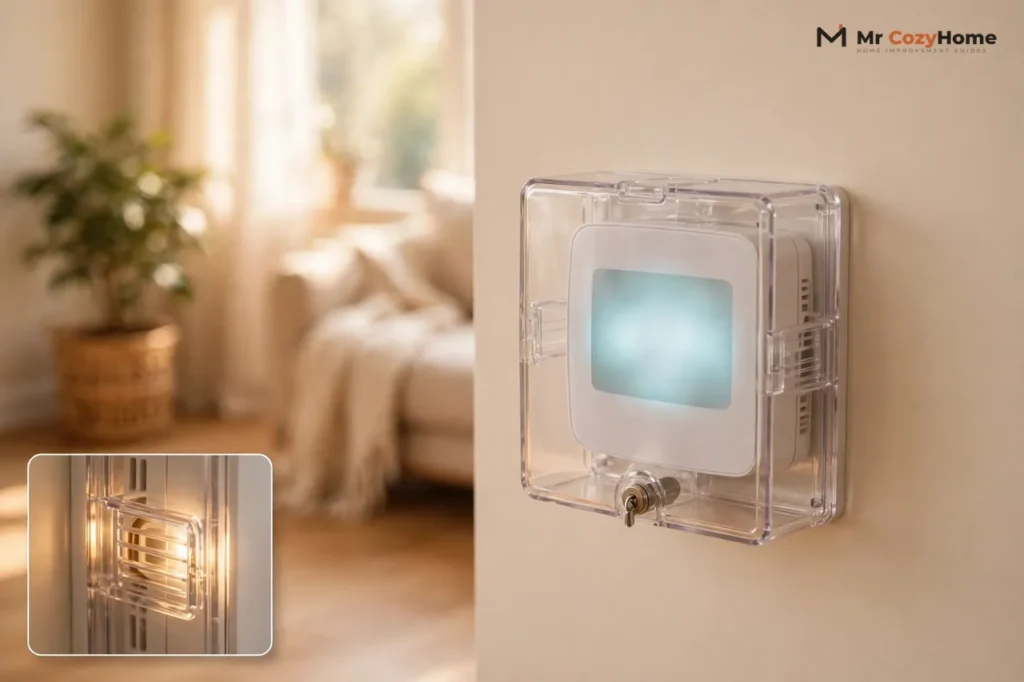
A thermostat lockbox is a clear plastic or metal cover that locks over your wall thermostat so only people with the key or code can change the temperature. It stops kids, guests, tenants, and coworkers from turning the heat or air conditioning up and down. Most lockboxes cost about $10 to $25, and you can install one in about 15 minutes with a drill and a screwdriver. A lockbox goes on after the thermostat itself — if you are starting fresh, here is how to install a thermostat.
If someone in your home or building keeps changing the thermostat, a lockbox ends the fight. You set the temperature once, lock the cover, and the setting stays put. The display stays visible through the clear plastic, so everyone can still see the temperature. Only the controls stay out of reach.
What Is a Thermostat Lockbox?
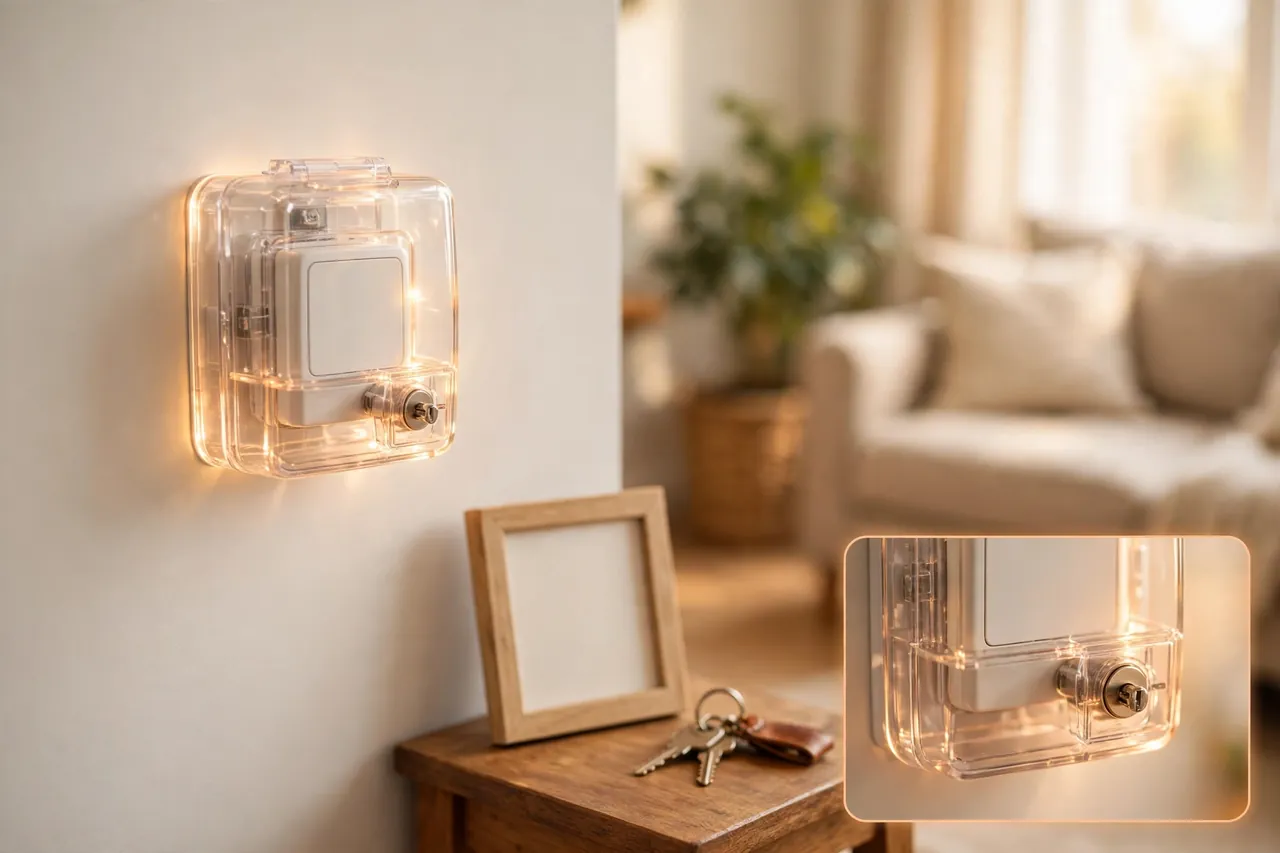
A thermostat lockbox is a sturdy box that fits over your thermostat and mounts to the wall around it. The front is usually clear plastic, so you can read the screen without opening it. A small lock on the side or bottom holds the cover shut. You open it with a key, a combination code, or both, depending on the model.
The box has vents or small holes on the sides. These let room air flow past the thermostat sensor, so the temperature reading stays accurate. A box without vents can trap warm air and fool the sensor, so vents matter more than they look.
People also call this accessory a thermostat guard, a thermostat cover with lock, or a lockable thermostat cover. All three names mean the same thing: a locked cover that protects the controls. It does not change how your heating and cooling system works. It only controls who can touch the settings.
A lockbox is not the same as a thermostat itself. If you want to understand the thermostat behind the cover, start with the type you own. A simple dial or button model is usually a non-programmable thermostat, and the differences between the two main types are covered in our programmable vs non-programmable thermostat comparison.
Who Actually Needs a Thermostat Lockbox?
Not every home needs one. A lockbox earns its place when more than one person can reach the thermostat and those people disagree about the temperature. Here are the situations where it helps most.
Landlords and Property Managers
Landlords use lockboxes to stop extreme settings that run up utility bills and strain the HVAC system. A tenant who sets the heat to 85 degrees in winter or the air conditioning to 60 degrees in summer can add real money to the bill and wear out the equipment. A lockbox keeps the setting in a fair range. The legal side matters here, and it is covered in its own section below, because a lockbox must never leave a home too cold or too hot.
Airbnb and Short-Term Rental Hosts
Guests in a vacation rental often crank the air conditioning because they are not paying the bill. Hosts use a lockbox to hold a comfortable setting and protect the system from constant on-off swings. Many hosts pair the lockbox with a smart thermostat that lets guests adjust within a set range, which feels friendlier than a fully locked box. The lockbox is the cheaper fix, and it works on any thermostat, smart or not.
Offices, Schools, and Shared Spaces
Offices, classrooms, gyms, restaurants, and waiting rooms all have the same problem: many people, one thermostat, and no agreement. A lockbox gives one person control and ends the daily temperature tug-of-war. Metal guards are common in these places because they also protect the thermostat from bumps and damage in busy public areas.
Homes With Kids
Little kids love buttons and dials. A child who spins the thermostat dial for fun can leave the house freezing cold or burning hot, and the system runs hard for hours before anyone notices. A clear lockbox stops the game without hiding the display. Parents can still check the temperature at a glance, and older kids learn that the thermostat is not a toy.
Types of Thermostat Lockboxes
Lockboxes look similar at first glance, but the material, the lock, and the shape change what they fit and how strong they are. Pick the type that matches your thermostat and your space.
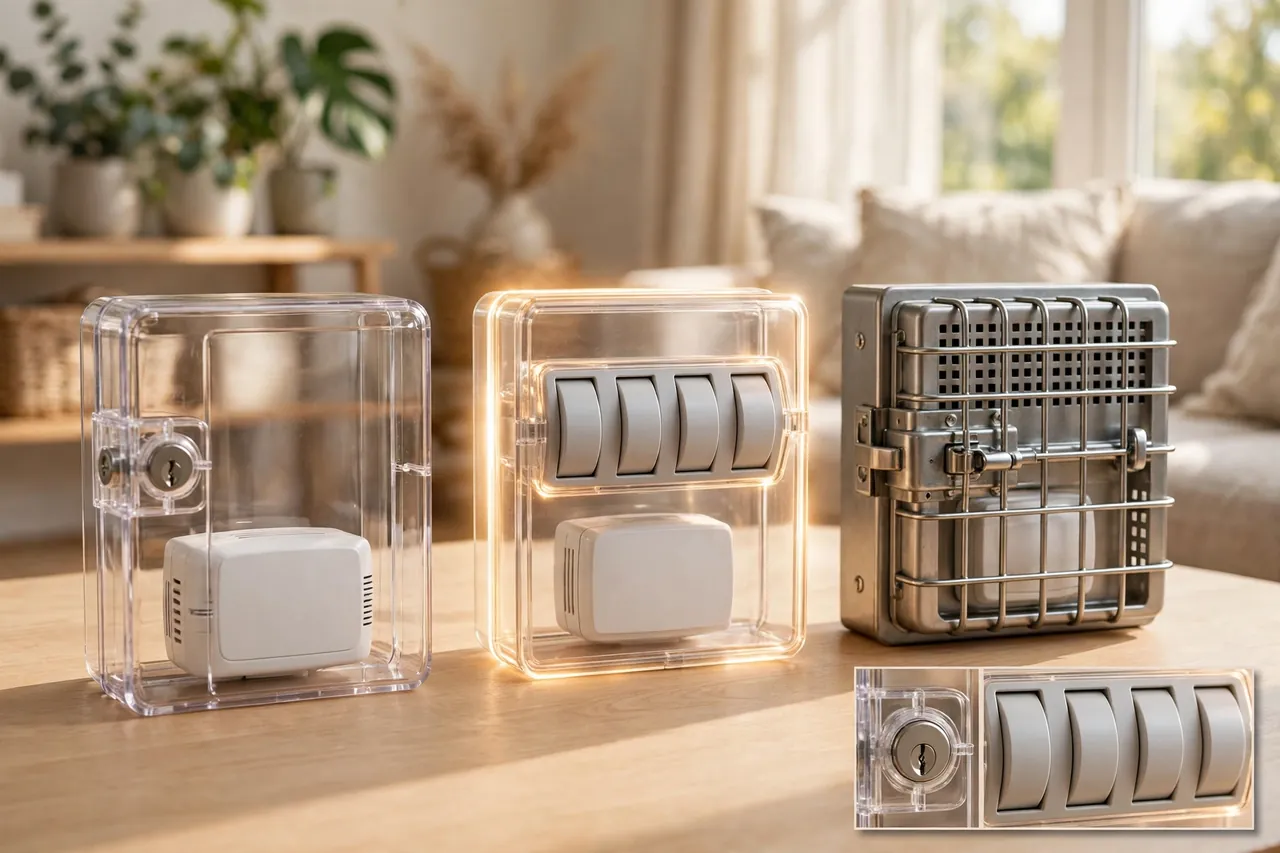
Clear Plastic Covers With a Key
This is the most common type. A clear plastic box covers the thermostat, and a small key lock holds it shut. You can see the display and the current temperature through the cover. Most models come with two keys, so keep one spare in a safe place. Plastic covers suit homes, rentals, and offices, and they cost the least. The Honeywell Home guards are the best-known examples: the small CG510A, the medium CG511A1000, and the large CG512A1009.
Combination-Lock Covers
A combination cover works like a keyed cover, but you open it with a 3-digit code instead of a key. No key means nothing to lose, and you can share the code with a cleaner, a co-host, or a new tenant, then change it when they leave. The trade-off is simple: anyone who learns the code has access, and a forgotten code can mean breaking the box. Combination covers suit rentals and offices where several trusted people need access. Keypad locks elsewhere in the home work the same way, as our guide to the best door locks with keypad shows.
Metal Guards
Metal guards are built for tough public spaces. They are usually made of steel, and some have a solid front that hides the thermostat completely. That solid front stops theft as well as tampering, which matters in schools, gyms, and restaurants. The downside is clear: you cannot see the display without unlocking the guard. Metal guards also cost more than plastic covers. The Emerson F29-0222 universal metal guard and the Lux locking thermostat guard are common examples.
Hinged Covers and Fixed Covers
A hinged cover swings open on one side once you unlock it, so you can change the setting and close it again in seconds. A fixed cover must come off the wall or off its base each time. Hinged covers are easier to live with, and they are the better pick for anyone who adjusts the temperature more than once or twice a season. Fixed covers suit places where the setting almost never changes.
Round Covers for Nest-Style Thermostats
Round smart thermostats such as the Google Nest need a round cover, because a square box leaves gaps at the corners. Round lockboxes fit a 4.53-inch inner diameter on select round Nest models. Measure your thermostat before you buy, because a round cover that is even slightly too small will not close.
How Much Does a Thermostat Lockbox Cost?
Most thermostat lockboxes cost about $10 to $25 for a single unit. Clear plastic keyed covers sit at the low end of that range. Combination-lock covers and larger sizes cost a little more. Metal guards sit at the higher end, and multi-packs bring the per-unit price down for landlords who need one for every unit.
Prices below were checked on November 7, 2026. Prices change often, so confirm the price on the retailer page before you buy.
| Product | Price | Source and Check Date |
|---|---|---|
| Gedreew large lock box with key, fits thermostats 5 inches high by 6 inches wide or smaller | $13.99 | Amazon offer via FindTheDeal, checked November 7, 2026 |
| Round lock box with key for select round Nest models, 4.53-inch inner diameter | $15.99 | Amazon offer via FindTheDeal, checked November 7, 2026 |
| BISupply A/C thermostat lock box with key, large | $16.49 | Amazon listing, observed May 2026 |
| Honeywell Home CG510A small thermostat guard | $20.85 | Amazon listing, observed May 2026 |
| Honeywell Home CG512A1009 large thermostat guard | $21.98 | Amazon listing, observed May 2026 |
| StatGuardPlus XL2 universal guard with combination lock | $24.77 | Amazon listing, observed May 2026 |
Installation costs nothing if you do it yourself, which most people can. The box comes with screws and wall anchors. A handyman or HVAC technician would typically charge a small service fee for the same 15-minute job, so DIY is the sensible default.
How to Check Fit and Compatibility Before You Buy
Fit is the number one reason lockboxes get returned. A box that is too small will not close, and a box that is far too big looks bad and leaves gaps. Measure first, buy second.
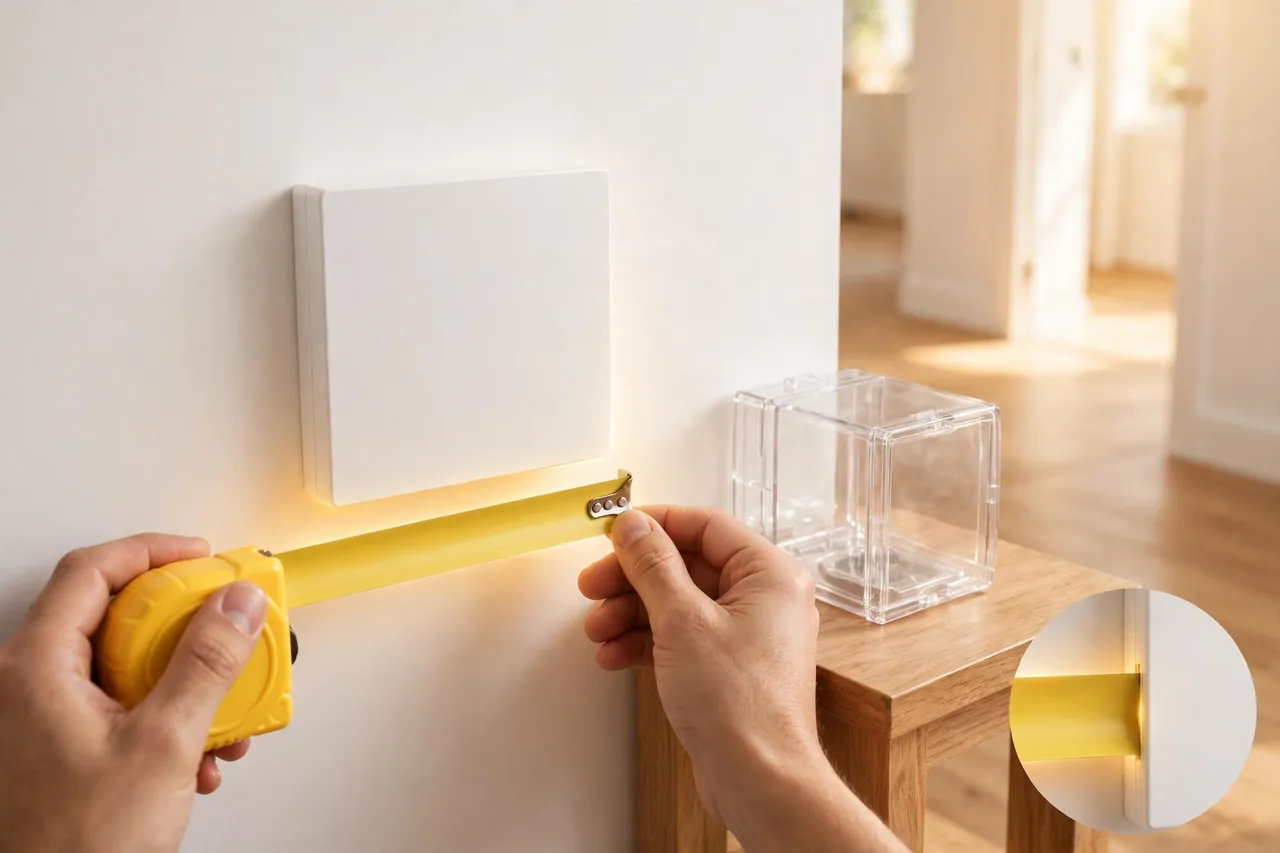
Measure the width, height, and depth of your thermostat with a tape measure. Include any part that sticks out, such as a dial, a lever, or a sensor bump. Then add about 1 inch to the longest side, as the BISupply lock box instruction manual recommends, and compare that number with the inside dimensions of the lockbox. The thermostat must be smaller than the inside of the box in all three directions.
Check the thermostat type too. A heat-only thermostat is often a small lever model, and a small guard usually fits it. If you are unsure which kind you have, our heat-only thermostat guide explains how to tell. Large touchscreen smart thermostats need the large or extra-large sizes, and round models need a round cover.
Use the table below to match the most common Honeywell guards to your thermostat size. Other brands list the same kind of maximum-fit numbers, so the method works for any brand.
| Guard Model | Fits Thermostats Up To | Best For |
|---|---|---|
| Honeywell Home CG510A, small | 4.375 inches high by 4.375 inches wide | Small dial and lever thermostats |
| Honeywell Home CG511A1000, medium | 5 inches high by 6 inches wide | Most standard rectangular thermostats |
| Honeywell Home CG512A1009, large | 8.25 inches wide by 5.75 inches high | Large and touchscreen thermostats |
| BISupply 0647, large | 7 inches wide by 4.2 inches high inside | Standard thermostats and sprinkler controllers |
| Pihode combination-lock cover, large | 8.7 inches wide by 5.5 inches high | Large thermostats when no key is wanted |
When in doubt, size up. A slightly large box still locks and still reads the temperature correctly. A slightly small box is useless. Also check that the box has vents on the sides. Vents let room air reach the sensor, and a box without them can trap warm air and throw off the reading.
How to Install a Thermostat Lockbox
Installing a lockbox is a simple DIY job. Most models mount to the wall around the thermostat, so you never touch the wires. Set aside about 15 minutes and work in daylight so you can see the screw holes clearly.
You will need the lockbox and its included hardware, a Phillips screwdriver, a drill, a pencil, a level, and a tape measure. Wall anchors come in the box with most models. If your model asks you to remove the thermostat from its wall plate, also switch off the power to the heating and cooling system at the breaker first. Never touch thermostat wires with the power on.
- Set the temperature first. Set your thermostat to the temperature you want to lock in, and pick the right mode for the season. Our guide to recommended thermostat settings for summer and winter gives sensible starting points. Test that the heating or cooling runs, then leave the setting alone.
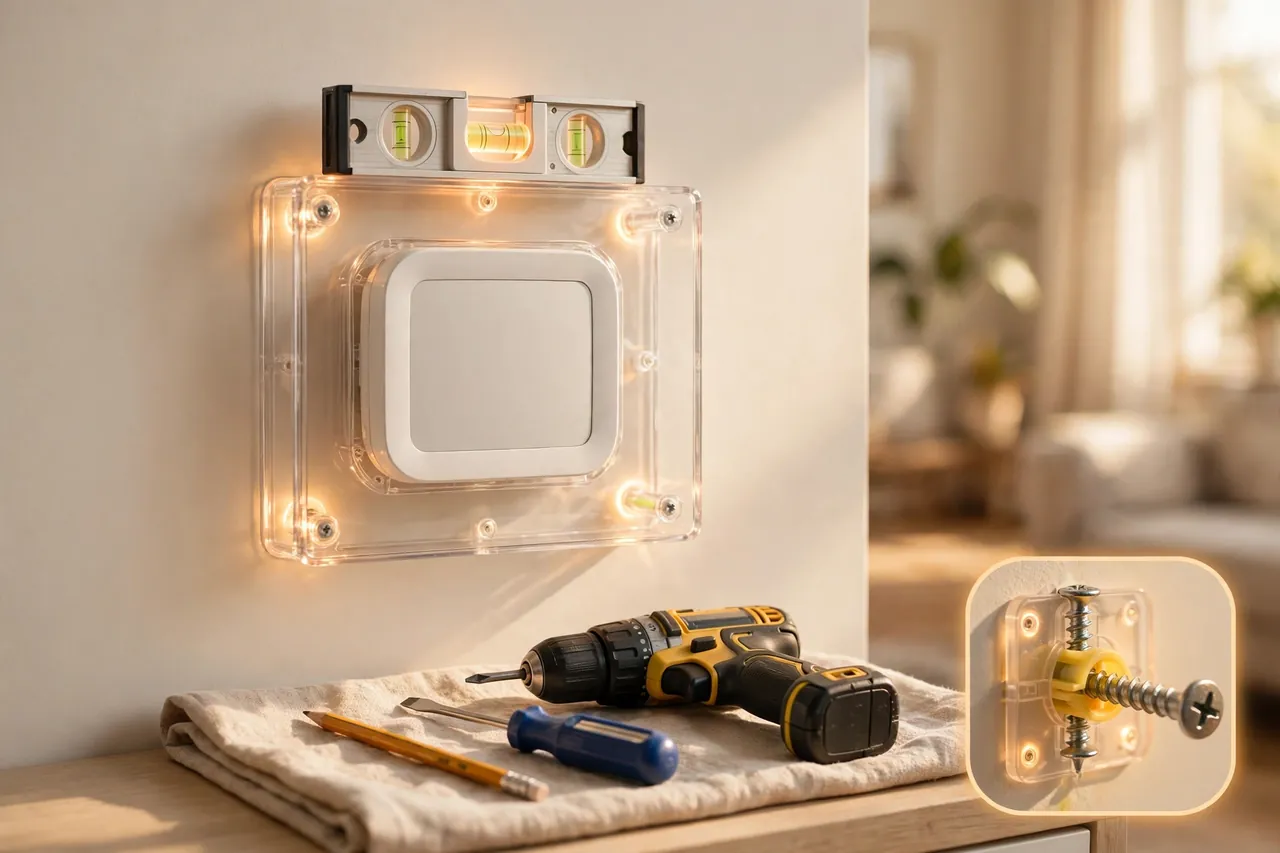
- Hold the box over the thermostat. Place the backplate or base of the lockbox over the thermostat and center it. Check that the thermostat sits fully inside with space on every side, and check that the cover can close. Use the level to make sure the base sits straight.
- Mark the screw holes. With the base held in place, push the pencil through each mounting hole and mark the wall. Four marks are normal. Remove the base and double-check that the marks are level.
- Drill pilot holes and add anchors. Drill a small pilot hole at each mark. If you are mounting into drywall, push a wall anchor into each hole and tap it flush with a hammer. If you hit a stud, you can skip the anchors and drive the screws straight in.
- Mount the base. Set the base back over the thermostat, line up the holes, and drive the screws in with the screwdriver. Tighten them until the base feels firm, then stop. Overtightening can crack the plastic or crush the drywall.
- Reattach the thermostat if you removed it. Some models ask you to lift the thermostat off its wall plate so the base sits behind it. If you did that, put the thermostat back on its plate now and check that it powers on and shows the right temperature. If you need to move wires for any reason, stop and check the thermostat wire colors guide first, because a wrong wire can damage the system.
- Close the cover and lock it. Swing or press the clear cover onto the base until it seats. Insert the key and turn it until the latch catches, or set the combination on a code model. Tug the cover gently to confirm it is locked. Store the spare key somewhere safe, away from the thermostat.
- Test the reading. Wait about 30 minutes, then check the display through the cover. The temperature should match the room. If the reading drifts or the system runs nonstop, the box may be blocking airflow to the sensor. Do not loosen anything yet. First check that the vents are open and that the cover is not pressing on the thermostat.
If the wall is tile, plaster, or concrete, use the right drill bit and anchors for that material. The steps stay the same. If you rent, ask your landlord before you drill, because the holes stay in the wall when you leave. A no-drill adhesive model is the safer choice for renters, though it holds less firmly than screws.
The wall-mount skills here are the same ones you use for any small lock. If you want a refresher on the basics, our how to install a deadbolt door lock guide walks through marking, drilling, and leveling in the same order.
Lockbox vs Smart Thermostat PIN Lock: Which Is Better for You?
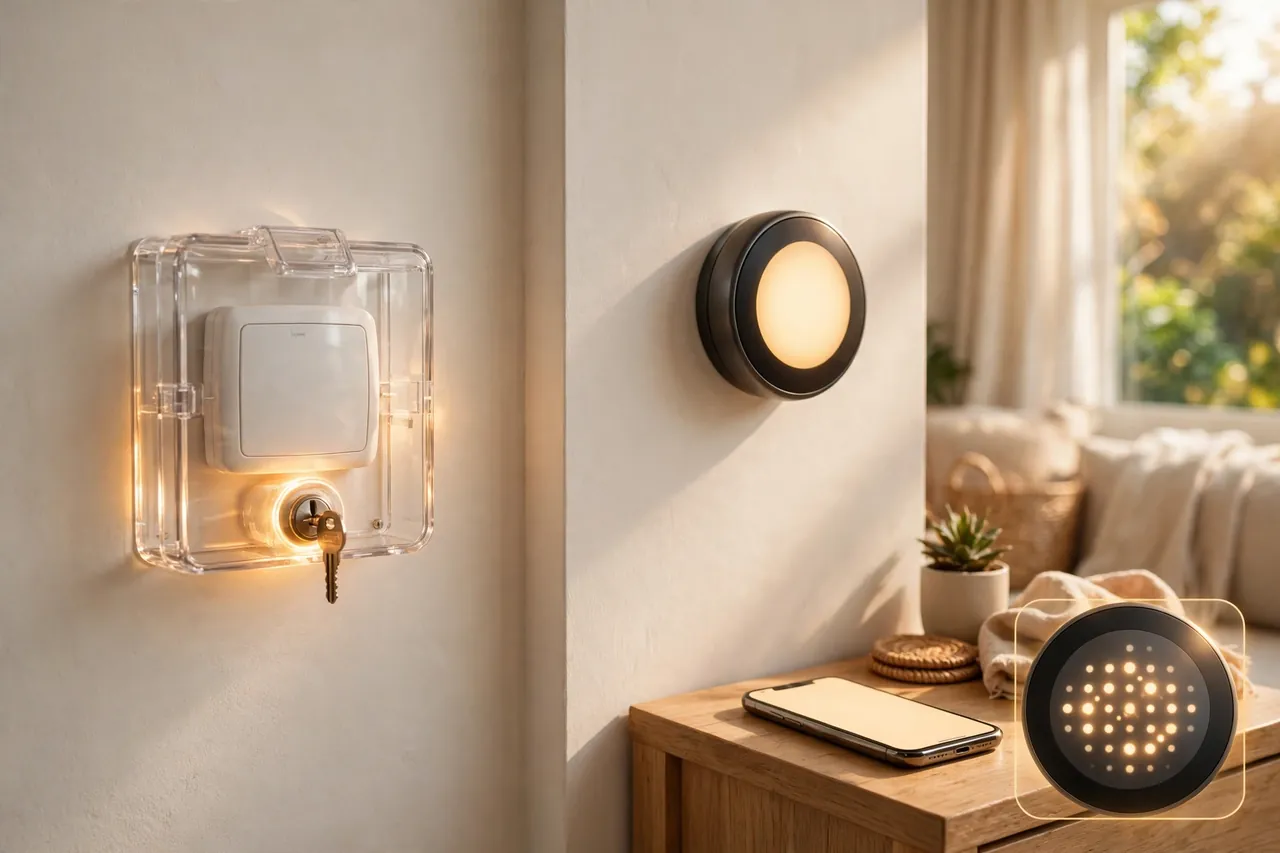
A physical lockbox is not the only way to lock a thermostat. Many smart thermostats have a built-in PIN lock or temperature range limit that you set in the app. Cielo, for example, offers a PIN lock on its smart thermostat: you open the menu, tap PIN Lock, set a passcode, and the screen locks until someone enters the code. No extra hardware, no drilling, and you can change the code from your phone.
The right choice depends on your thermostat and your budget. A lockbox works on any thermostat, including a 20-year-old dial model, and it costs about $10 to $25. A PIN lock needs a smart thermostat, which costs far more, but it also lets you set a range instead of a single locked number. Guests can adjust within the range you allow, which feels fairer in a rental.
| Feature | Physical Lockbox | Smart Thermostat PIN Lock |
|---|---|---|
| Works on any thermostat | Yes | No, needs a smart thermostat |
| Typical cost | About $10 to $25 | Cost of a smart thermostat |
| Let guests adjust within a range | No | Yes, on most models |
| Change the code remotely | No | Yes, from the app |
| Protects against bumps and damage | Yes | No |
| Installation | Drill and screws, about 15 minutes | Thermostat install and app setup |
If you already own a smart thermostat, try the PIN lock first. It costs nothing extra. If you are buying a smart thermostat anyway, check whether a smart thermostat rebate is available in your area, because a rebate can cut the price sharply. If your thermostat is old and works fine, a lockbox is the cheaper and simpler answer.
Pros and Cons of Thermostat Lockboxes
A lockbox solves one problem well, and it creates a few small ones. On the plus side, it stops unwanted temperature changes, keeps energy bills steady, reduces wear on the heating and cooling system, and protects the thermostat from bumps, dust, and curious hands. It costs little, installs fast, and works on almost any thermostat. On the minus side, someone has to be on site with the key or code to change the setting, a lost key or forgotten combination can force you to break the box, and a metal guard hides the display. A lockbox can also feel like a sign of distrust in an office or rental, so a short note about why it is there goes a long way.
- Pro: stops tampering and holds one steady temperature.
- Pro: protects the thermostat from damage and dust.
- Pro: costs about $10 to $25 and installs in minutes.
- Con: you must be there with the key or code to change anything.
- Con: a lost key or forgotten code can mean breaking the cover.
- Con: can feel unfriendly without a short explanation for others.
Common Problems and Quick Fixes
Most lockbox problems come from fit or airflow, and both are easy to fix. Check the table below before you buy a second box.
| Problem | Likely Cause | Fix |
|---|---|---|
| Cover will not close | Thermostat is too big for the box | Measure again and size up to the next box |
| Temperature reading drifts | Vents blocked or warm air trapped | Clear the vents and check the sensor has airflow |
| Key turns but cover stays shut | Latch misaligned after mounting | Loosen the screws slightly and realign the base |
| Box feels loose on the wall | Anchors missing or wrong for the wall | Add the right wall anchors and retighten |
| Forgot the combination | Code not written down | Try the factory default from the manual, then replace the box |
| Display hard to read | Scratched or dusty plastic | Clean with a soft cloth and mild soap only |
One warning from the manuals is worth repeating: never force a cover shut over a thermostat that does not fit. Forcing it can crack the box, press the thermostat buttons, or bend the wall plate. If the cover will not close with light pressure, the box is the wrong size.
Can a Landlord Lock the Thermostat? What Renters Should Know
This is the most argued question about thermostat lockboxes, and the honest answer is that it depends on where you live. In the United States, landlords must provide heat and hot water as part of keeping a home habitable, and local building codes often set minimum temperatures. A lockbox that holds a fair, comfortable temperature is usually fine. A lockbox that leaves a home freezing cold in winter or dangerously hot in summer is not.
Realtor.com reports that the legality varies by location and by the facts of each case, and that deliberately blocking access to heat or hot water can violate a landlord’s duty to provide a habitable home. Attorneys quoted in the same report stress that tenants should first check the lease for any language about heating control, then notify the landlord in writing if the temperature is not habitable. Some cities add their own temperature rules on top of state law, so the local code is the one that counts.
If you are a landlord, set a fair temperature, put it in writing, and tell tenants why the lockbox is there. Give them a way to reach you fast if the home feels too cold or too hot. If you are a tenant and the locked temperature is not livable, write to your landlord, keep a copy, and check your local tenant rights before you take the box off yourself. Removing a landlord’s lockbox without permission can break the lease, even when the temperature is unfair.
Renters who want to install a lockbox themselves should ask first. Drilling into the wall and locking a thermostat the landlord controls can count as an unauthorized change to the home. Written permission protects both sides.
How to Choose the Right Thermostat Lockbox
Use this short checklist when you shop. If you can answer yes to each point, the box you picked is the right one.
- Measure your thermostat and confirm it is smaller than the inside of the box in width, height, and depth.
- Pick clear plastic if you want to see the display, or metal if the space is rough and public.
- Pick a key lock for the simplest setup, or a combination lock if several people need access and keys get lost.
- Check that the box has side vents so the sensor reads the room correctly.
- Pick a hinged cover if you change the temperature often, and a fixed cover if the setting rarely moves.
- Buy a round cover for a round thermostat, and a large size for a touchscreen model.
- Confirm the box includes screws, wall anchors, and at least one spare key.
- Keep the receipt, because a wrong size is the most common return.
Related Guides
If you are sorting out your thermostat setup, these guides help with the next step. Compare the two main thermostat types in our programmable vs non-programmable thermostat comparison, or learn the basics in our non-programmable thermostat guide. Set a fair locked temperature with our recommended thermostat settings for summer and winter, and check whether a smart thermostat rebate can cut the cost of a PIN-lock upgrade. If your thermostat wiring ever needs attention, our thermostat wire colors guide explains each wire, and our heat-only thermostat guide covers the small lever models that suit a small guard. For the rest of your home security, see our smart key lock guide and our best door locks with keypad picks.
Frequently Asked Questions
What is a thermostat lock box with key and why would I use one?
A thermostat lock box with key is a protective enclosure that fits around your wall-mounted thermostat and locks the controls behind a key. It prevents unwanted changes to the temperature, which can save energy and reduce arguments in homes with kids, roommates, or tenants. It also protects rental properties and workplaces where you want to hold one steady comfort level.
Will it fit my thermostat? How do I check compatibility?
Most lock boxes fit standard wall thermostats, but sizes do vary. Measure the width, height, and depth of your thermostat, including any dial or lever that sticks out. Compare those numbers with the inside dimensions on the product page. If you own a large touchscreen or a round smart thermostat, look for a model that names your thermostat type. When in doubt, size up.
How do I install a thermostat lock box with key? Do I need tools?
Installation is usually simple and needs no wiring work. You hold the base over the thermostat, mark the screw holes, drill pilot holes, add wall anchors for drywall, screw the base to the wall, and lock the cover with the key. You need a screwdriver, a drill, a pencil, and a level. If your model asks you to remove the thermostat, switch the power off at the breaker first.
Will the lock box affect the thermostat’s performance or readability?
A well-designed lock box should not affect the sensor readings or the display. Look for a clear cover and side vents that let room air reach the sensor. Avoid a box that covers the display or blocks airflow, because that can cause wrong readings or slow responses. After installation, check the display after 30 minutes and confirm the temperature matches the room.
Is it illegal to lock a thermostat?
Rules vary by location and by the situation. Landlords must keep a rental habitable, which includes adequate heat and hot water, so a lockbox that holds a fair temperature is usually allowed, while one that leaves a home too cold or too hot can break the law. Check your lease, your state rules, and your city codes before you lock a thermostat in a rental.
A thermostat lockbox is a small, cheap fix for a common annoyance. Measure your thermostat, pick a clear keyed or combination cover that fits, and install it in about 15 minutes. Set a fair temperature first, lock the cover, and keep the spare key safe. If you already own a smart thermostat, try its PIN lock before you buy anything, and if you are a landlord, put the locked setting in writing so everyone knows where they stand.