If you want the short answer, here it is: pick a Nest thermostat vs Honeywell based on your home, not the brand name. Once you have picked, here is how to install a thermostat. Nest wins when you want a thermostat that learns your routine and runs itself, especially in a Google Home house. Honeywell wins when you have a complex heating and cooling system, rooms that never feel the same temperature, or a pro who will install it for you. Both brands make good thermostats, and the wrong pick usually comes from skipping one check: your wiring and your system type.
This guide compares the real models side by side: the Google Nest Learning Thermostat (4th gen) and the Google Nest Thermostat against the Honeywell Home T9, T6 Pro, and T5. You will see honest prices checked on November 7, 2026, how learning and scheduling differ, how room sensors work, what each brand needs from your wiring, and which one fits your household.
The Short Answer: Nest vs Honeywell at a Glance
The table below gives you the whole comparison in one look. Read the sections after it for the details that change the decision, because two rows matter more than the rest: system compatibility and room sensors.
Table: Nest vs Honeywell head-to-head
| Feature | Google Nest | Honeywell Home |
|---|---|---|
| Flagship model | Nest Learning Thermostat (4th gen) | T9 Smart Thermostat |
| Flagship price | $279.99, sensor included | $179.99, or $209.99 with sensor |
| Budget model | Nest Thermostat, $129.99 | T5 Smart Thermostat |
| Learning | Learns your routine and builds a schedule for you | Smart Response and geofencing, but you set the schedule |
| Room sensors | One Nest Temperature Sensor included with the 4th gen | Smart Room Sensors track temperature, humidity, and occupancy |
| C-wire | Often not needed, with exceptions | Required for the T9 and T5; adapter included with the T9 |
| System fit | Most standard 24-volt systems | Wider fit, including multi-stage, dual-fuel, and accessory systems |
| App | Google Home app | Resideo app |
| Voice and smart home | Google Assistant, Alexa, Apple HomeKit through Matter | Alexa, Google Assistant, Apple HomeKit, SmartThings, IFTTT |
| Warranty | 2 years on the Learning Thermostat (4th gen) | 2 years on the T9 |
Notice the price gap. The Nest Learning Thermostat costs $100 more than the T9 with a sensor, and $150 more than the T9 alone. That gap buys you learning and design. It does not buy you wider compatibility or better room sensing. Keep that trade in mind as you read on.
Meet the Models: What You Are Actually Comparing
“Nest thermostat vs Honeywell” sounds like two products, but each name covers a small family. Compare exact models, because a budget Nest and a flagship Nest behave very differently, and the same holds true on the Honeywell side.
The Nest side
The Google Nest Learning Thermostat (4th gen) is the flagship. It costs $279.99 at the Google Store, and the box includes one Nest Temperature Sensor (2nd gen). It learns your routine, shows a large display that lights up when you walk past, and runs in the Google Home app. Google backs it with a two-year limited warranty.
The Google Nest Thermostat (2020) is the budget model at $129.99. It does not learn like the flagship. You set schedules in the Google Home app, and it uses Home and Away routines based on your phone location. It has no remote sensor support and no rotating dial. Instead, you tap and swipe a touch strip on its side. If your budget is tight and your system is simple, this is the Nest to buy.
One warning about older Nests: Google ended support for the 1st and 2nd generation Nest Learning Thermostats in October 2025. Those old units lost their smart features and now work only as basic thermostats. Do not buy a used 1st or 2nd generation Nest, no matter how cheap it looks.
The Honeywell Home side
Honeywell Home is the consumer brand of Resideo, the company that took over Honeywell’s thermostat business. When people say “Honeywell thermostat” today, they usually mean a Honeywell Home model sold by Resideo.
The Honeywell Home T9 is the flagship for most homes. It costs $179.99 on its own or $209.99 with a Smart Room Sensor, according to the Honeywell Home store. Note that both versions showed as sold out on the Honeywell Home site when we checked on November 7, 2026, so buy from a retailer if the official store has no stock. The T9 has a color touchscreen, works with systems up to 3 stages of heat and 2 stages of cool, and carries a two-year warranty.
The Honeywell Home T6 Pro Smart is the pro-installed workhorse. The TH6220WF2006 model handles up to 2 stages of heat and 2 stages of cool, and the TH6320WF2003 model handles up to 3 stages of heat and 2 stages of cool, including dual-fuel systems. We found the TH6220WF2006 listed at $154.99 at Sylvane on November 7, 2026. It has no room sensors, but it fits systems the Nest models cannot handle.
The Honeywell Home T5 is the budget pick. It offers 7-day scheduling, geofencing, and app control at the lowest price in the Honeywell smart line. It needs a C-wire, and it has no room sensors. It suits a simple system in a home where one temperature reading is enough.
Learning and Scheduling: Hands-Off vs Hands-On
This is the biggest real difference between the two brands, and it decides the winner for most buyers.
Nest learns. The Learning Thermostat watches when you turn the temperature up and down, then builds a schedule from your habits. After a week or two, you stop programming it. It also uses your phone location and its own sensors to spot when you leave, then drops to an Eco temperature to save energy. Google adds small touches like Seasonal Savings, which nudges your schedule a little as the seasons change, and Adaptive Eco, which picks an energy-saving temperature based on the weather outside.
Honeywell schedules. The T9 has Smart Response, which learns how long your home takes to heat or cool, so it starts early and hits your set temperature on time. It also has geofencing, which adjusts the temperature when your phone leaves or enters a set area around your home. But the T9 does not build your schedule for you. You set the times and temperatures, and it follows them. The T6 Pro and T5 work the same way, with geofencing on the Wi-Fi models.
So ask yourself one honest question: do you want to set a schedule once and forget it, or do you want the thermostat to figure it out? If you hate programming schedules, Nest earns its higher price. If you like control, or your routine changes every week, Honeywell gives you the same comfort for less money. A household with a steady 9-to-5 routine gets the most from Nest learning. A household with shift work, kids home at odd hours, or a retired parent at home all day gets little extra from it.
Room Sensors: Where Honeywell Pulls Ahead
Every thermostat measures temperature in one spot: the hallway where it hangs. Your bedroom, your home office, and your living room can sit several degrees off that reading. Room sensors fix that by measuring temperature where you actually live.
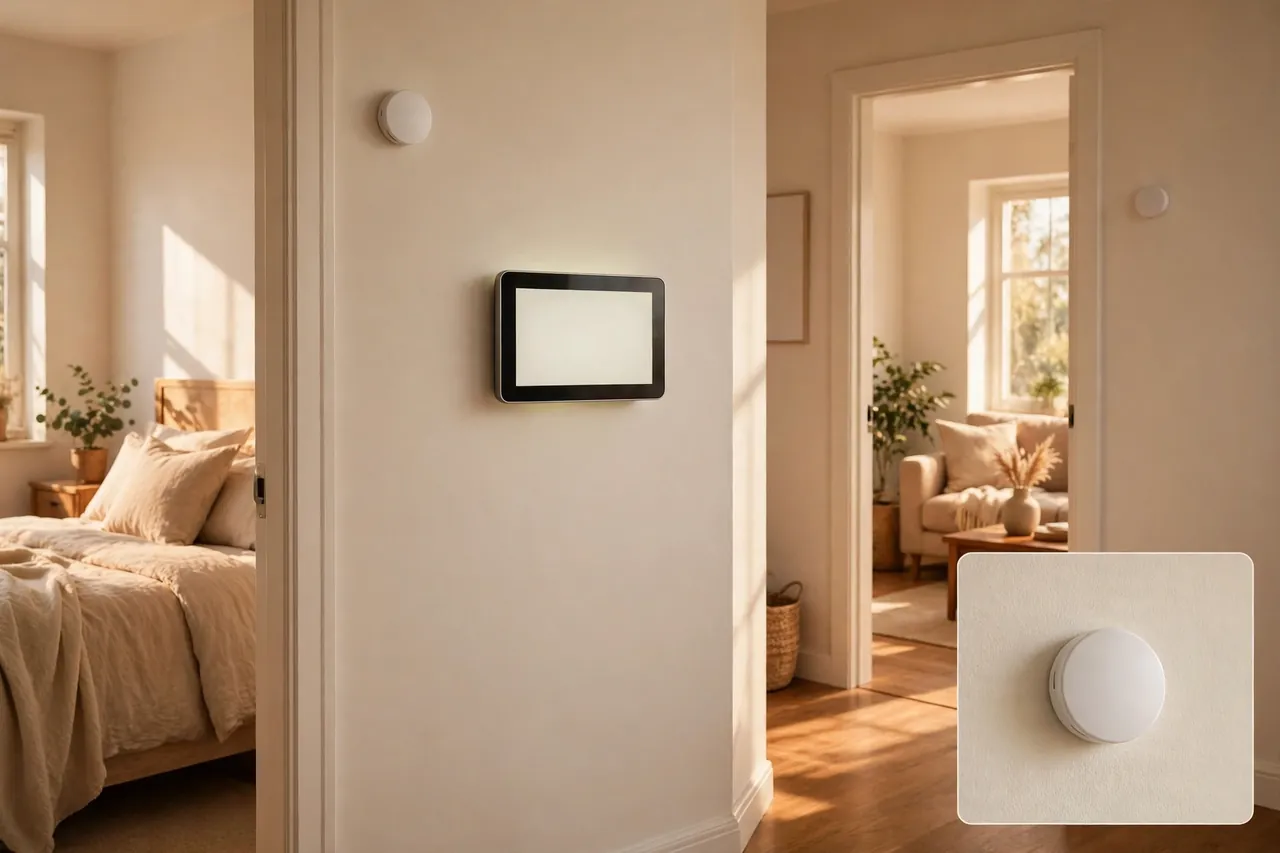
Honeywell does room sensing better. The T9’s Smart Room Sensors measure temperature and humidity, and they detect occupancy, so the thermostat knows which rooms people use. You can tell the T9 to focus on the bedroom at night and the living room during the day, or to average several rooms at once. That is a real fix for the classic problem of a hot upstairs bedroom and a cold downstairs living room. The T9 works with multiple sensors, and its touchscreen shows all your rooms at once.
Nest does room sensing more simply. The 4th gen Learning Thermostat includes one Nest Temperature Sensor in the box, and you can add more. But a Nest sensor reports temperature only, not humidity or occupancy. And the thermostat prioritizes one sensor at a time on a schedule you set, rather than averaging rooms or reacting to where people are. For a small home with one problem room, that is enough. For a larger home with several uneven rooms, Honeywell’s approach works better.
One more honest note: the budget Nest Thermostat has no sensor support at all. If your bedroom runs hot at night and you buy the $129.99 Nest, a sensor cannot fix it later. The T9, the T6 Pro, and the T5 differ here too: only the T9 supports room sensors, so check the model before you buy if sensors matter to you.
Compatibility and the C-Wire Question
A smart thermostat is useless if it cannot run your system. Check compatibility before you buy anything, and start with your wires. If you need a refresher on what each wire does, read our thermostat wire colors guide before you touch anything.
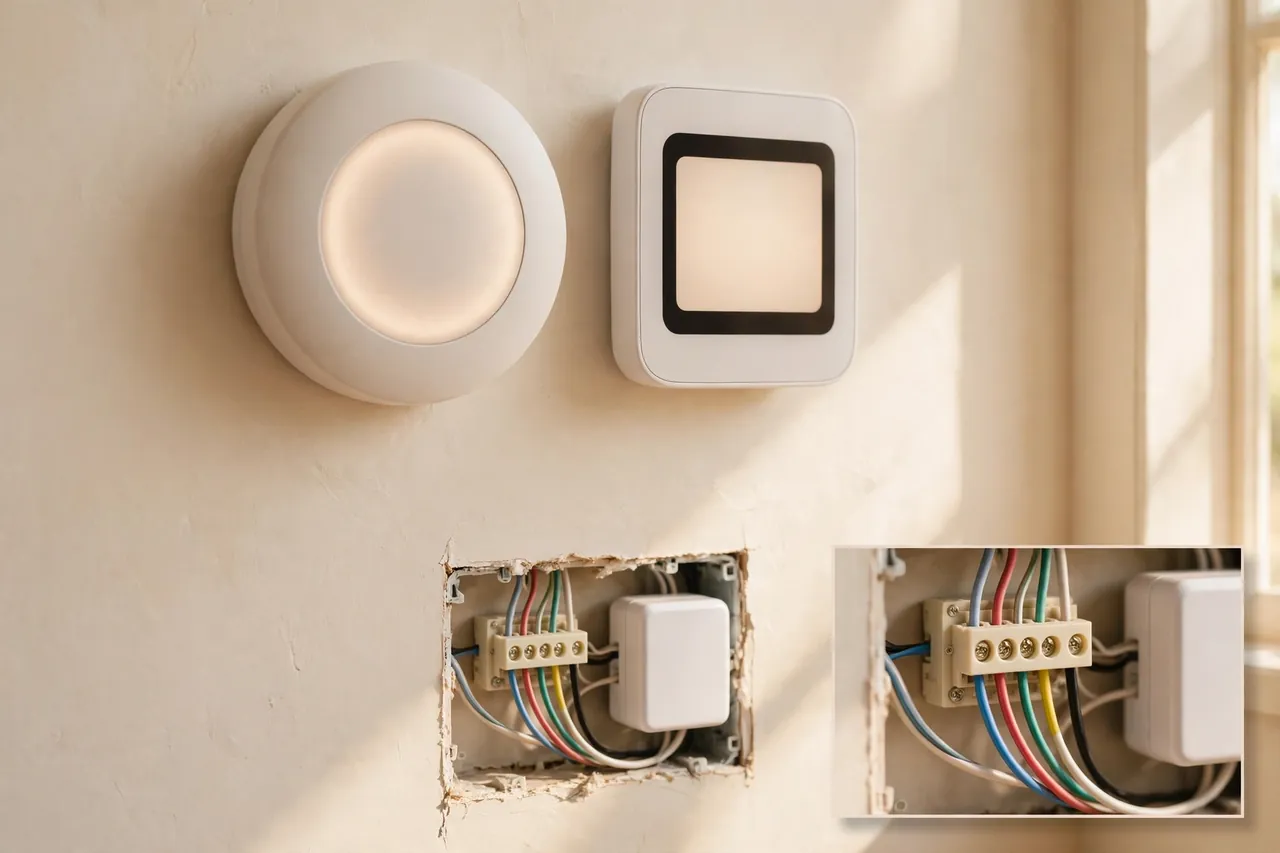
Nest compatibility
Google says the Nest Thermostat works with 85% of 24-volt heating and cooling systems, including furnaces, air conditioners, boilers, and heat pumps with forced air or radiant delivery. The Learning Thermostat (4th gen) covers a similar range and adds Matter support. Both handle one stage of heating and cooling plus a second stage of either heat or cool, and heat pumps with auxiliary or emergency heat.
Where Nest struggles is at the edges. It does not support electric baseboard heat at 120 or 240 volts, and it has limited support for HVAC accessories like whole-home humidifiers, dehumidifiers, and ventilators. If your system has those accessories, a Nest may run the heat and cooling fine but leave the accessory uncontrolled. Use Google’s online compatibility checker and enter your exact wires before you order.
The C-wire question
The C-wire, or common wire, gives a smart thermostat steady power. Without one, some thermostats “steal” small amounts of power from the other wires, which can cause flickering, short cycling, or odd behavior.
Google designed the Nest Thermostat to work without a C-wire in most homes. But Google also says a C-wire or a power accessory may be necessary on heating-only systems, cooling-only systems, zone-controlled systems, and some heat pump systems. The Nest Power Connector is the accessory that solves this. If your home has heat only, read our heat-only thermostat guide first, because heat-only wiring is the case where the C-wire question bites hardest.
Honeywell takes the stricter path. The T9 and T5 require a C-wire, full stop. The good news is that the T9 ships with a C-wire adapter in the box, and that adapter lets it work in homes with no spare wire. The T6 Pro also needs a C-wire. That strictness is a feature, not a flaw: a powered thermostat behaves more reliably than one stealing power. If your wall has no C-wire and you do not want to add an adapter, Nest is the easier install. If you have a C-wire already, the difference disappears.
Honeywell compatibility
Honeywell fits more systems. The T9 handles up to 3 stages of heat and 2 stages of cool, and Honeywell’s pro models cover dual-fuel systems, multi-stage heat pumps, and accessory control for humidifiers, dehumidifiers, and ventilators. That is why heating and cooling pros install Honeywell so often: when a home has an unusual system, Honeywell usually has a model that fits it. If your system is a standard single-stage furnace and air conditioner, both brands fit fine, and this advantage does not matter.
App Experience and Smart Home Ecosystems
You will use the app far more than the wall unit, so the app matters. Both brands run well, but they feel different.
Google Home app
Nest runs in the Google Home app. If you already use Google Home, Nest slots in cleanly: temperature shows on Nest Hub displays, routines tie heating to lights and locks, and “Hey Google” voice control works at once. The app is polished and simple, and Energy History shows your daily usage in plain charts. The trade-off is dependence on Google’s cloud. If your internet goes down, you can still change the temperature at the wall, but remote control and smart features stop until the connection returns. Also note that the 4th gen Learning Thermostat does not work with the old Nest app at all. Everything runs through Google Home.
Resideo app
Honeywell runs in the Resideo app. It is less pretty than Google Home, but it is practical: schedules, geofencing, temperature alerts, filter change reminders, and monthly energy reports all live in one place. The T9 sends an alert if your home temperature rises above or falls below the limits you set, which is a quiet lifesaver for a vacation home or a house with pets. Honeywell also plays nicer with other platforms. The T9 works with Alexa, Google Assistant, Apple HomeKit, Samsung SmartThings, and IFTTT, while Nest leans on Google first and reaches Apple HomeKit only through Matter on the 4th gen model. If you run Home Assistant, see our best thermostat for Home Assistant guide before you choose, because platform support changes the pick.
Prices and Real Costs
Prices change with sales, so treat the numbers below as list prices checked on November 7, 2026, not as a promise of what you will pay at checkout. Check the listing before you buy, and look for utility rebates, because they often cut $50 to $100 off a smart thermostat.

Table: Verified prices, checked November 7, 2026
| Model | List price | Source |
|---|---|---|
| Nest Learning Thermostat (4th gen), sensor included | $279.99 | Google Store |
| Google Nest Thermostat | $129.99 | Google Store list price |
| Honeywell Home T9, thermostat only | $179.99 | Honeywell Home store, sold out on Nov 7, 2026 |
| Honeywell Home T9 with Smart Room Sensor | $209.99 | Honeywell Home store, sold out on Nov 7, 2026 |
| Honeywell Home T6 Pro Smart TH6220WF2006 | $154.99 | Sylvane retailer listing |
Do not pay list price if you can avoid it. Nest and Honeywell thermostats go on sale often, and the Learning Thermostat has sold for $60 or more under list at major retailers. Your electric or gas utility may also offer a rebate or an instant discount. Check our smart thermostat rebate guide to see how those programs work before you buy.
Count the full cost, not just the box. A pro install usually runs $100 to $200 if you hire it out, and a C-wire adapter or a new wire run adds to that. A Nest without a C-wire can dodge that cost in many homes, while a Honeywell install may need the included adapter fitted at the furnace. On the other hand, a Honeywell bought through a pro often comes with the install bundled and a longer warranty through the pro program. Add it up for your home before you compare sticker prices.
Energy Savings: What the Numbers Really Mean
Both brands claim savings, and the claims need a careful read. Google says Nest thermostats can save an average of 12% on heating bills and 15% on cooling bills, based on real-world studies of homes that replaced a conventional thermostat, confirmed in a 2024 update. That figure comes from Google’s own savings research, and your result will vary with your climate, home size, and how you use the energy-saving features.
For a neutral baseline, the EPA’s ENERGY STAR program says certified smart thermostats save an average of 8% on heating and cooling costs. Honeywell’s T9, T6 Pro, and T5 are all ENERGY STAR certified, as are the Nest models. So treat the 8% figure as the cautious, independent expectation, and the 12% and 15% Nest figures as what Google measured in its own studies.
Here is the part most comparisons skip: savings come from your habits more than from the brand. A smart thermostat saves money by turning the system down when nobody is home and by holding steady temperatures instead of overshooting. Both brands do that. A home that already sets temperatures back at night will save less than a home that leaves the heat at 72 degrees all day. If you want bigger savings, pair either thermostat with sensible settings. Our recommended thermostat settings for summer and winter guide shows the set points that cut bills without making the house uncomfortable.
Which Thermostat Should You Choose?
There is no single winner in Nest thermostat vs Honeywell. There is a right pick for your home. Use the guide below and be honest about your system and your habits.
Table: Which thermostat fits your household
| Your household | Pick this | Why |
|---|---|---|
| Google Home house, steady routine, simple system | Nest Learning Thermostat (4th gen) | Learning does the work, and the Google integration is seamless |
| Budget buy, simple system, first smart thermostat | Google Nest Thermostat | Lowest Nest price, easy app control, no C-wire in most homes |
| Rooms that feel uneven, bedrooms too hot or cold | Honeywell Home T9 | Sensors track temperature, humidity, and occupancy across rooms |
| Complex system: multi-stage, dual-fuel, heat pump, accessories | Honeywell Home T9 or T6 Pro | Widest system fit and accessory control |
| Pro install, rental property, or landlord control | Honeywell Home T6 Pro | Pro-grade reliability and simple, predictable scheduling |
| Apple HomeKit or SmartThings house | Honeywell Home T9 | Native support for more platforms |
| Basic heat or cool, no need for smart features | Non-programmable thermostat | Cheapest and simplest; see our non-programmable thermostat guide |
If you still cannot decide, let your wiring decide for you. Open your current thermostat, take a photo of the wires, and run both brands’ compatibility checkers. If one brand says no and the other says yes, your choice is made. If both say yes, choose by the room sensor and learning questions above, not by the logo.
Mistakes to Avoid Before You Buy
Most Nest vs Honeywell regret comes from five avoidable mistakes. Skip them and either brand will serve you well.
- Buying before checking compatibility. Run the checker with your exact wires. A thermostat that does not fit your system is a return, not a bargain.
- Buying a used 1st or 2nd generation Nest. Google ended support for those models in October 2025, and they no longer work as smart thermostats.
- Assuming the budget model does what the flagship does. The $129.99 Nest has no learning and no room sensors, and the T5 has no room sensors either.
- Ignoring the C-wire. If your home has no C-wire, plan for an adapter or a pro visit. Power-stealing thermostats can act up, and the fix costs more than the adapter would have.
- Paying full price. Check for utility rebates and seasonal sales before you order. A $50 rebate changes the math between the T9 and the Learning Thermostat.
One more safety note before you install anything: turn off power to your heating and cooling system at the breaker before you touch any wires, and take a photo of the old wiring first. If your system runs on line voltage (120 or 240 volts), or you see wires you cannot identify, stop and call a licensed HVAC pro. Low-voltage thermostat wires are a safe DIY job for most homes, but line voltage is not.
Related Guides
If you are still planning your thermostat upgrade, these guides from MrCozyHome walk through the next steps: our thermostat wire colors guide explains every wire before you install, our recommended thermostat settings for summer and winter shows the set points that save money, our smart thermostat rebate guide helps you claim money back, our heat-only thermostat guide covers heat-only homes, and our best thermostat for Home Assistant guide picks the right model for a Home Assistant setup. If you are weighing a simpler option, our programmable vs non-programmable thermostat comparison and our non-programmable thermostat guide cover the basics.
Frequently Asked Questions
Is Honeywell better than Nest thermostat?
Honeywell is better for complex HVAC systems, multi-room sensors, and professional reliability. Nest is better for learning automation and Google Home integration. The right choice depends on your wiring, your system type, and your smart home priorities.
Does Nest require a C-wire?
Not always. The Nest Learning Thermostat and the Nest Thermostat can work without a C-wire in many homes. But heating-only, cooling-only, zone-controlled, and some heat pump systems may need a C-wire or the Nest Power Connector, so check your wiring with Google’s compatibility checker first.
Can Nest replace Honeywell thermostat?
Yes, in most homes. Nest can replace most Honeywell thermostats when the HVAC system is a standard 24-volt low-voltage setup. Complex systems with dehumidifiers, ventilators, or multi-stage accessories may lose some functions, so verify compatibility before you switch.
What are the drawbacks of a Nest thermostat?
The main drawbacks are power issues without a C-wire, heavy dependence on an internet connection, limited support for HVAC accessories like humidifiers and dehumidifiers, and a higher price than comparable Honeywell models. Some owners also find the learning algorithm slow to adapt when their routine changes often.
Is Google phasing out Nest?
No. Google still sells the Nest Learning Thermostat (4th gen) and the Nest Thermostat, and the brand continues inside the Google Home ecosystem. Google did end support for the 1st and 2nd generation Nest Learning Thermostats in October 2025, so avoid those older models when buying used.
Pick the thermostat that fits your system, your rooms, and your habits, and you will be happy with either brand. Check your wires, run the compatibility checker, and look for a rebate before you order. That is the whole decision, and it takes about fifteen minutes.