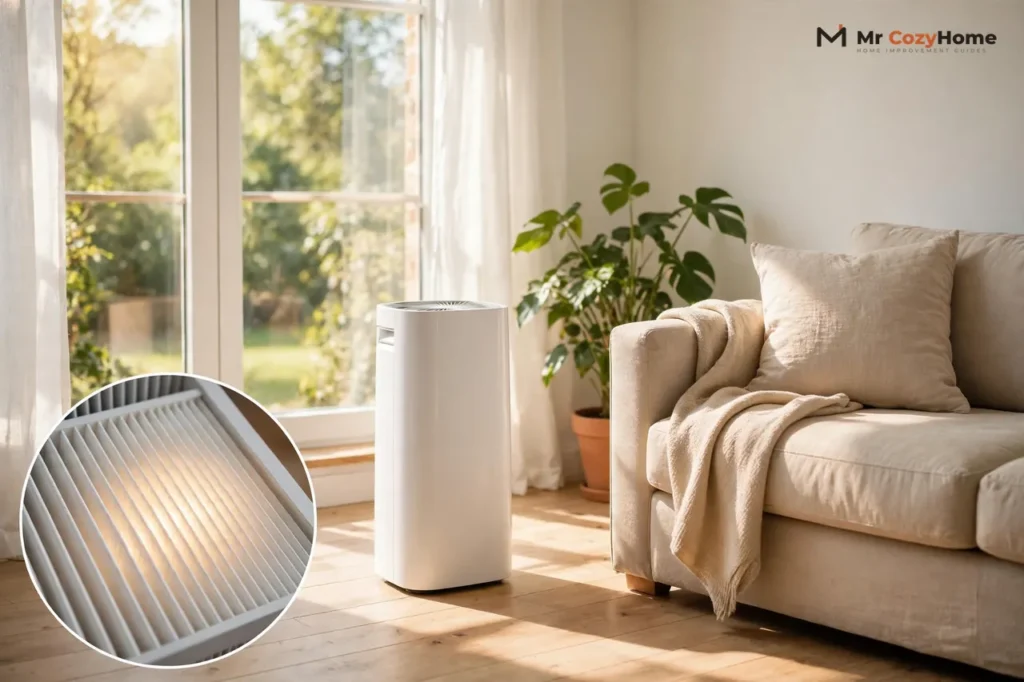
Most air purifier repair jobs are not repairs at all. They are quick checks: a dead outlet, a filter cover that never clicked shut, a new filter still in its plastic wrap, a child lock you turned on by accident, or a filter so clogged that air can barely pass through it. Work through the cheapest and safest checks first, and most purifiers start working again in minutes. Stop at once, though, if you smell burning, see sparks, or find a damaged cord. Unplug the unit and call the maker instead.
This guide walks you through each symptom in order, from the wall socket inward. You need no tools for most of it. A flashlight and a dry cotton swab help for a few steps.
Before You Touch Anything: The 2-Minute Safety Check
Do this check first, every time, no matter what the symptom is. It keeps you safe, and it solves a surprising number of “broken” purifiers.
- Look at the cord and plug. If the cord is cut, frayed, melted, or hot to the touch, stop. Unplug it and do not use the unit again. A damaged cord is not a home repair.
- Sniff the air near the unit. A dusty or musty smell points to a dirty filter. A sharp, hot, or burning smell means you should unplug the purifier right away and contact the maker. Never keep running a unit that smells like burning plastic.
- Check the breaker. If the purifier tripped a breaker or the outlet is dead, the problem may be in your home wiring, not the purifier. Test the outlet with a lamp or a phone charger.
- Unplug before you open anything. Every maker says the same thing: unplug the purifier before you open the filter cover, touch the fan, or clean inside it. Do not open sealed electrical parts, and do not poke at wires, circuit boards, or motors.
If the unit is still under warranty, check the warranty terms before you open anything past the filter door. Opening the housing can void the coverage on many models.
Quick Diagnosis: Match Your Symptom to the Fix
Find your symptom in this table, then jump to the matching section for the full steps.
| Symptom | Most likely cause | First fix |
|---|---|---|
| Will not turn on | Dead outlet, loose plug, unlatched filter cover, child lock | Test the outlet, latch the cover, release the lock |
| Weak airflow | Clogged filter or blocked intake | Clean the pre-filter, replace the HEPA filter |
| Strange noise | Loose filter or panel, dust on the fan | Reseat the filter, clean the fan area |
| Bad smell | Saturated carbon filter or damp filter | Replace the carbon filter, dry the unit |
| Red filter light stays on | Timer not reset after a filter change | Hold the reset button for your model |
| Sensor stuck or auto mode lazy | Dusty sensor lens | Clean the sensor with a dry cotton swab |
| Keeps shutting off | Overheating from a clogged filter | Clean or replace filters, clear the vents |
| Burning smell, sparks, tripped breaker | Electrical fault | Unplug at once, call the maker |
It Won’t Turn On
A purifier that will not turn on at all is usually stopped by something simple, not by a real breakdown. Work from the wall inward, and test after each step.
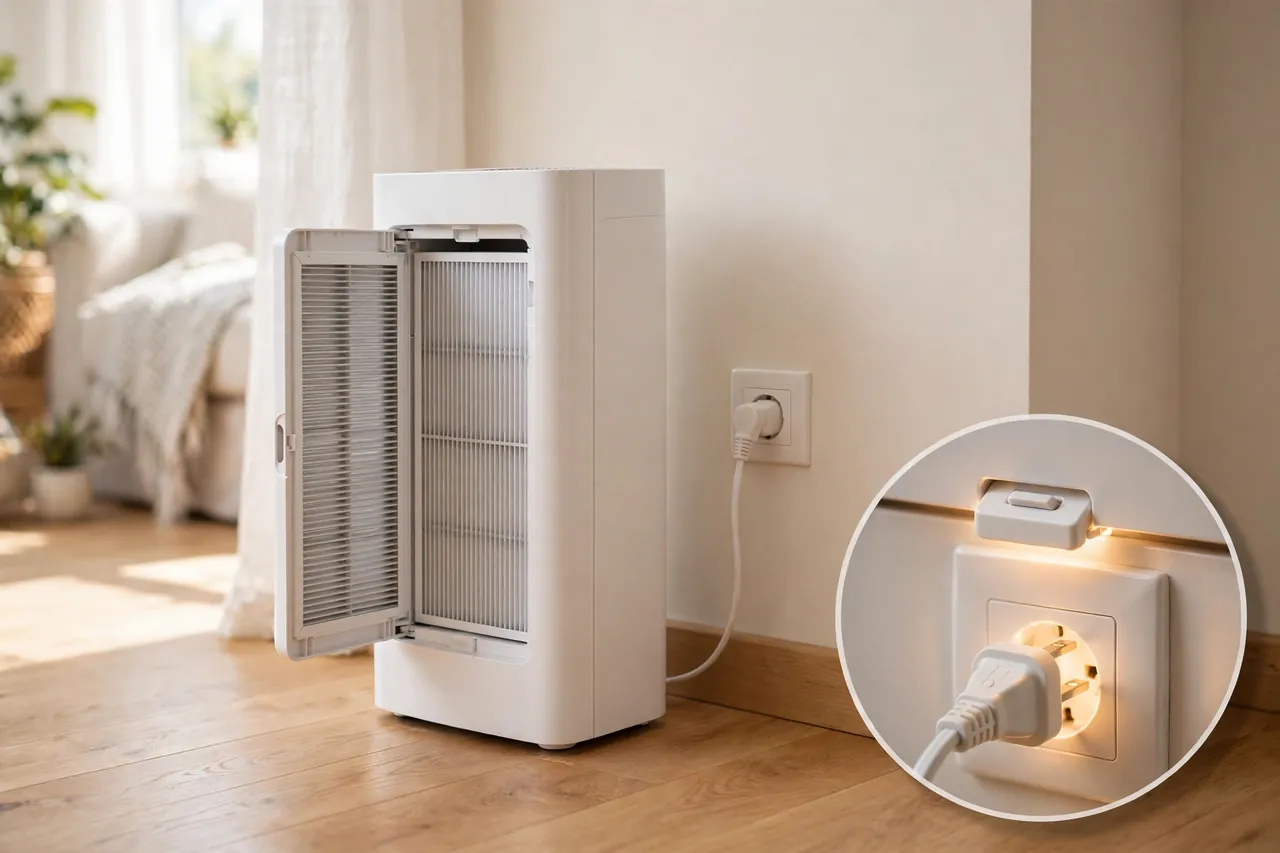
- Test the outlet. Plug a lamp into the same outlet. If the lamp stays dark, try another outlet. Plug the purifier straight into the wall, not into a power strip or a smart plug that may be switched off.
- Check the plug and cord. Push the plug firmly into the outlet and look for damage. If anything looks burnt or feels hot, stop and unplug it.
- Press the filter cover until it clicks. Most purifiers have a safety switch that cuts all power until the filter cover or back panel is fully latched. Open the cover, reseat the filter, and close the cover firmly until you hear the click.
- Remove the plastic wrap from a new filter. New filters ship in sealed plastic bags. A purifier with a wrapped filter may refuse to start, and running it wrapped strains the fan motor.
- Release the child lock. A child lock disables the buttons, so the unit looks dead. On most models, you press and hold the lock button for 3 to 5 seconds. Your manual names the exact button. Also check sleep and display-off modes. Some units look off when they are only in sleep mode, so press the power button once and watch for the fan or a faint light.
- Unplug it for a minute, then plug it back in. A short power cycle clears many small electronic glitches.
If the purifier still does nothing with a known-good outlet, a latched cover, and the lock released, the fault is inside the unit. That means a blown internal fuse, a failed control board, or a seized motor. Those are maker repairs, not home repairs. Contact the maker or check your warranty before you open anything.
Weak Airflow or the Fan Blows Weakly
Weak airflow with a louder fan almost always means the filter needs attention. The fan works harder to push air through a clogged filter, so it gets noisier while moving less air.
- Turn the fan speed up. First, rule out the easy mistake. Sleep mode and the lowest speed move very little air on purpose. Switch to a higher speed and feel the outlet vent.
- Give it room to breathe. Pull the purifier at least 6 to 12 inches away from walls, curtains, and furniture on all sides. A unit pushed against a wall cannot pull air in properly.
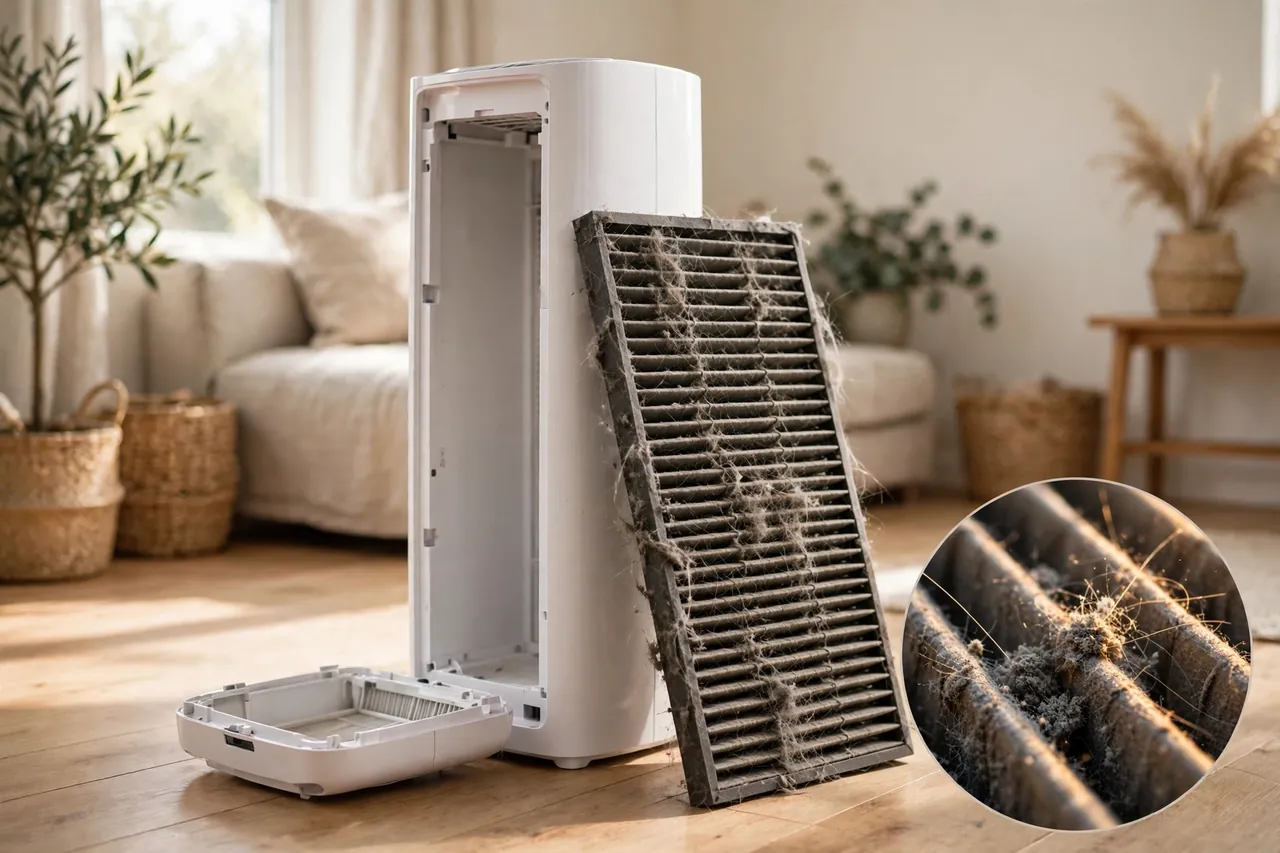
- Clean the pre-filter. Unplug the unit and take out the pre-filter, the thin mesh screen that catches hair and large dust. Vacuum it gently, or rinse it if your manual says it is washable. Let it dry fully before you put it back.
- Check the HEPA filter. Hold it up to the light. If it looks dark gray, matted, or fuzzy, it is loaded with dust and needs replacing. Never wash a HEPA filter. Water ruins the filter material, and you cannot tell by looking that it is ruined.
- Check the intake and outlet grilles. Vacuum dust and pet hair off the grilles. A blocked grille chokes airflow just like a clogged filter does.
- Look at the fan blades. With the unit unplugged, shine a flashlight into the fan area. Dust and hair on the blades slow the fan down. Wipe them gently with a dry cloth or a soft brush.
If airflow stays weak with new filters, clean grilles, and clear space around the unit, the fan motor may be failing. That is when to contact the maker, especially if the unit hums without moving air.
Also check the size of the room. A small purifier cannot clean a large living room, no matter how well it runs. The U.S. Environmental Protection Agency’s Guide to Air Cleaners in the Home says to choose a purifier with a clean air delivery rate (CADR) large enough for the room, and it notes that a dirty, overloaded filter will not work well.
Strange Noises: Rattles, Buzzing, and Grinding
First, name the noise. Each sound points to a different cause, and some are normal.
- Rattling: a loose filter, a loose cover, or something small caught inside. Turn the unit off, unplug it, and reseat the filter and the cover until both sit snugly.
- Buzzing or humming: dust on the fan blades, or a filter that is not seated straight and lets the fan pull unevenly. Clean the blades and refit the filter.
- Clicking: a small object touching the fan, or a filter edge brushing a blade. Unplug the unit and look inside with a flashlight.
- Grinding or scraping: worn fan bearings or a failing motor. This is not a cleaning job. Stop using the unit and contact the maker.
- Loud snapping or a burning smell with the noise: stop at once. Unplug the purifier and call the maker. This can mean an electrical fault.
Blueair’s troubleshooting guide gives the same advice: rattling, buzzing, or grinding usually means a loose part or an obstruction, so turn the purifier off and check for loose covers, fallen objects, or dust on the fan blades. Grinding from the motor, it says, needs professional service.
Also try moving the purifier. A hard wooden floor or a hollow table can make a normal hum sound much louder. Set the unit on a flat, stable surface, and make sure it sits level.
Bad Smell When It Runs
A purifier should remove smells, not add them. A bad smell tells you what is wrong inside the unit.
- Musty or stale smell: the carbon filter is saturated, or the filter got damp and grew mold. Replace the carbon filter. Wipe the inside housing with a dry cloth while the filters are out.
- Dusty smell: a filter loaded with dust and pet dander. Replace the HEPA filter if it looks dark or feels matted.
- Slight plastic smell on a brand-new unit: this is common. Run the purifier on high in a well-ventilated room for 24 to 48 hours. The smell should fade. If it does not, contact the maker.
- Sharp, electrical, or ozone-like smell: unplug the unit at once. Do not keep running it. This points to an electrical problem or a faulty ionizer, and it needs the maker, not a new filter.
If the smell stays right after you fit new filters, stop and contact the maker. A smell that survives fresh filters can mean mold inside the housing or a fault deeper in the unit. Also check where the purifier sits. A unit next to a stove, a humidifier, or in a damp bathroom picks up grease and moisture that feed smells.
The Red Filter Light Won’t Reset
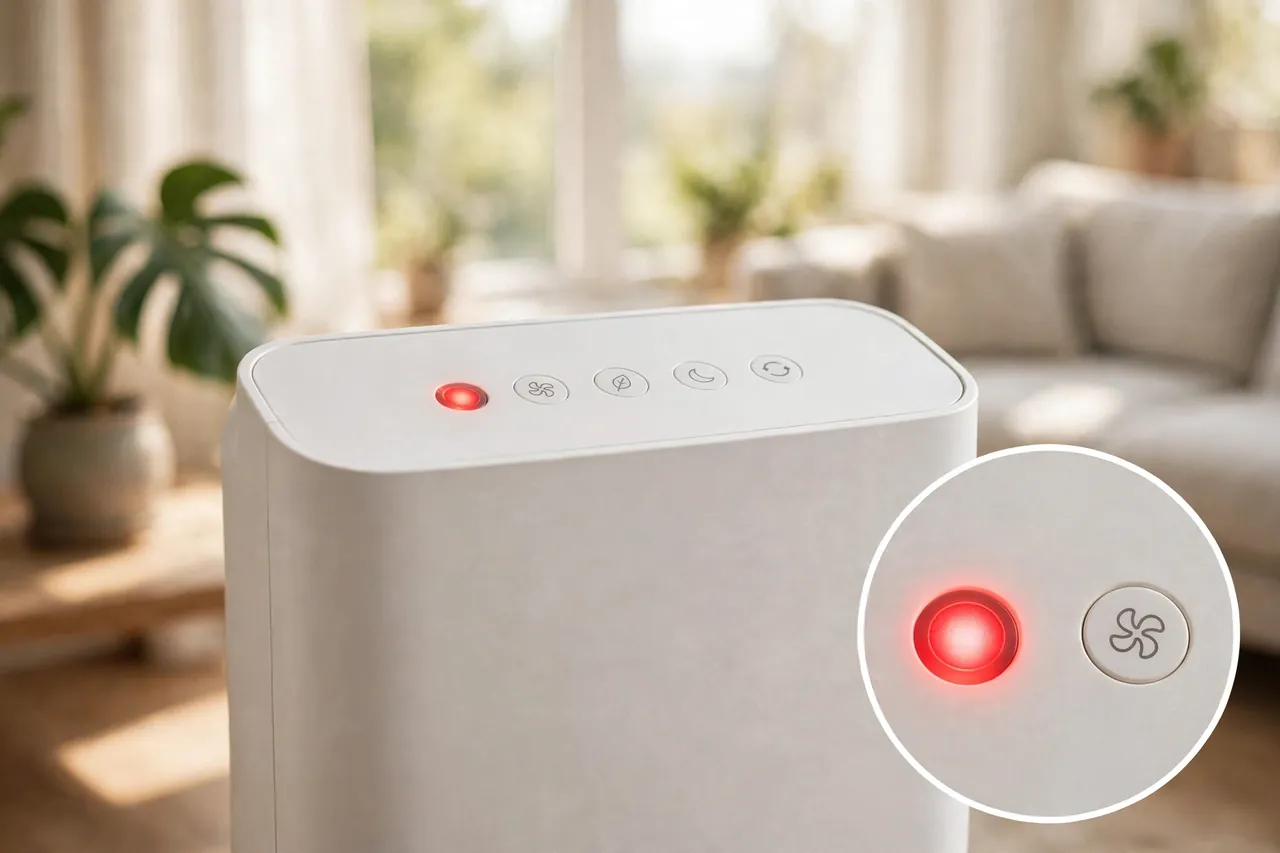
This is the most confusing problem in air purifier repair, because the light is not a sensor. On most brands, the red filter light is a timer. It counts running hours, and it turns red when the count reaches the maker’s service interval. It cannot see the filter, so putting in a new filter does not clear it. You must reset the timer by hand, after the filter change.
First, work out which red light you are looking at. Many purifiers have two red lights that mean different things. A small filter icon on the control panel is the maintenance timer. A colored ring or bar that changes with the room air is the air quality sensor. A red ring while you cook only means the air is dirty right now. It clears on its own as the air improves, and it needs no reset.
Reset steps are brand-specific. Do not generalize one brand’s steps to another. These are the steps the makers themselves publish:
Levoit
Levoit’s own guide to the red light says the Check Filter Indicator is a timer that runs for about 6 to 8 months of typical use. On the Core 300-P, turn the unit on, then press and hold the Check Filter Indicator button for 3 seconds until the light turns off. On the Core Mini-P, turn the fan off first, keep the unit plugged in, and press and hold the Control button for about 3 seconds until the light blinks and turns off. On the LV-PUR131, use a paper clip in the small recessed reset button on the side and hold it for 5 seconds. Smart models can also reset from the VeSync app.
Honeywell
Honeywell’s support page says the filter light stays on until you reset it by hand, and the unit must be powered on while you do it. On the standard HPA console series, press and hold the lit Check Pre-Filter or Check Filter button for 3 to 5 seconds until you hear a beep and the light turns off. Honeywell tracks the two filters separately: the pre-filter light comes on after about 3 months, and the HEPA light after about 12 months. If both lights are red, reset each one on its own.
Winix
On Winix models, fit the new filter first, power the unit on, then press and hold the filter button for 3 to 5 seconds until it beeps and the light goes out. Winix manuals add one detail other brands do not: the filter life can also reset with the power off on some models, using a long 10-second press. Check your model’s manual before you try that.
Coway and Blueair
On Coway models, the colored ring around the panel shows real-time air quality, and the small filter LED is the maintenance light. Hold the filter button for 3 to 5 seconds after a filter change, and check your manual for the exact button on your model. On Blueair models, the filter warning is a separate red mark on the control panel, and Blueair’s own troubleshooting guide says to press and hold the fan speed button for 15 seconds on the models it covers.
If the light still will not reset, check three things: the filter is the correct type for your model, the filter is seated fully, and the cover is latched shut. A cover that is not fully closed can block the reset on some models. Also make sure you are holding the button long enough. A quick press does not reset a timer. Hold it for the full count, and try once more after a one-minute unplug.
The Sensor Is Stuck or Auto Mode Won’t Change
Auto mode depends on a small particle sensor, usually behind a little grille on the side or back of the unit. When dust coats the sensor lens, the purifier reads the room wrong. It may sit on low all day while the room is dusty, or it may run on high for no clear reason. The air quality light may stay stuck on red or green for hours.
- Unplug the unit. Never clean a sensor with the power on.
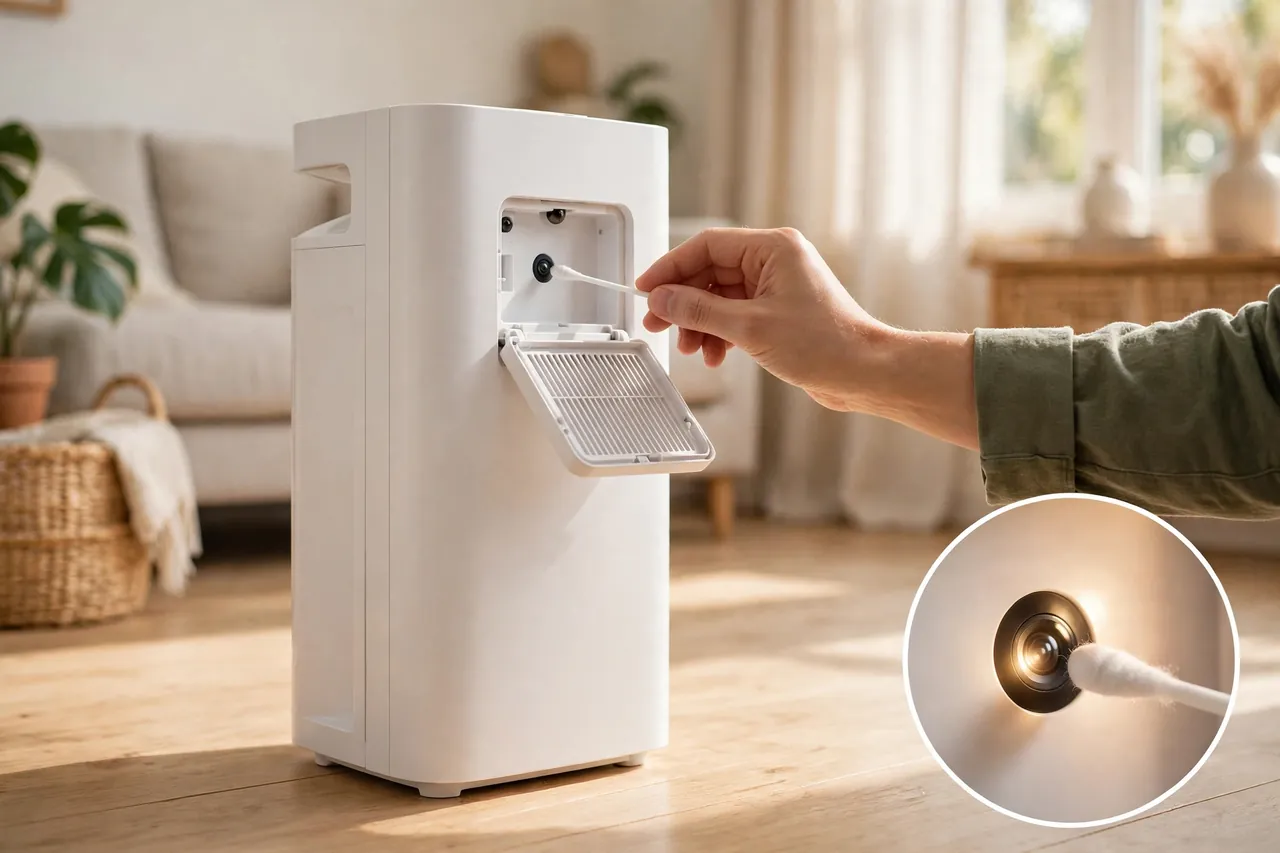
- Find the sensor cover. Look for a small grille or a removable cover on the side of the unit. Your manual shows its exact spot.
- Clean the lens with a dry cotton swab. Wipe the lens and the sensor opening gently. Winix manuals say to clean the dust sensor lens and suction port with a cotton swab, then a dry cotton swab, about once every two months. Do not use liquids or compressed air on the sensor. Both can damage it.
- Move the purifier away from drafts and scents. A sensor near an open window, an air vent, a fan, or an essential oil diffuser gets fooled. Steam from a shower and strong cooking smells can fool it too. Give the sensor clean room air to read.
- Give it a few minutes after a move. Some models need a few minutes to recalibrate after you move them or power them back on.
If the readings never change at all, even in heavy smoke or dust, or the sensor error light stays on after cleaning, the sensor itself may have failed. That is a maker repair. A sensor that reads “good” all the time is not proof the air is clean. It is proof the sensor cannot see the room.
Drafts from leaky windows and doors can also fool a sensor all day long. If cold drafts reach the purifier, sealing them helps the sensor and the whole room. Our guide to how to improve home insulation shows where drafts usually come from and how to fix them.
It Keeps Shutting Off or Restarting on Its Own
A purifier that turns itself off usually has a reason, and overheating is the most common one. A clogged filter blocks airflow, the motor works harder, the unit heats up, and a thermal safety switch cuts the power. Blueair’s troubleshooting guide describes exactly this: modern purifiers shut down when they overheat, and you should unplug the unit and let it cool for at least 30 minutes.
- Check the timer and eco modes. Rule out a timer, a sleep schedule, or an eco mode that turns the unit off on purpose.
- Check the outlet. An outlet controlled by a wall switch can cut power without warning. Try a different outlet that is always live.
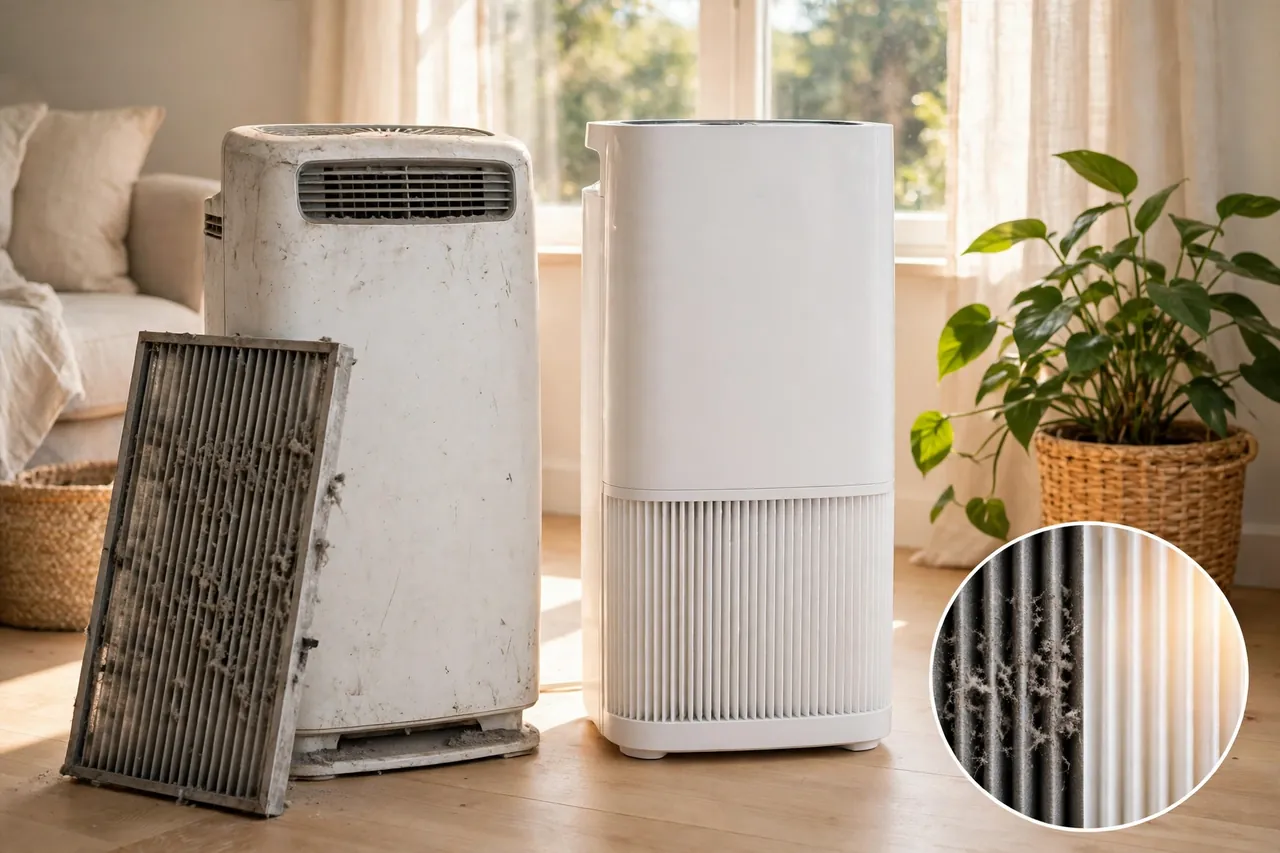
- Clean or replace the filters. A loaded filter is the most common cause of overheating. Clean the pre-filter and replace the HEPA filter if it is due.
- Clear the vents. Make sure nothing blocks the intake or the outlet, and that the unit has clear space on all sides.
- Let it cool fully. Unplug the unit, wait at least 30 minutes, then plug it back in and run it on a medium speed.
If the unit still shuts down after cooling and cleaning, or if it cycles on and off rapidly, stop using it. Rapid cycling, shutdowns with a burning smell, or flickering lights can mean a failing power board or internal wiring. That is a maker repair.
Fan Problems: Hums, Spins Slowly, or Stops
Fan trouble is where careful diagnosis matters most, because most fan faults are not the motor. A clogged filter, debris on the fan blades, a loose blade, or a dirty sensor that keeps the fan idling on low can all look like a dead fan.
- Unplug the unit first. Never touch a fan with the power connected.
- Spin the fan gently by hand. It should turn freely and smoothly. If it feels stuck, rough, or gritty, something is blocking it or the bearings are worn.
- Look for debris. Shine a flashlight into the fan area. Hair, dust, and small objects can wedge against the blades. Remove what you can reach with a soft brush or a vacuum.
- Check the filters again. A filter so clogged that air cannot pass will make even a healthy fan look weak. Fit a new filter before you blame the motor.
- Try each speed. If the fan runs on high but not on low, or stops at one speed only, the speed control or control board may be at fault. That is a maker repair.
Caution before you go further: some fan circuits use a capacitor, and a capacitor can hold an electric charge after you unplug the unit. Do not touch capacitors, wires, or circuit boards. Leave that work to a qualified technician. The same rule covers the motor itself. A motor that hums without spinning, grinds, seizes, or smells hot is a real motor fault, and on many models the motor is riveted or glued in place. Only use a replacement motor or blower assembly from the maker, and only if the unit is out of warranty.
Repair or Replace? A Simple Decision Guide
Not every broken purifier deserves a repair. Use this guide to decide quickly, and do not spend more on parts than a new unit would cost.
| Situation | Best move | Why |
|---|---|---|
| Filter is clogged or the light needs a reset | Repair it yourself | Filters are consumables, and a reset costs nothing |
| Unit is under warranty | Contact the maker | A free warranty repair beats a paid one, and opening the unit can void it |
| Fan or sensor needs a maker part | Repair only if the maker sells the part | A maker part fits; a generic part often does not |
| Motor grinds, seizes, or smells hot | Replace the unit | Motor work is costly, and many motors are not sold as parts |
| Burning smell, sparks, or damaged cord | Replace the unit | Electrical faults are not safe home repairs |
| Unit is old and weak even with new filters | Replace the unit | Old motors and sensors wear out, and new filters cannot fix that |
| Unit is too small for the room | Replace with a bigger unit | No repair changes the size of the room it can clean |
A good rule of thumb: if the fix is a filter, a cleaning, or a reset, do it. If the fix is a motor, a control board, or wiring, get a price from the maker first. If that price comes close to a new purifier, buy the new one.
If you do decide to replace the unit, do not rush the choice. Our guide to the best air purifier recommended by doctors explains what doctors look for in a purifier and what to check before you buy. That guide is about choosing a new purifier. This guide is about fixing the one you already own.
Keep It Running: A Small Maintenance Routine
Most air purifier repairs never happen when a small routine runs on time. Set a phone reminder for these steps.
- Every 2 to 4 weeks: vacuum the pre-filter and the intake grilles. Blueair’s guide recommends this exact interval.
- Every 2 months: clean the sensor lens with a dry cotton swab, as Winix manuals recommend.
- Every 6 to 12 months: replace the HEPA and carbon filters on the maker’s schedule, or sooner if the air smells stale or airflow drops. Levoit filters last about 6 to 8 months, and Honeywell HEPA filters about 12 months.
- Every time you change a filter: wipe the inside housing with a dry cloth, check the filter direction, latch the cover firmly, and reset the filter light.
- Every time you move the unit: give it clear space on all sides and a few minutes to recalibrate.
Cleaning the purifier is a good moment for a wider clean, too. Dust that lands on the purifier came from the room, and a room that stays dusty will clog the next filter faster. Our deep cleaning house checklist walks through the whole house, room by room, so the purifier has less work to do.
A Quick Safety Note
This guide covers basic checks, cleaning, filter changes, and light resets. It does not cover electrical repair. Always unplug the purifier before you open it, and never open sealed electrical parts or touch wires, circuit boards, capacitors, or motors. If you smell burning, see sparks, find a damaged cord, or the breaker trips, unplug the unit and contact the maker or a qualified technician. Homes, budgets, and purifier models vary, so follow your model’s manual first when it disagrees with general advice here.
Related Guides
Best Air Purifier Recommended by Doctors: How to Choose One That Actually Helps
Frequently Asked Questions
Why is the fan not working or blowing very weakly?
Check the fan speed first, since sleep mode and the lowest speed move very little air on purpose. Then unplug the unit and inspect the intake grilles and filters. A clogged pre-filter or HEPA filter cuts airflow sharply. Clean the pre-filter, replace the HEPA filter if it looks dark or matted, and clear the space around the unit.
Why does my air purifier smell bad when it’s running?
A bad smell usually means the carbon filter is saturated, or a filter got damp and grew mold. Turn the unit off, unplug it, and inspect the filters for discoloration, dampness, or mold spots. Replace any suspect filter right away, and wipe the hard plastic surfaces with a slightly damp cloth and mild detergent, then dry fully.
Why is my air purifier making loud or unusual noises?
Unusual noises often signal a mechanical or airflow problem. Power the unit off, unplug it, and inspect the intake and outlet grilles for debris, pet hair, or obstructions. Remove and reinstall the filters so they sit securely, since a loose filter can rattle. Grinding, scraping, or a burning smell means you should stop and contact the maker.
Why is the filter light on, and do I really need to replace the filters?
The filter light is usually a timer based on running hours, and it warns that filter efficiency has likely dropped even if the filter still looks fine. Check your manual for what each light color means, then clean or replace the filters and reset the light by holding the reset button. Reset only after the filter work is done.
Why won’t my air purifier’s sensor or “auto mode” work correctly?
A dirty or blocked air quality sensor is the usual cause. Find the sensor window, often on the side of the unit, and clean around it gently with a soft brush or a dry cotton swab. Keep steam, direct sunlight, and air fresheners away from the sensor, and give the unit a few minutes to recalibrate after you move it.
Can I wash my air purifier filter?
Only pre-filters designed for washing should be cleaned with water. True HEPA and carbon filters lose effectiveness when wet and must be replaced, not washed. Check your model’s manual for guidance on your specific filter, and always let a washed pre-filter dry fully before you put it back.
Start with the cheapest check: the outlet, the cover, the lock, and the filter. Most purifiers come back to life at one of those four steps. If you reach the end of this guide and the unit still will not run, hums without moving air, or smells like burning, stop and call the maker. A new filter is a smart spend. A new motor on an old unit usually is not.